VIVOTEK
User's Manual - 21
Main Page
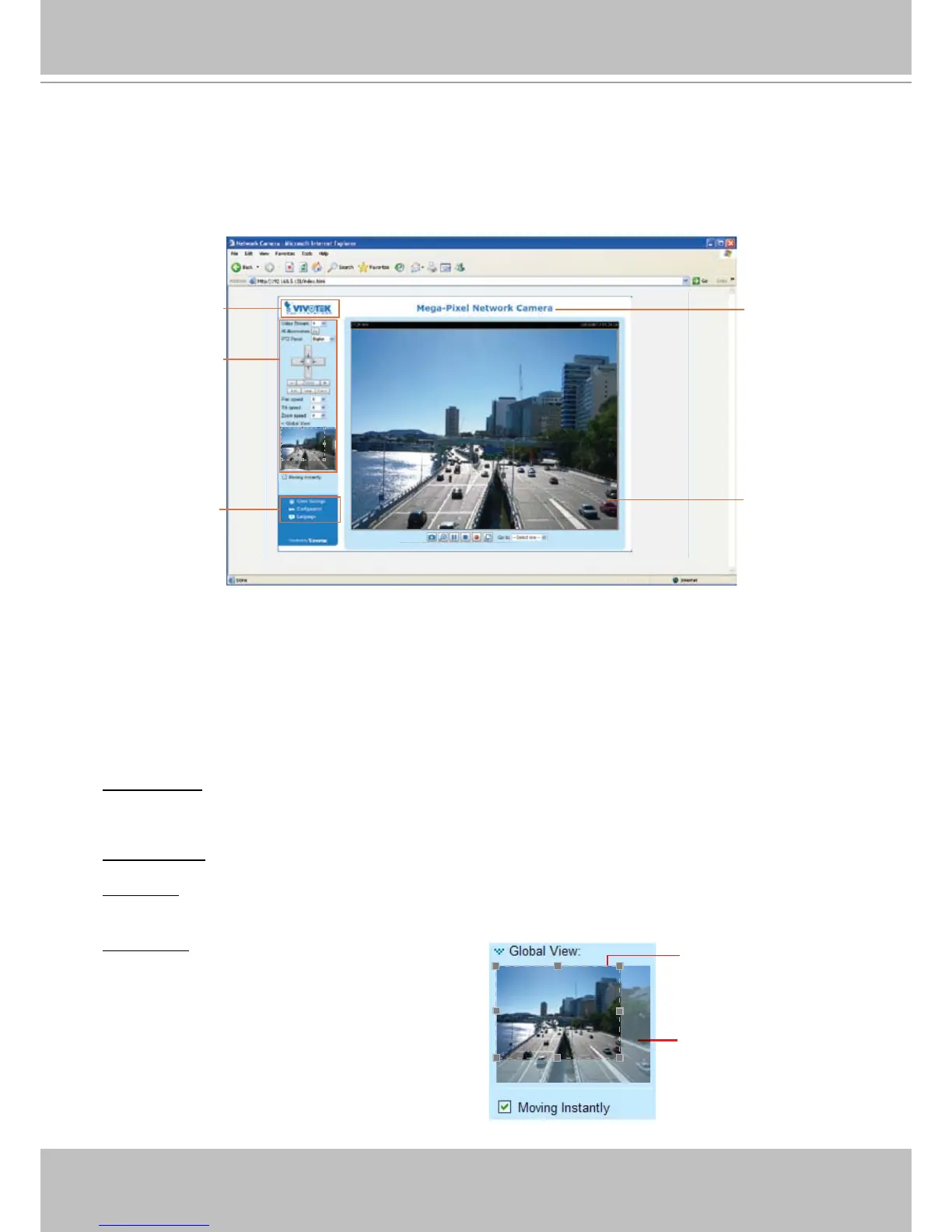
This chapter explains the layout of the main page� It is composed of the following sections:
VIVOTEK INC� Logo, Host Name, Camera Control Area, Configuration Area, Menu, and Live
Video Window�
VIVOTEK INC. Logo
Click this logo to visit the VIVOTEK website�
Host Name
The host name can be customized to t your needs. For more information,
please refer to
System on page
28�
Camera Control Area
Video Stream: This Network Cmera supports multiple streams (stream 1 ~ 4) simultaneously� You can
select either one for live viewing� For more information about multiple streams, please refer to page 62
for detailed information�
IR Illuminators: Click to turn on the IR LEDs for 20 seconds�
PTZ Panel: This Network Camera supports “digital“ (e-PTZ) pan/tilt/zoom control� Please refer to Camera
Control on page 72 for detailed information�
VIVOTEK INC. Logo
Camera Control Area
Configuration Area
Host Name
Live View Window
Global View: Click on this item to display the Global
View window� The Global View window contains a full
view image (the largest frame size of the captured
video) and a oating frame (the viewing region of the
curruent video stream)� The floating frame allows
users to control the e-PTZ function (Electronic
Pan/Tilt/Zoom)� For more information about e-PTZ
operation, please refer to E-PTZ Operation on page
72� For more information about how to set up the
viewing region of the current video stream, please
refer to Viewing Windows on page 62�
The viewing region of
the current video
stream
The largest frame size












 To Next Page