VIVOTEK
User's Manual - 9
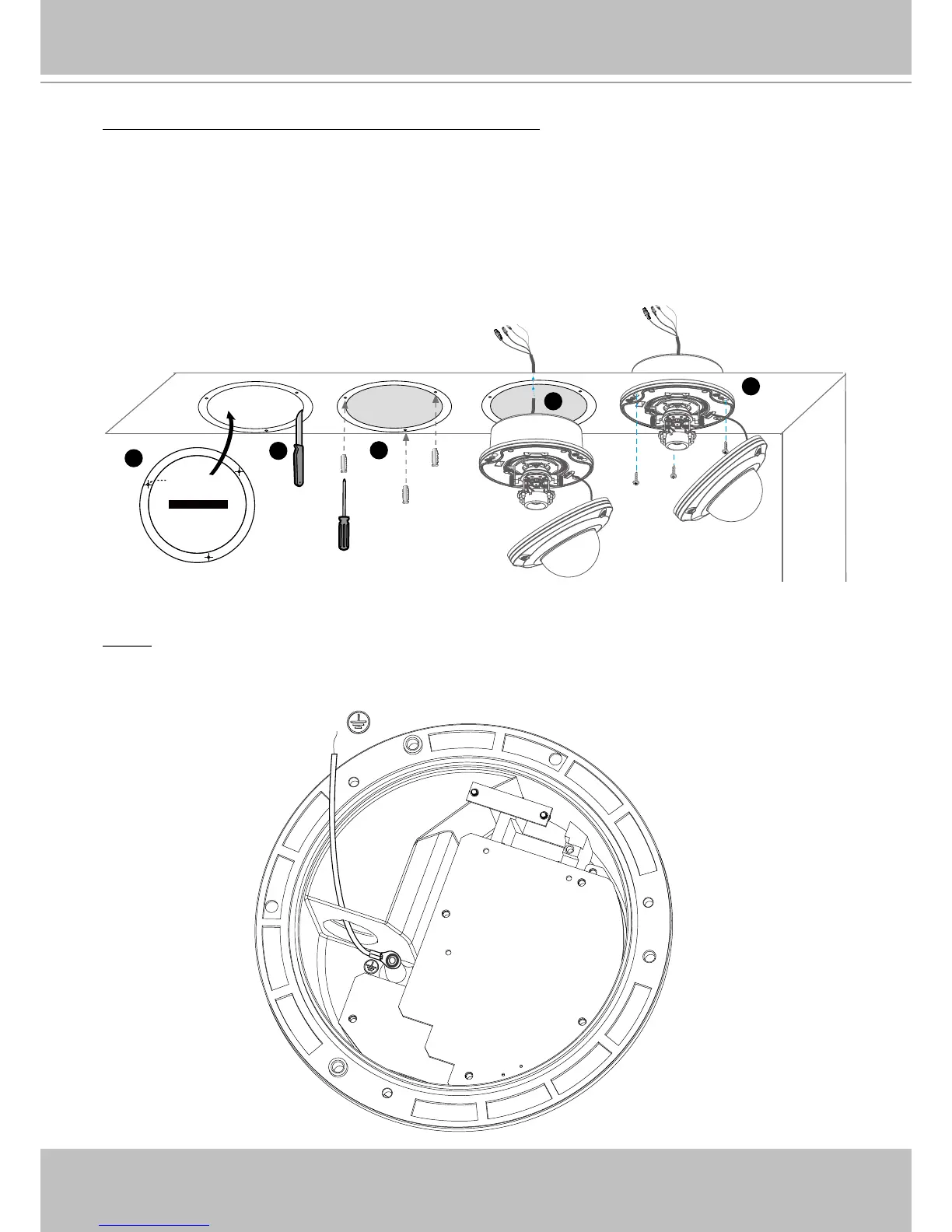
Drop-ceiling mount (without the bottom base)
1� Attach the supplied ceiling hole template sticker to the ceiling�
2� Open a hole along the inner circle of the sticker�
3� Using the 3 circles on the sticker, drill 3 pilot holes into the ceiling� Then hammer the three
supplied plastic anchors into the holes�
4� Mount the Network Camera to the ceiling and feed the cables through�
5� Using the three holes on the side of the camera base, insert the three supplied screws into
the corresponding holes and secure them with a screwdriver�
NOTE
► The ground wire is directly connected and xed on the FD8361 housing as shown below.
1
5
2
3
4
Ceiling Hole Template Sticker
Drill hole
GND












 To Next Page