VIVOTEK
10 - User's Manual
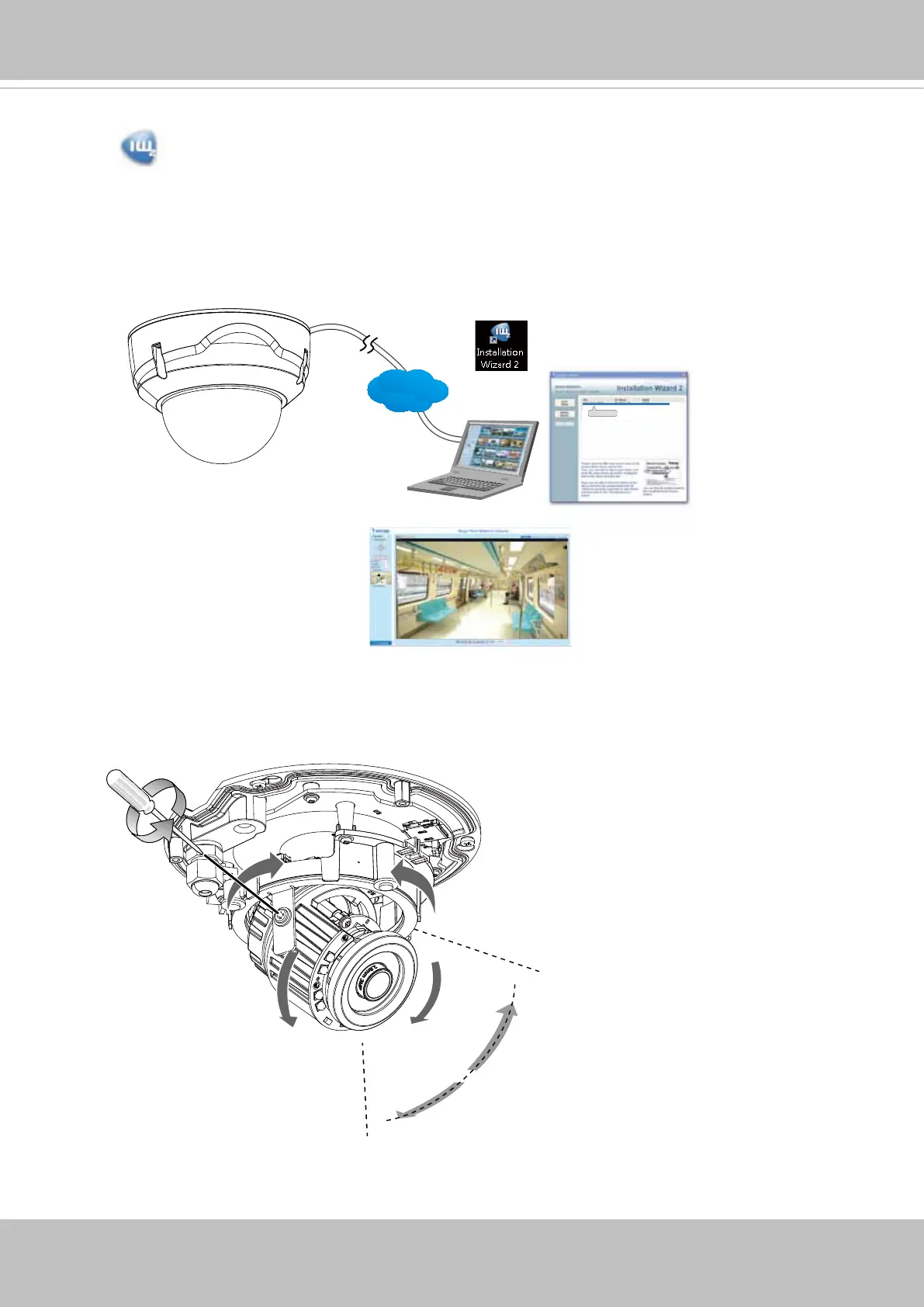
9. Install the "Installation Wizard 2" software utility.
10. The program will search for VIVOTEK Video Receivers, Video Servers or Network
Cameras on the same LAN.
11. Double-click on the camera's MAC address to open a browser management session
with the camera.
12. With a live view is displayed on your laptop, adjust the shooting angle, zoom and focus
to obtain an optimal image. Check the live view to ensure the image is in focus.
0002D1730202
00-02-D1-73-02-02 192.168.5.151 FD8168
IW2
Browser
LAN
350°
350°
70°












 To Next Page