VIVOTEK
66 - User's Manual
• Mode:
- Auto: When set to Auto, only the moving objects and the areas around them
will be displayed with the Foreground quality. The rest of the screen will be
displayed with the Background (lower) quality.
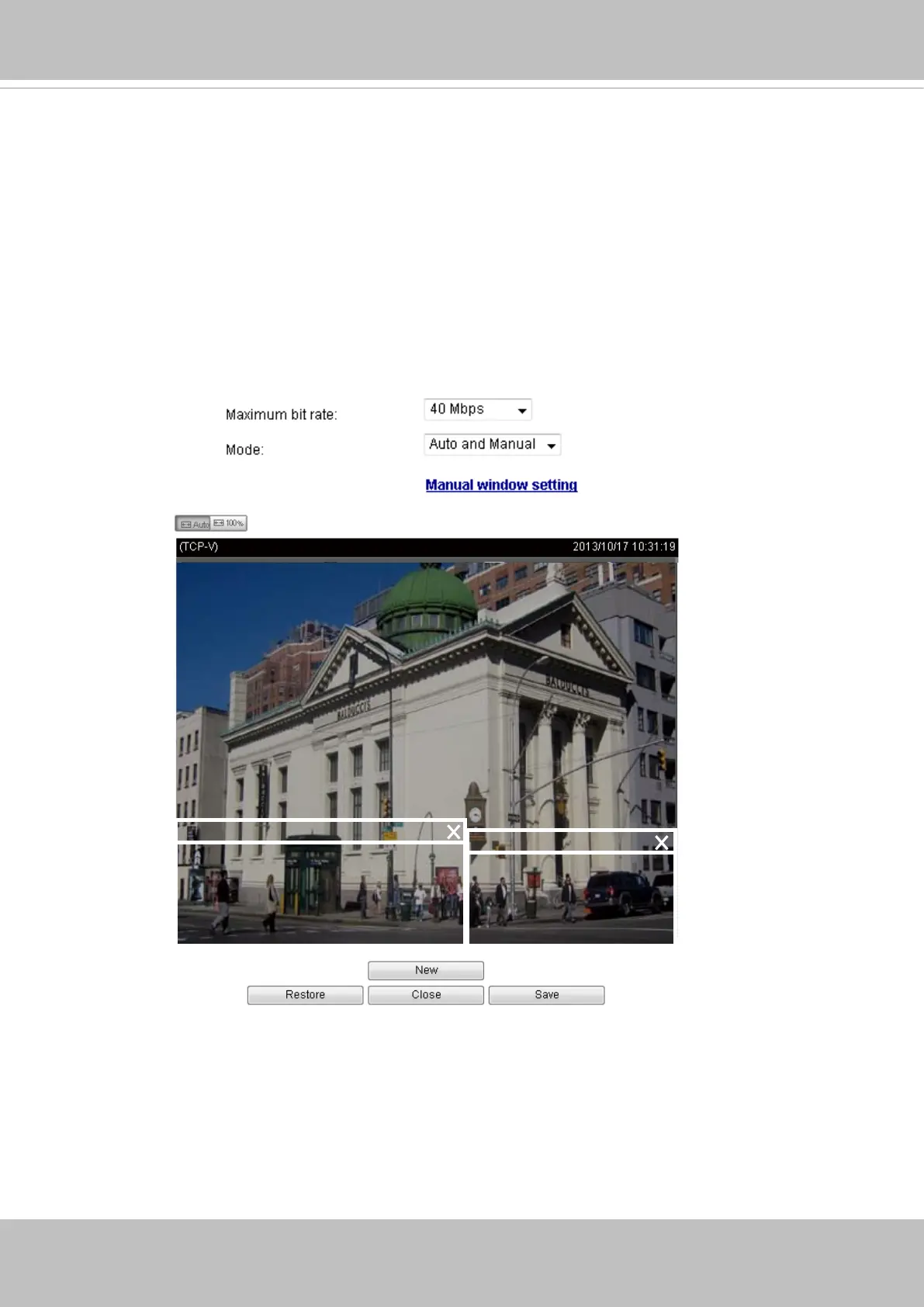
- Manual: When selected, the Manual window setting option will be displayed.
Click on it to display the setting window. You can then manually allocate the
regions of your interest on the current eld of view. Click New, drag, and pull
the window to cover the regions of your interest. Note that the title bar on each
window is not taken into account when setting the Foreground areas.
You can create up to 3 ROI windows. Click Save to preserve your setting and
click Close to nish the conguration.
ROI_0
ROI_1
Background
Q= Medium or low
Foreground
Q= Detailed
Foreground
Q= Detailed











 To Next Page