EN - 3
English
083236
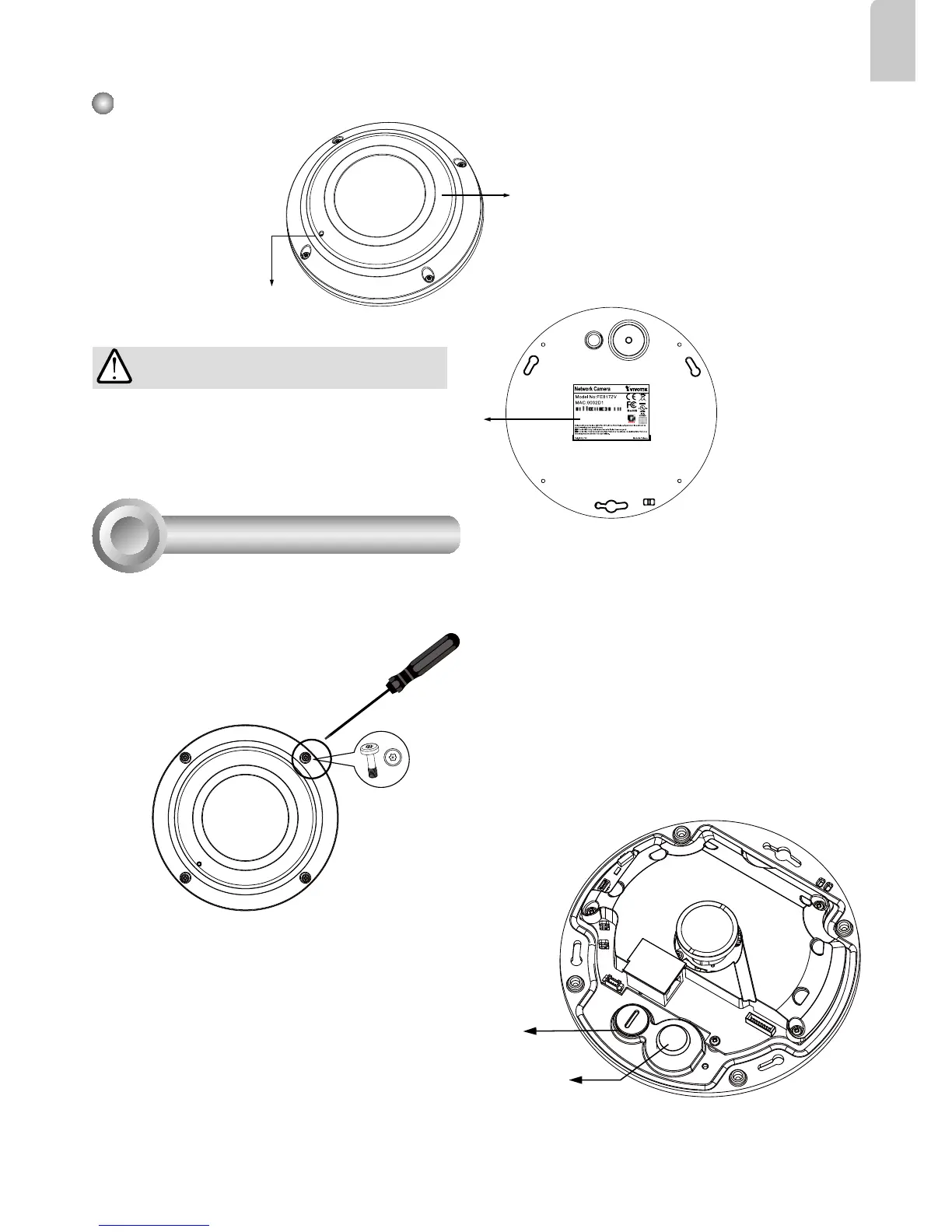
Outer View
Built-in Microphone
IP66-rated Vandal-proof
Dome Cover
IMPORTANT:
Record the MAC address under the
camera base before installing the
camera.
Hardware Installation
3
Rubber Stopper on the hole for
Power & IO Cables
Tamper-proof Screw
Rubber Seal Plug on the hole
for RJ45 Ethernet Cable
First, use the supplied screwdriver to loosen the four screws and detach the dome cover from the
camera base. Then, follow the steps below to install the camera to either a ceiling or a wall.
Remove the stoppers and route cables through the
openings.



 To Next Page