EN - 3
English
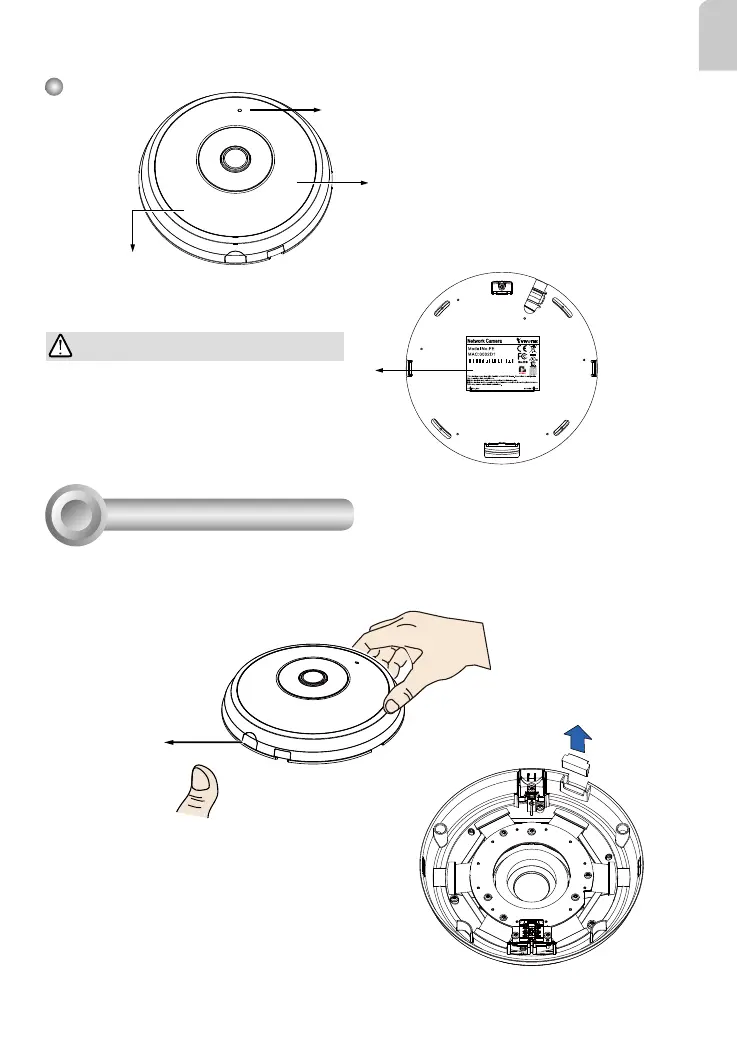
Outer View
Built-in Microphone
Dome Cover
IMPORTANT:
Record the MAC address under the
camera base before installing the
camera.
Hardware Installation
3
Release button
First, open the dome cover by pressing the release button. You may squeeze the opposite edge of
the dome cover if the dome cover does not come off easily. Then, follow the steps below to install the
camera to either a ceiling or a wall.
083236
8181
If you plan to route cables from the side of camera, re-
move the rubber slide cover from the dome cover.
Slide cover
IR lights hidden beneath panel



 To Next Page