VIVOTEK
44 - User's Manual
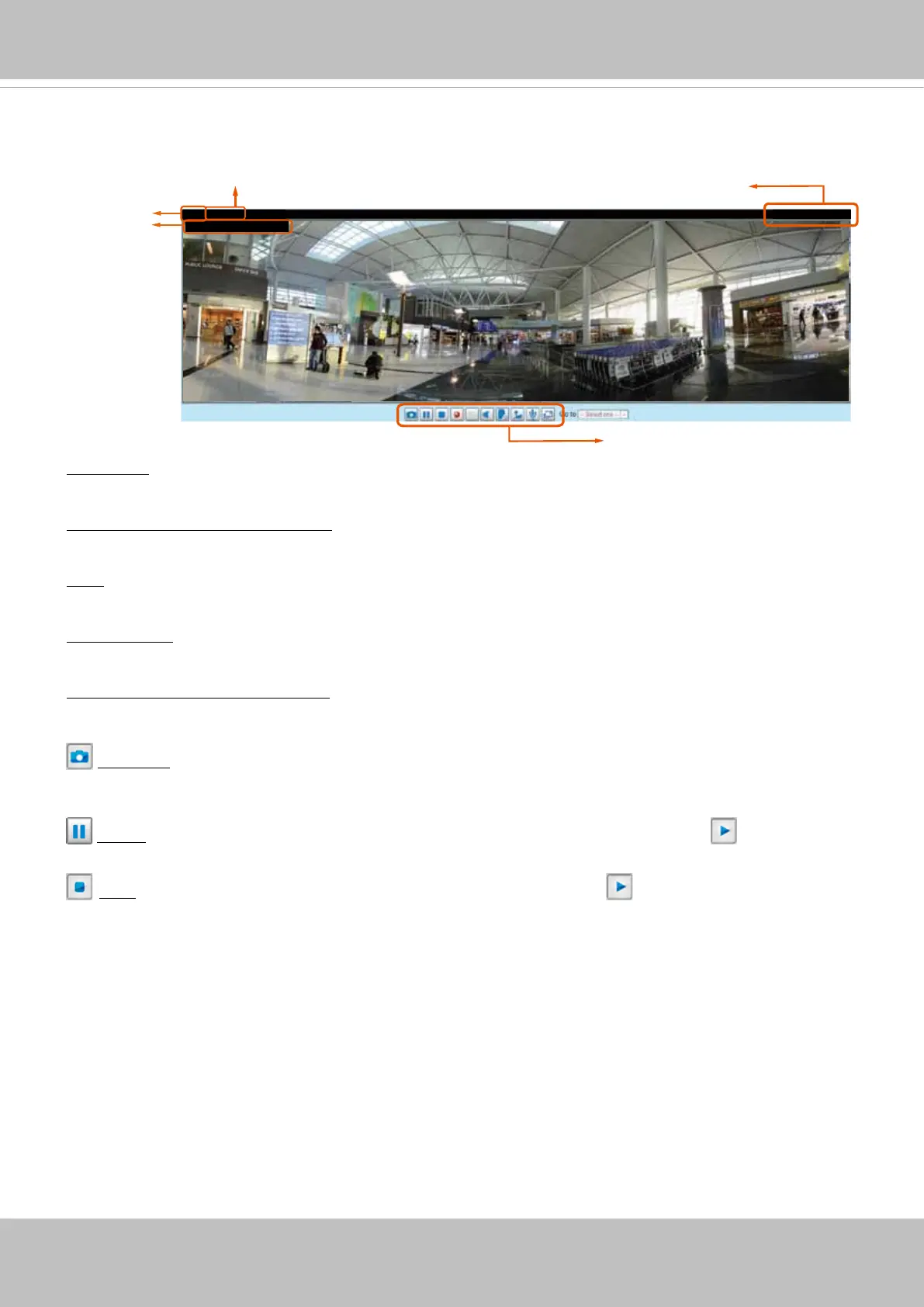
Video Title: The video title can be congured. For more information, please refer to Video settings on
page 76.
H.264 Protocol and Media Options: The transmission protocol (TCP or UDP, etc.)and media options for
H.265 or H.264 video streaming. For further conguration, please refer to Client Settings on page 47.
Time: Display the current time. For further conguration, please refer to Media > Image > Genral settings
on page 63.
Title and Time: The video title and time can be stamped on the streaming video. For further conguration,
please refer to Media > Image > Genral settings on page 63.
Video and Audio Control Buttons: Depending on the Network Camera model and Network Camera
conguration, some buttons may not be available.
Video 13:59:05 2012/07/04
Title and Time
Time
Video and Audio Control Buttons
Video (TPC-AV)
H.264/MPEG-4 Protocol and Media Options
Video Title
Video 13:59:05 2012/07/04
Live Video Window
■ The following window is displayed when the video mode is set to H.265 or H.264:
Snapshot: Click this button to capture and save still images. The captured images will be displayed
in a pop-up window. Right-click the image and choose Save Picture As to save it in JPEG (*.jpg) or BMP
(*.bmp) format.
Pause: Pause the transmission of the streaming media. The button becomes the Resume button
after clicking the Pause button.
Stop: Stop the transmission of the streaming media. Click the Resume button to continue
transmission.


 To Next Page