VIVOTEK
74 - User's Manual
Pixel Calculator
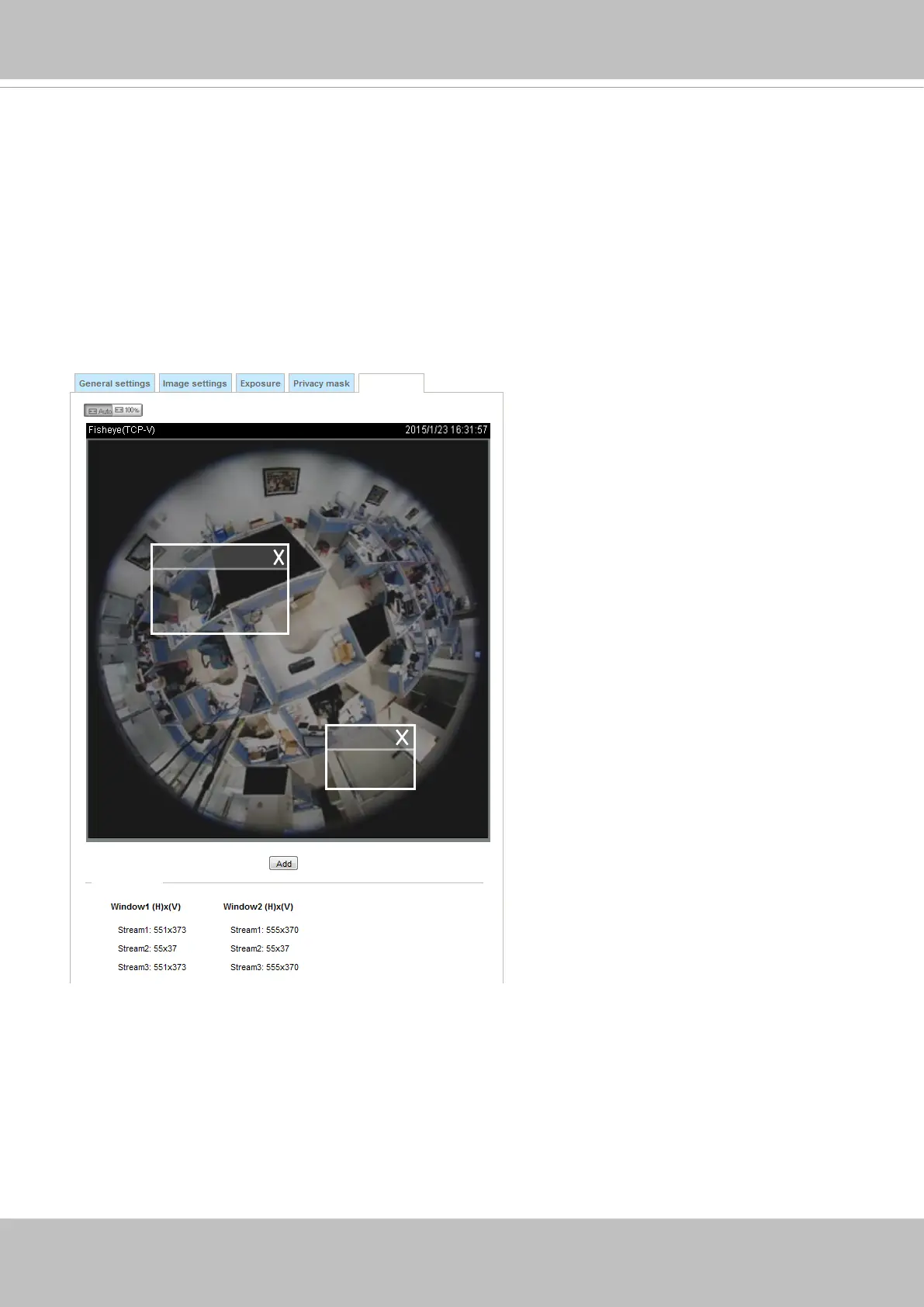
Click the Add button at the lower screen to create a pixel calculator window. Place your cursor on the
window to move it to an area of your interest, and change the size of window to t the area of interest.
Once they are drawn, the numbers of pixels on the sides of windows will appear. This allows you to
calculate if your current configuration fulfills a requirement, for instance, for recognizing the faces of
persons passing through a location. A facial recognition usually requires around 130 pixels per meter or
higher.
1
2
Pixel Calculator
Pixel Calculator
The pixels thus calculated are listed at the lower screen on a per-stream basis depending on the frame
size you congured for each video stream.


 To Next Page