VIVOTEK
User's Manual - 91
2011/03/09 17:08:56
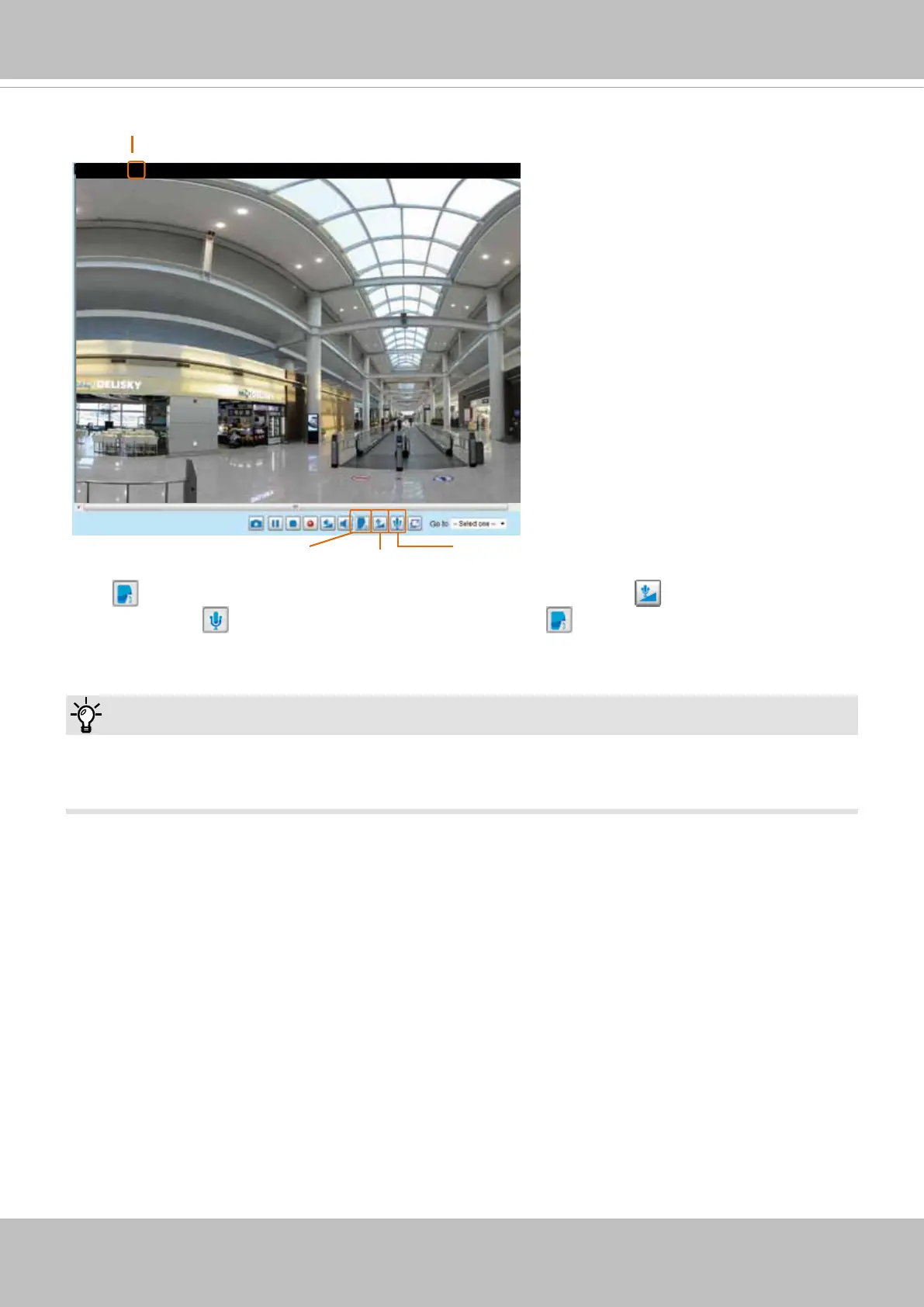
Mute
Mic Volume
Talk Button
Video (TCP-AV)
Audio is being transmitted to the Network Camera
Click to enable audio transmission to the Network Camera; click to adjust the volume of
microphone; click
to turn off the audio. To stop talking, click again.
You can also FTP the camera or use the “http://ip/cgi-bin/admin/lsctrl.cgi?cmd=search” command to
examine the recorded les on your SD card.
Tips:


 To Next Page