VIVOTEK
User's Manual - 33
Buttons Conguration
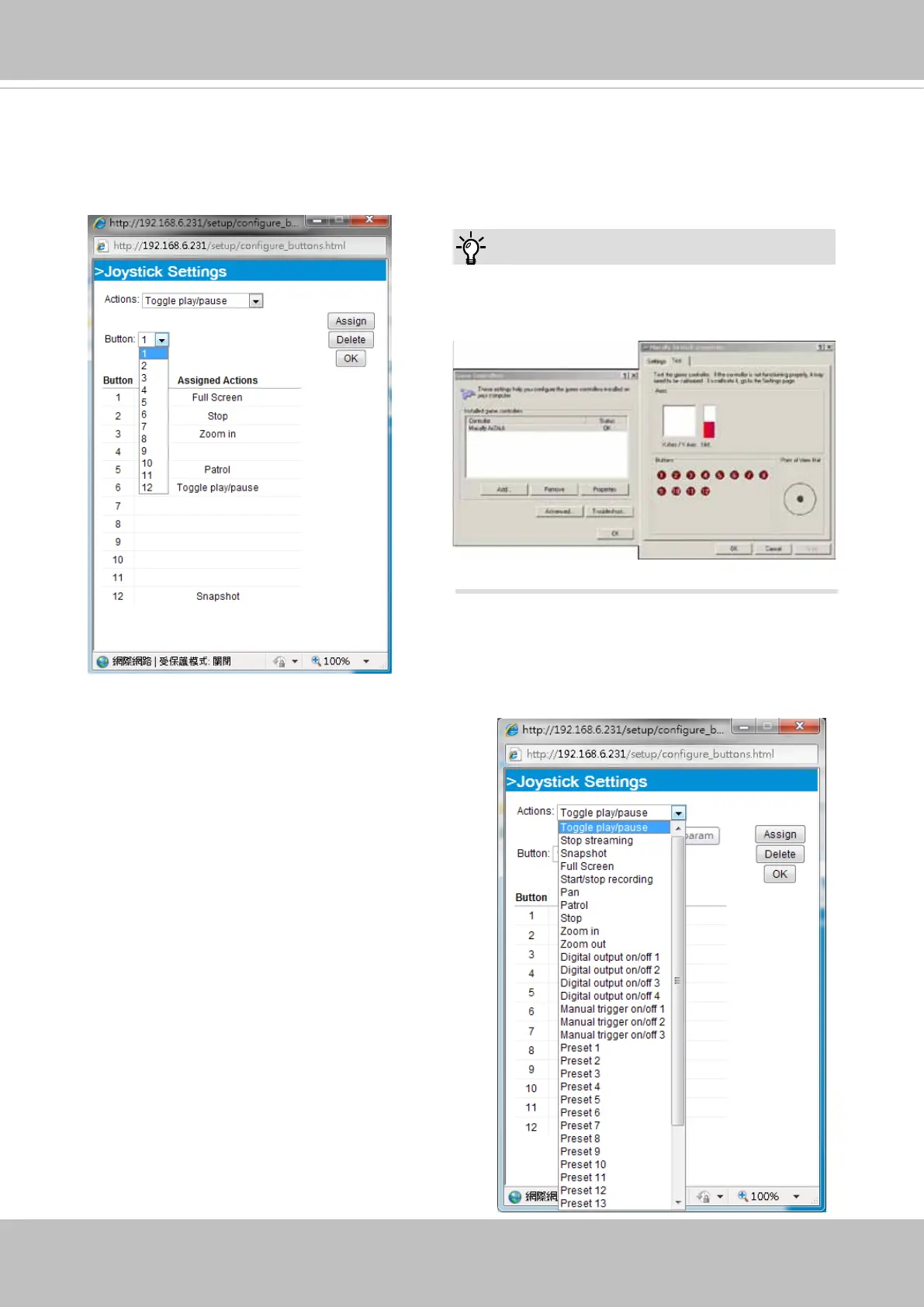
Click the Congure Buttons button, a window will prompt as shown below. Please follow the steps
below to congure your joystick buttons:
1. Select a button number from the Button # pull-down menu.
2. Select a corresponding action, such as Patrol or Preset#.
If you are not sure of the locations of each
button, use the Properties window in the Game
Controllers utility.
Tips:
3.
Click the Assign button to assign an action to the
button. You can delete an association by selecting
a button number, and then click the Delete button.
Repeat the process until you are done with the
conguration of all preferred actions.
The buttons you define should appear on the
button list accordingly.
4. Please remember to c
lick the Save button on the
Client settings page to preserver your settings.



 To Next Page