VIVOTEK
120 - User's Manual
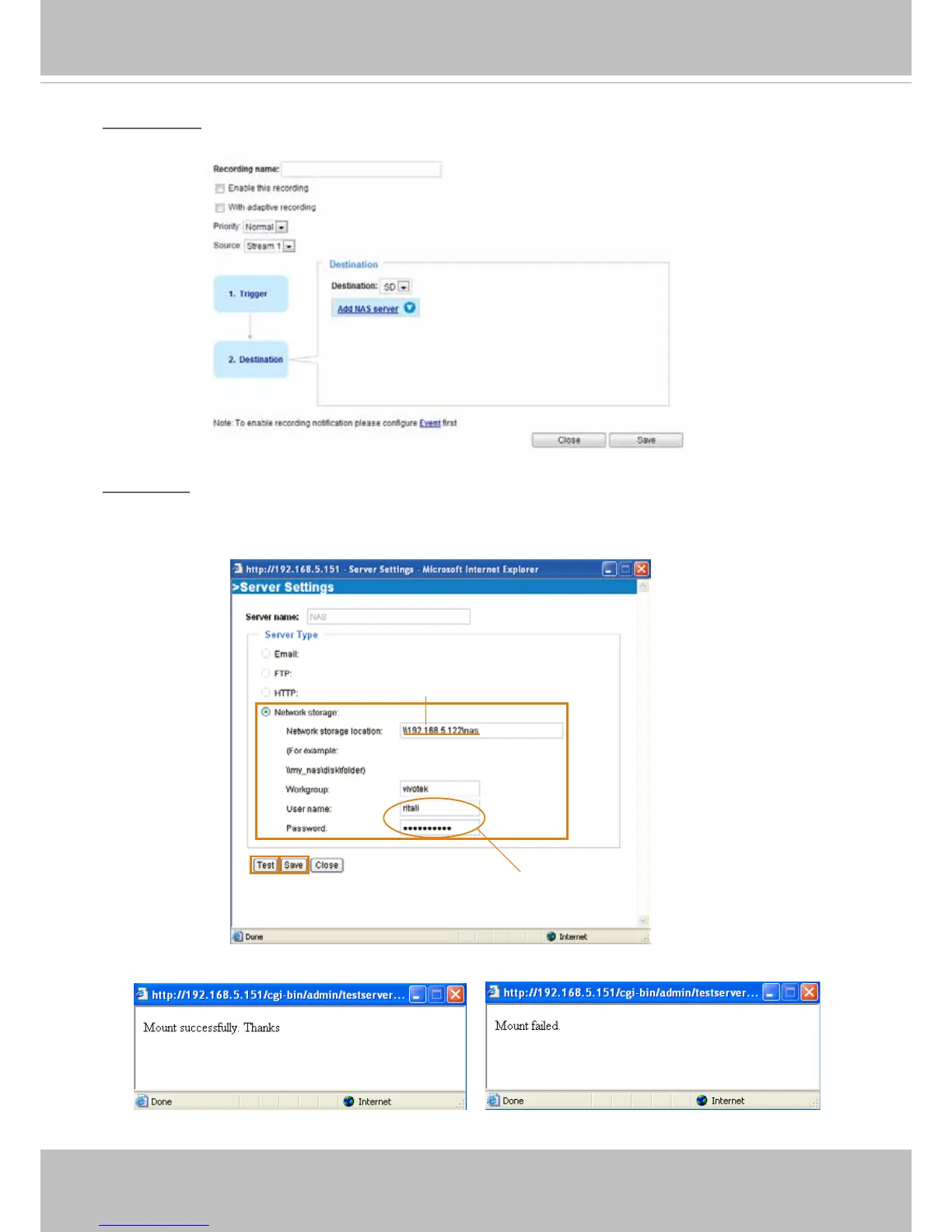
2. Destination
You can select the SD card or network storage (NAS) as the destination of the recording tasks.
NAS server
Click Add NAS server to open the server setting window and follow the steps below to set up:
1. Fill in the information for your server.
For example:
2. Click Test to check the setting. The result will be shown in the pop-up window.
1
2
3
4
Network storage path
(\\server name or IP address\folder name)
User name and password for your server


 To Next Page