VIVOTEK
94 - User's Manual
PTZ > PTZ settings
This section explains how to control the Network Camera’s Pan/Tilt/Zoom operation.
There are two ways to enable the function:
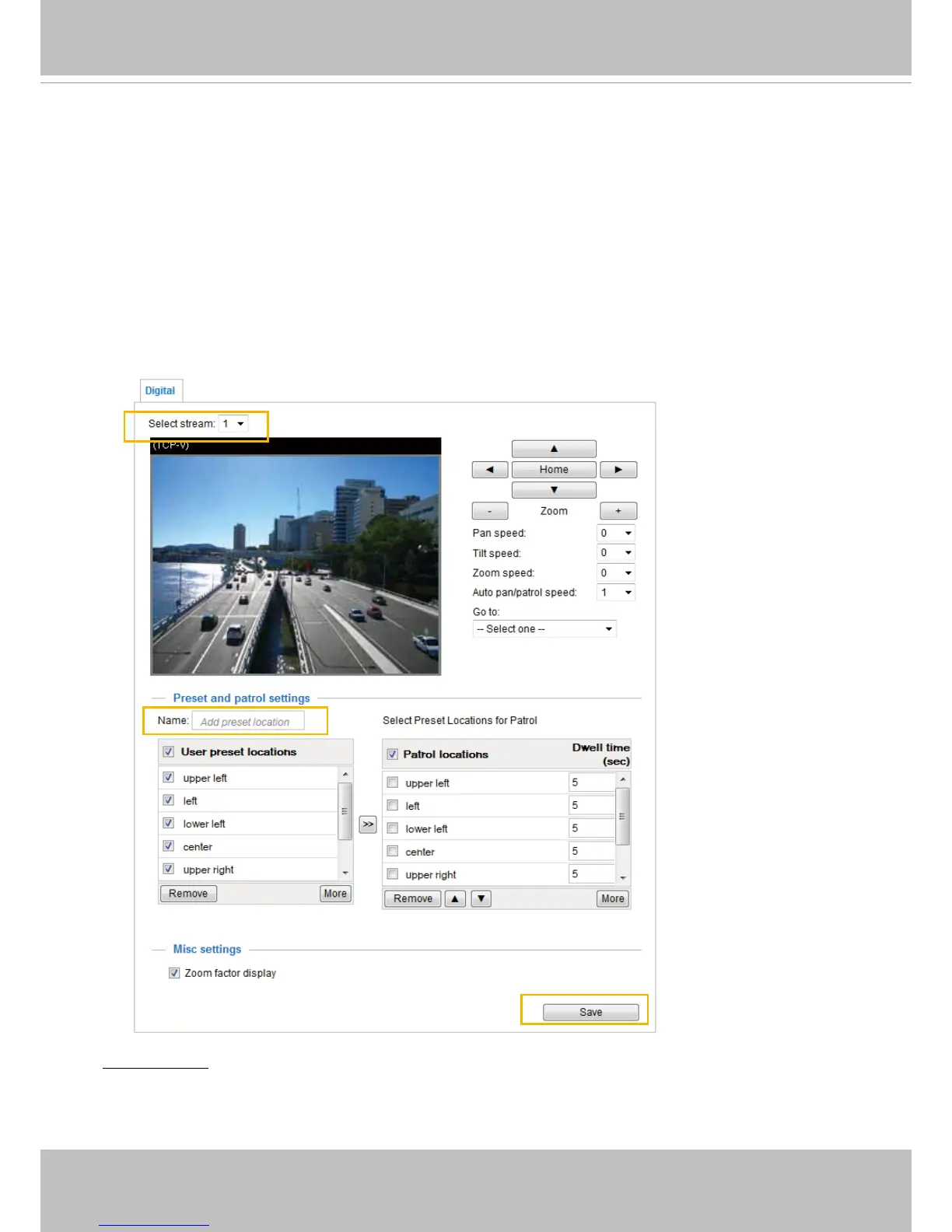
Digital: Control the e-PTZ operation. It allows users to quickly move the focus to a target
area for close-up viewing without physically moving the camera.
Digital PTZ Operation (E-PTZ Operation)
Select Stream: Select one of the stream 1~2 to configure the e-PTZ control. Please note that each
stream can possess its own preset and patrol settings. For detailed information about how to set up
preset and patrol settings, please refer to page 96.
2013/04/10 17:08:56


 To Next Page