EN-5
English
Network Deployment
4
P
O
W
E
R
C
O
L
L
I
S
I
ON
L
I
N
K
R
E
C
E
I
V
E
P
AR
T
IT
I
O
N
1
2
3
4
5
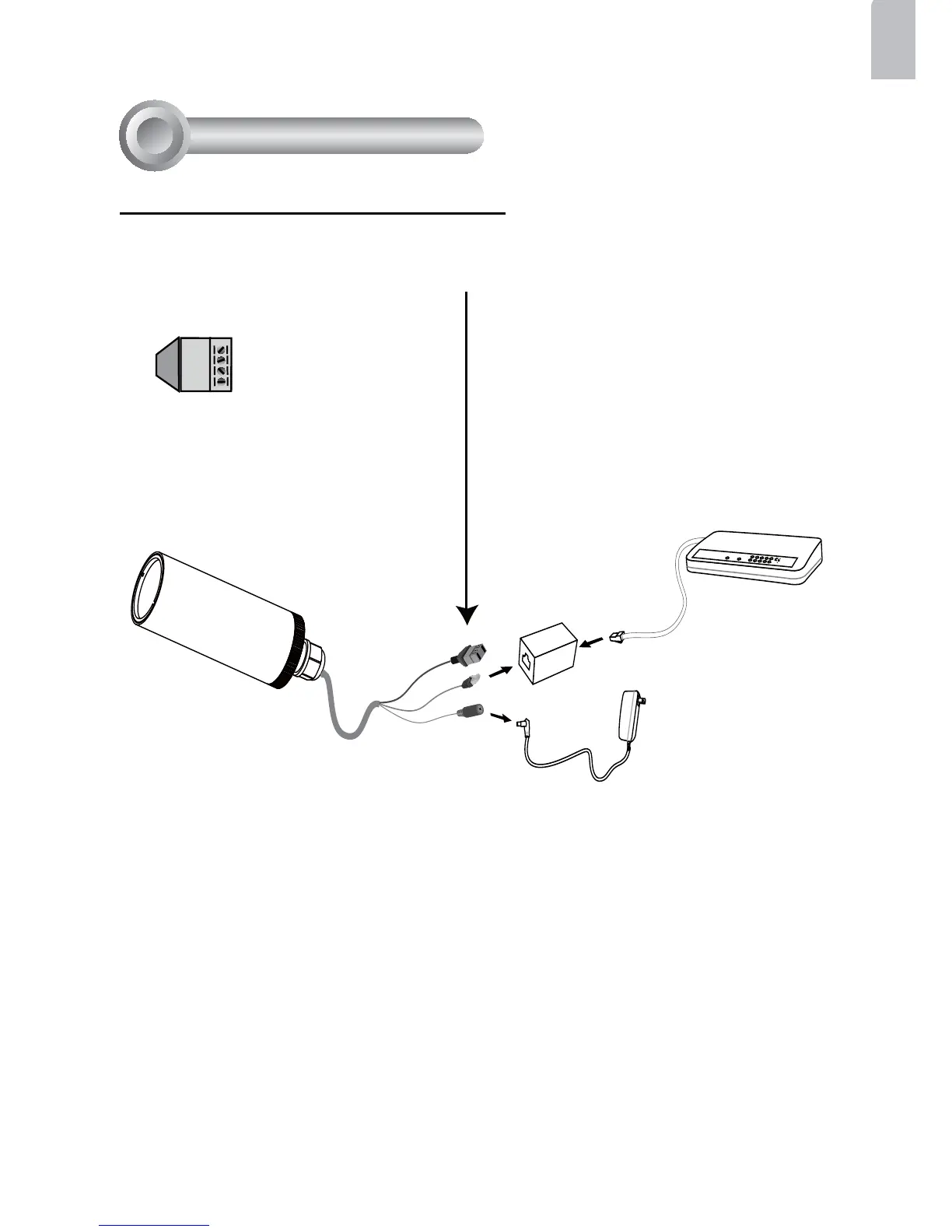
1. If you have external devices such as
sensors and alarms, make connections
from general I/O terminal block.
2. Use the supplied RJ45 female/female
coupler to connect the Network Camera
to a switch.
Use Category 5 Cross Cable when
Network Camera is directly connected to
PC.
3. Connect the power cable from the
Network Camera to a power outlet.
AV24V: 24V+
AC24V: 24V-
D I : Digital Input
GND : Ground
AV24V
AC24V
DI
GND
General Connection (without PoE)



 To Next Page