EN - 3
English
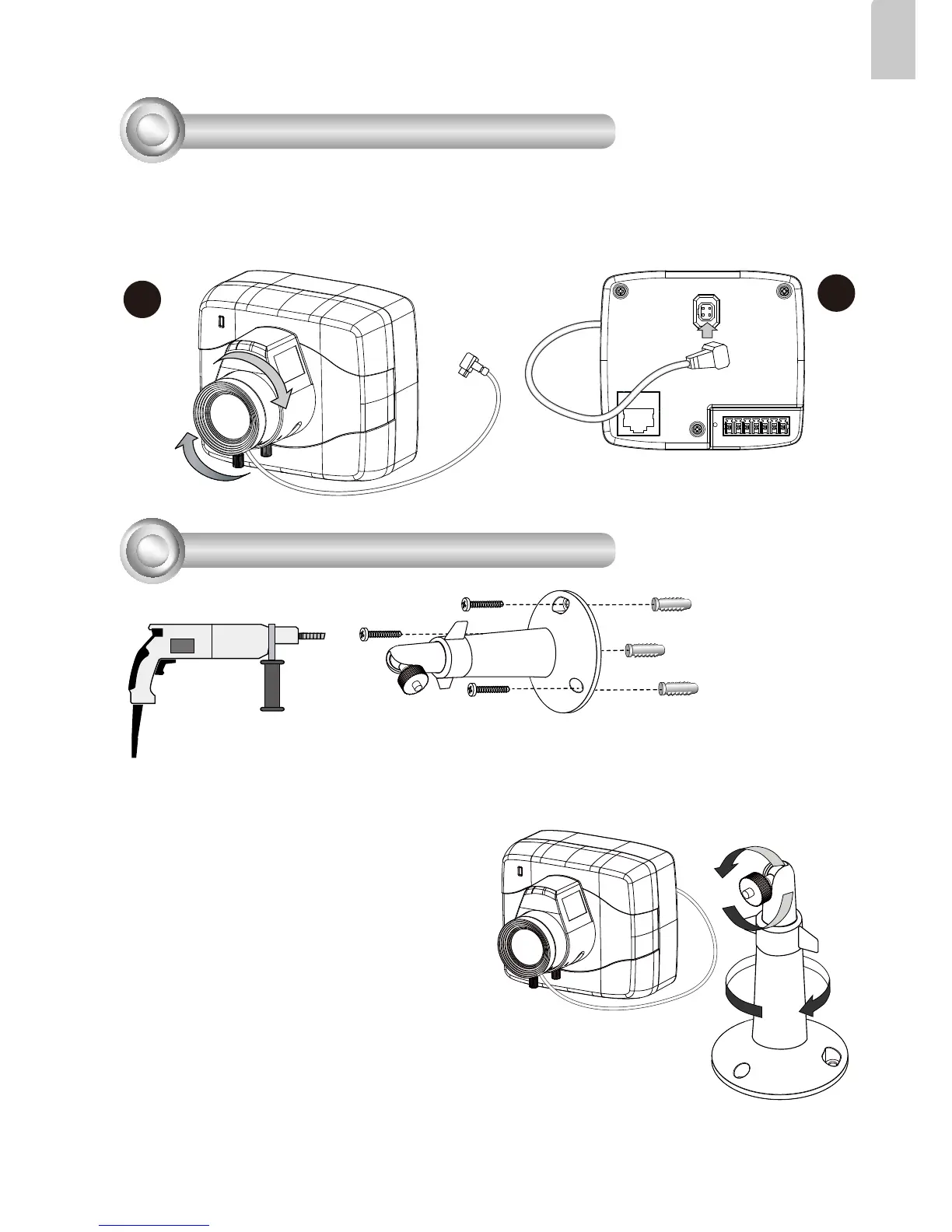
1. Mount the lens by turning it clockwise onto the camera mount until it stops.
2. Connect the iris control cable to the socket. Connect the iris control cable before
power-on. Otherwise, you will not be able to access the exposure related
settings.
3
Mounting the Lens to the Camera
2
1
4
Mounting the Camera to Stand
1. Use the holes on the camera stand to mark drill holes on the wall. Drill holes on your
preferred location.
2. Hammer in the included plastic anchors.
3. Install the camera stand to wall or ceiling
by driving screws through it.
4. Attach the camera to stand by turning
the stand and the fastening rings.



 To Next Page