VIVOTEK
User's Manual - 17
SD/SDHC/SDXC Card Capacity
This network camera is compliant with SD/SDHC/SDXC 16GB / 8GB / 32GB / 64GB and
other preceding standard SD cards.
Internet connection via a router
Before setting up the Network Camera over the Internet, make sure you have a router and
follow the steps below.
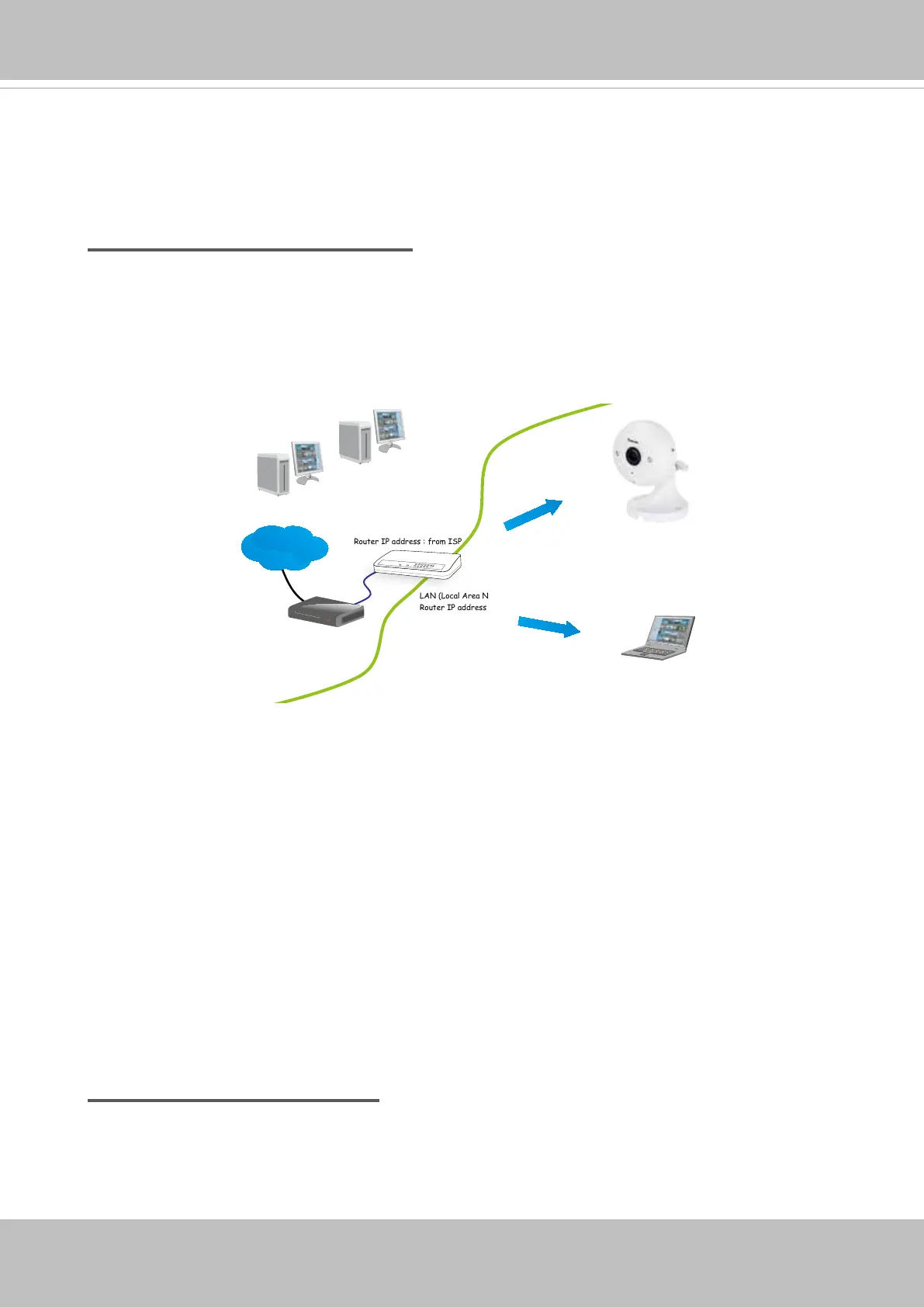
1. Connect your Network Camera behind a router, the Internet environment is illustrated
below. Regarding how to obtain your IP address, please refer to Software Installation on
page 19 for details.
IP address : 192.168.0.3
Subnet mask : 255.255.255.0
Default router : 192.168.0.1
IP address : 192.168.0.2
Subnet mask : 255.255.255.0
Default router : 192.168.0.1
LAN (Local Area Network)
Router IP address : 192.168.0.1
WAN (Wide Area Network )
Router IP address : from ISP
Cable or DSL Modem
P
O
W
E
R
C
O
LLIS
ION
LIN
K
RE
C
E
IV
E
P
A
RT
IT
IO
N
1
2
3
4
5
Internet
2. In this case, if the Local Area Network (LAN) IP address of your Network Camera is
192.168.0.3, please forward the following ports for the Network Camera on the router.
■ HTTP port: default is 80
■ RTSP port: default is 554
■ RTP port for video: default is 5556
■ RTCP port for video: default is 5557
If you have changed the port numbers on the Network page, please open the ports
accordingly on your router. For information on how to forward ports on the router, please
refer to your router’s user’s manual.
3. Find out the public IP address of your router provided by your ISP (Internet Service
Provider).
Use the public IP and the secondary HTTP port to access the Network Camera from the
Internet. Please refer to Network Type on page 70 for details.
Internet connection with static IP
Choose this connection type if you are required to use a static IP for the Network Camera.
Please refer to LAN setting on page 69 for details.



 To Next Page