VIVOTEK
18 - User's Manual
Congure the router, virtual server or rewall, so that the router can forward any data coming
into a pre-congured port number to a network camera on the private network, and allow data
from the camera to be transmitted to the outside of the network over the same path.
From Forward to
122.146.57.120:8000 192.168.2.10:80
122.146.57.120:8001 192.168.2.11:80
... ...
When properly congured, you can access a camera behind the router using the HTTP request
such as follows: http://122.146.57.120:8000
If you change the port numbers on the Network conguration page, please open the ports ac-
cordingly on your router. For example, you can open a management session with your router to
congure access through the router to the camera within your local network. Please consult your
network administrator for router conguration if you have troubles with the conguration.
For more information with network conguration options (such as that of streaming ports),
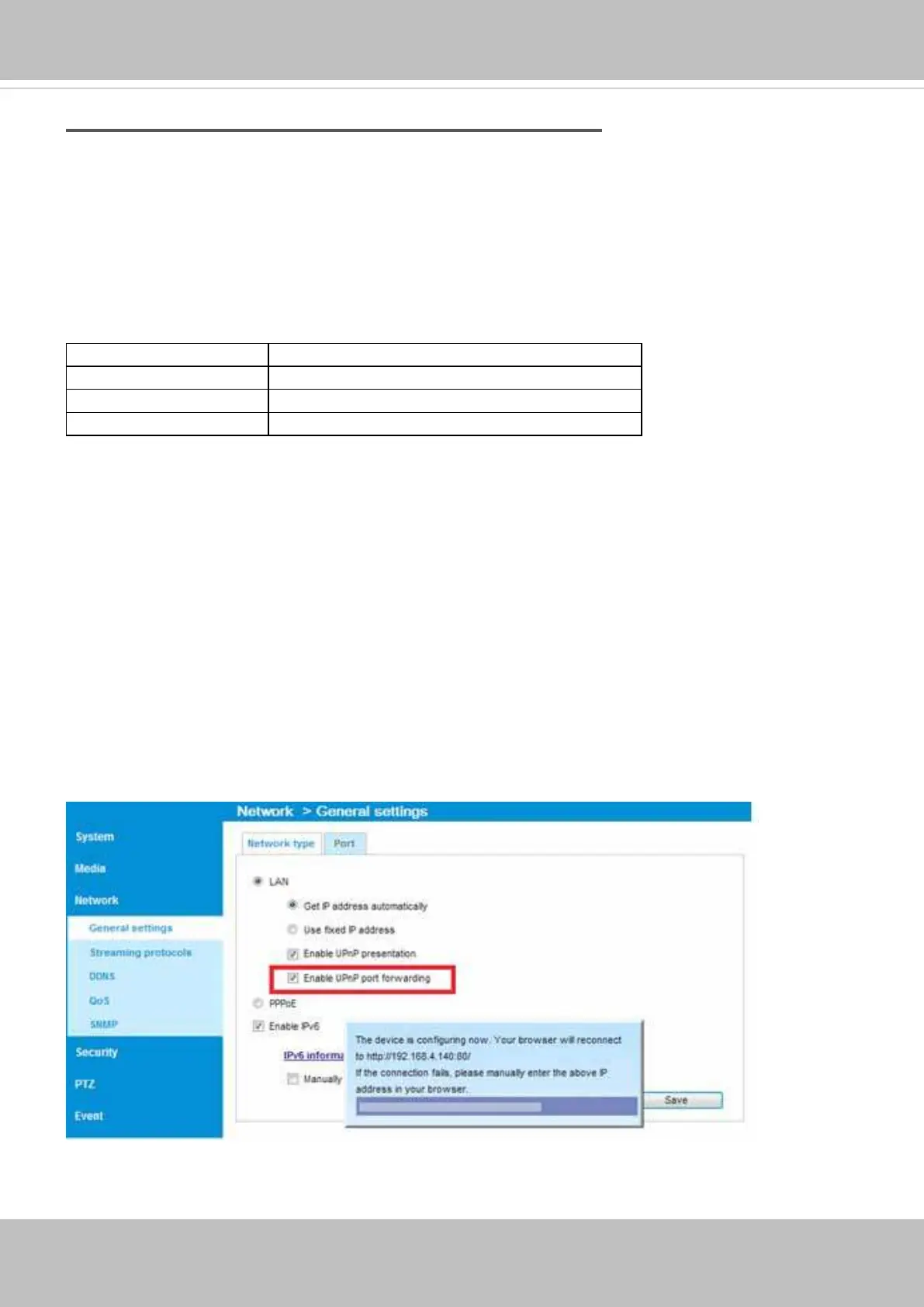
please refer to Conguration > Network Settings. VIVOTEK also provides the automatic port for-
warding feature as an NAT traversal function with the precondition that your router must support
the UPnP port forwarding feature.
Internet connection via PPPoE (Point-to-Point over Ethernet)
Choose this connection type if you are connected to the Internet via a DSL Line. Please refer to
PPPoE on page 70 for details.



 To Next Page