VIVOTEK
User's Manual - 39
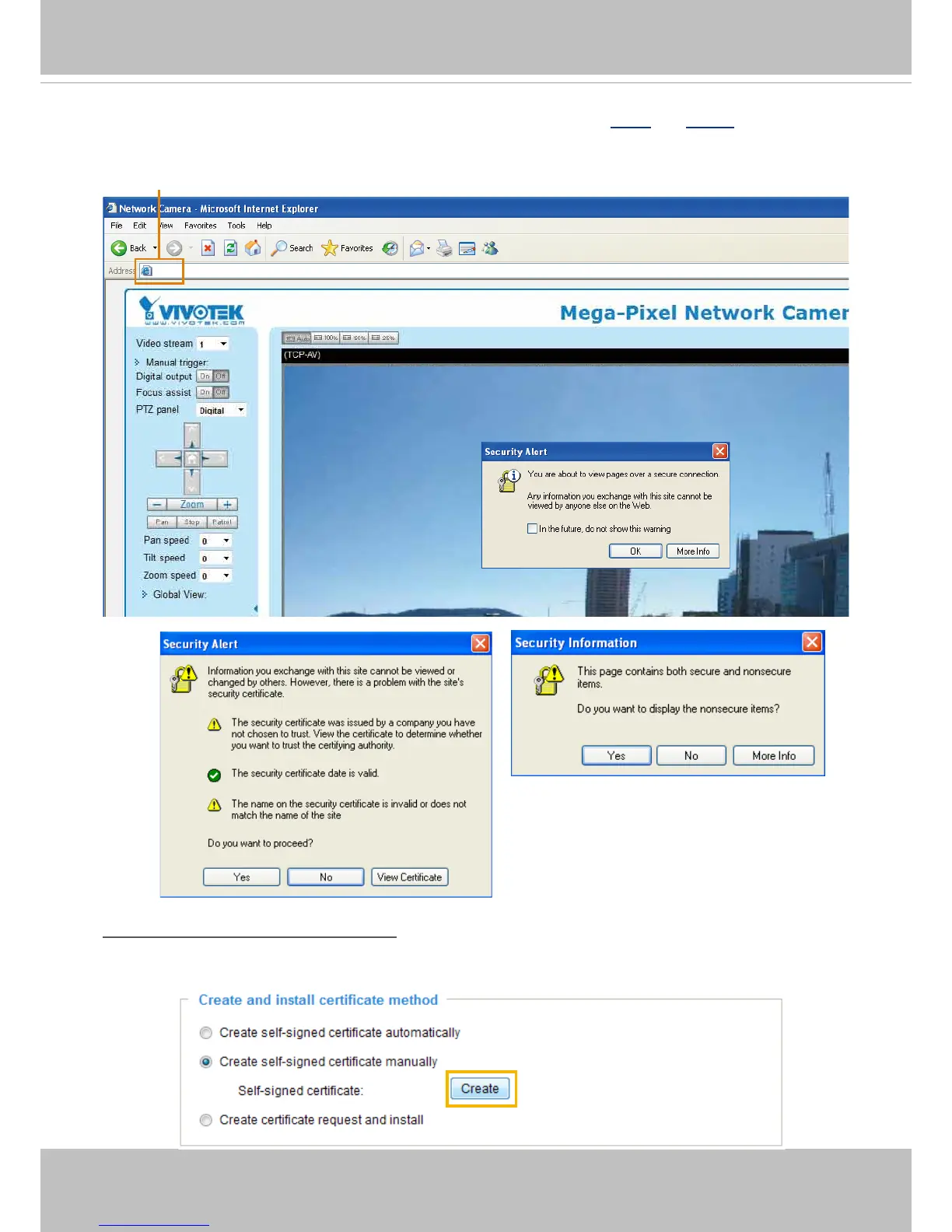
5. Click
Home
to return to the main page. Change the address from “http://” to “https://“ in the address
bar and press
Enter
on your keyboard. Some Security Alert dialogs will pop up. Click
OK
or
Yes
to
enable HTTPS.
Create self-signed certificate manually
1. Select the second option.
2. Click
Create
to open the Create Certicate page.
https://192.168.5.151/index.html



 To Next Page