VIVOTEK
User's Manual - 41
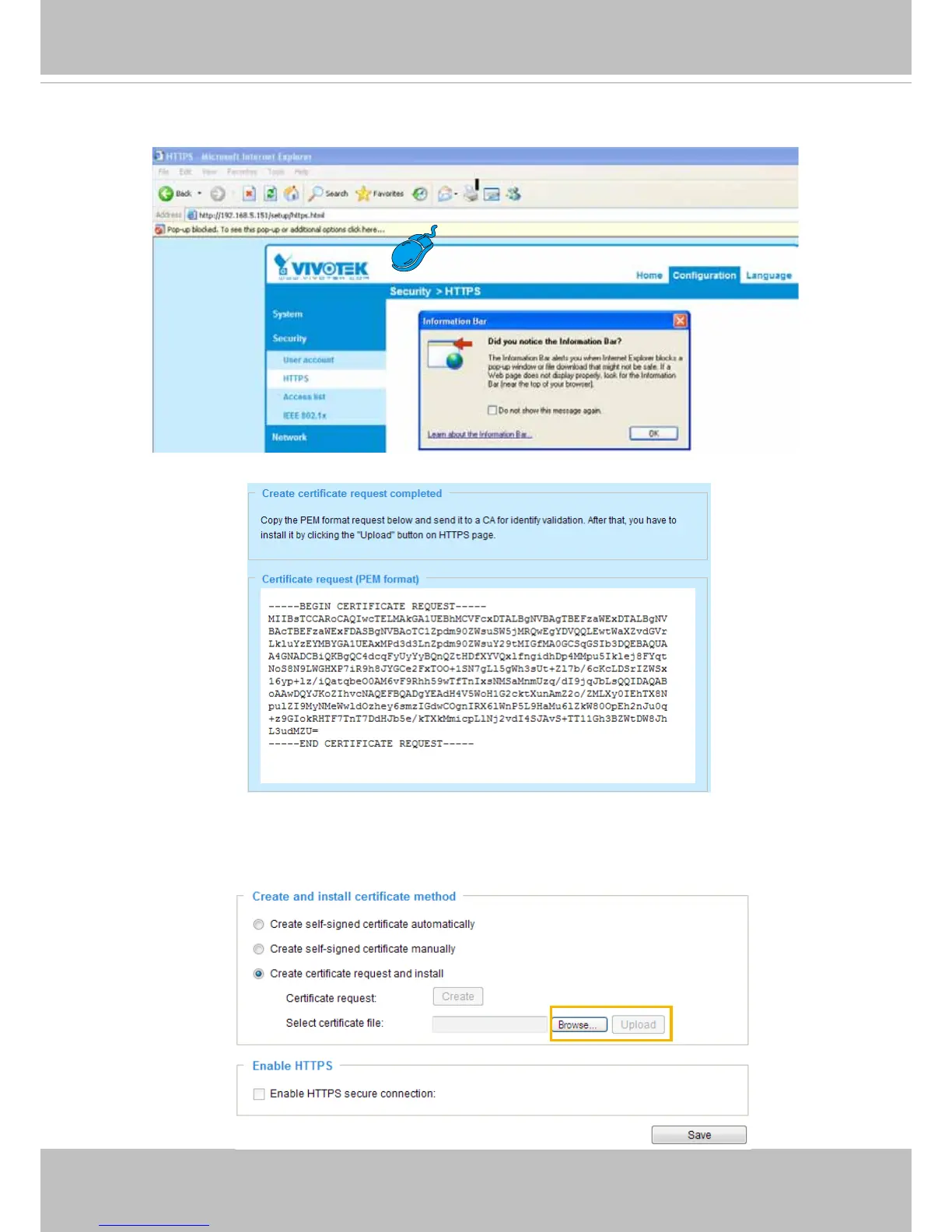
3. If you see the following Information bar, click
OK
and click on the Information bar at the top of the page
to allow pop-ups.
4. The pop-up window shows an example of a certicate request.
5. Look for a trusted certificate authority that issues digital certificates. Enroll the Network Camera.
Wait for the certificate authority to issue a SSL certificate; click
Browse...
to search for the issued
certicate, then click
Upload
in the column.
6. Check
Enable HTTPS secure connection
, then select a connection option: “HTTP & HTTPS” or
“HTTPS only”. Click
Save
to enable the settings.



 To Next Page