VIVOTEK
User's Manual - 19
Wall Mount - Mount Option B
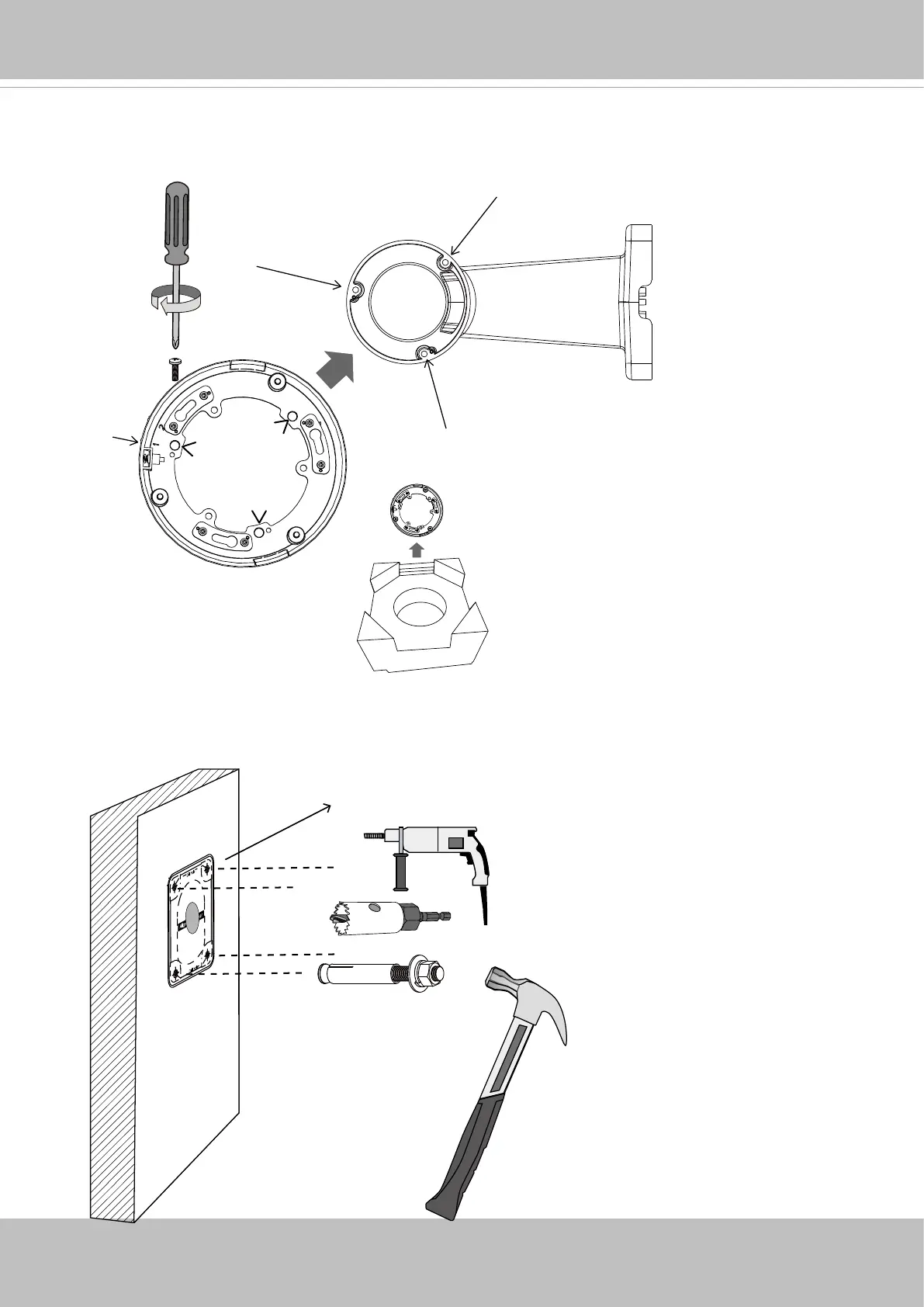
B-1. The AM-21C wall mount bracket is separately purchased. Install the included bracket to the
AM-21C using the included screws. Note the alignment mark should be pointing outwards.
Ø 9.5mm or 3/8”
B-2. Drill 4 pilot holes (9.5mm in diameter and 4cm deep) into the wall, and then hammer in the
threaded anchors. Note that you should hammer the anchors with hex nuts on them so that
the threaded poles will not be deformed! If preferred, drill another hole for routing cables.
Default
Front
AM-21C


 To Next Page