VIVOTEK
20 - User's Manual
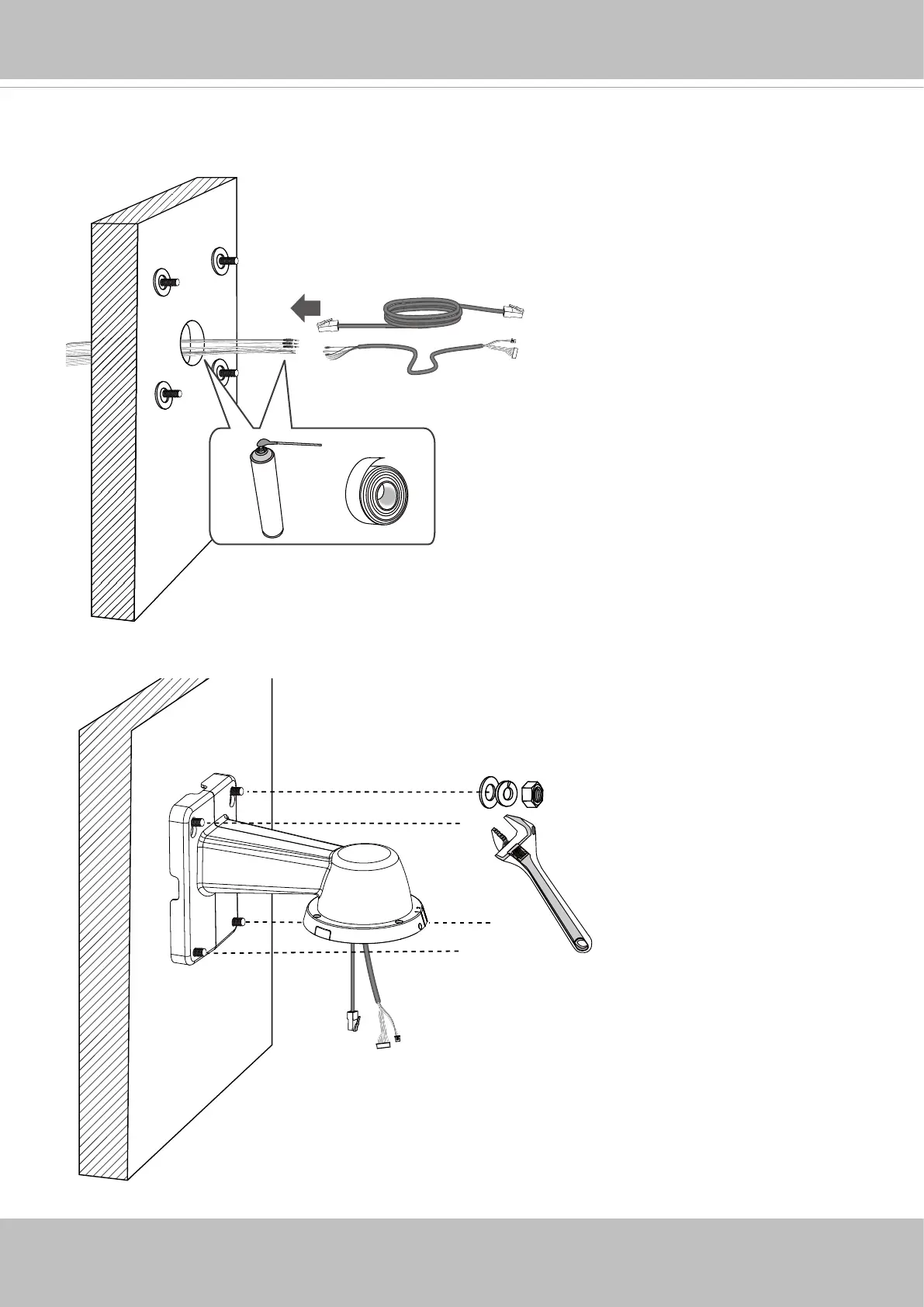
B-3. Remove the hex nuts, washers, and leave one washer on each of the threaded poles.
Connect power and/or I/O wires, and if necessary, use foam tapes or seal foam to ensure the
back-end connection is waterproof.
B-4. Secure the bracket to wall.


 To Next Page