VIVOTEK
User's Manual - 41
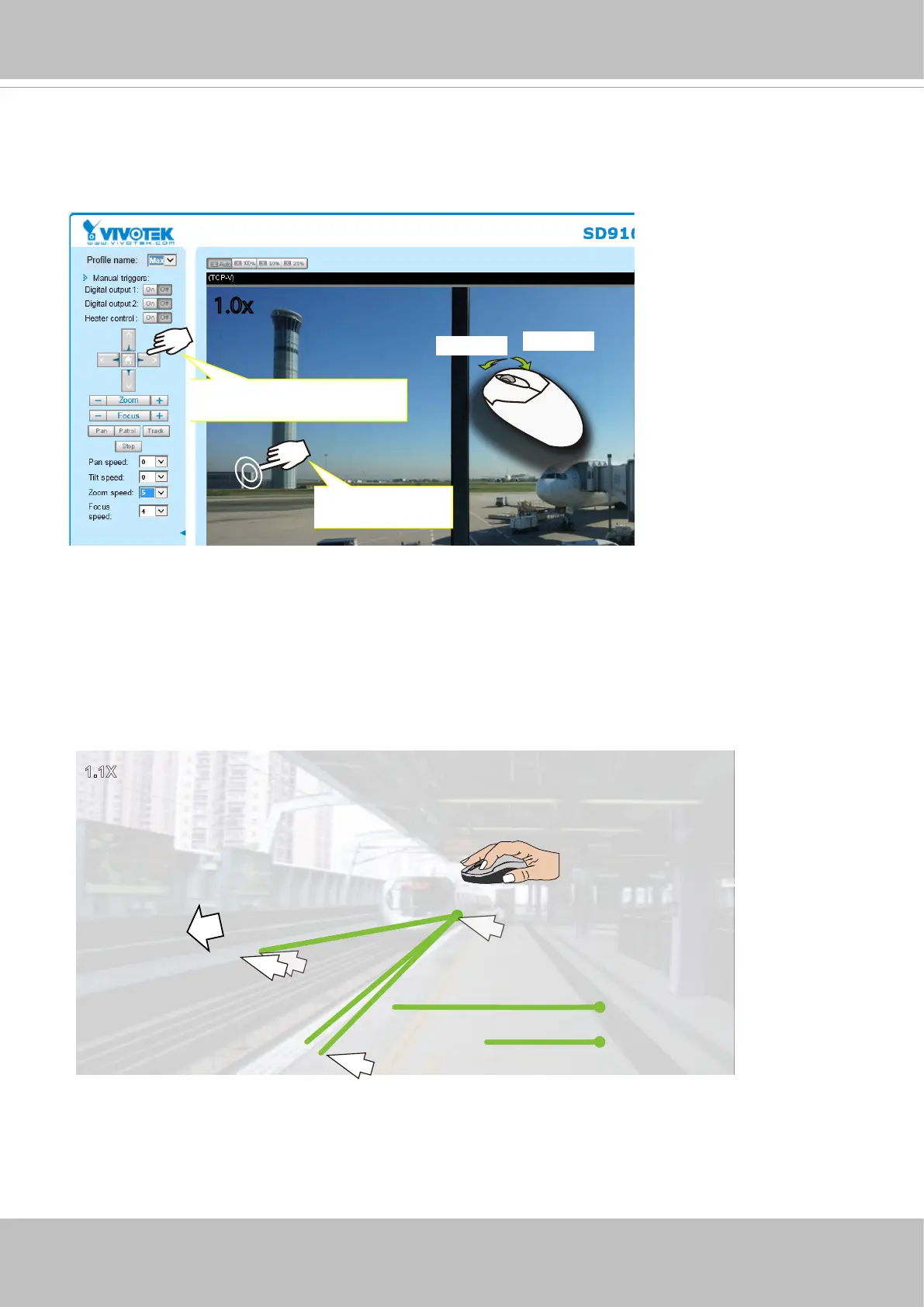
1. Click on image:
You can click on any spot on the screen to move camera's field of view to that direction. To pan 360
degrees, you can click and hold down the left mouse button when clicking a PTZ button. The same
applies to arrow keys, Zoom, and Focus buttons on the PTZ panel.
Note that if your screen control malfunctions, it is possible that the CPU of your current view station can
not cope with the HD video feeds or that an incompatibility issue occurred with the ActiveX control plug-
ins.
Zoom In
Zoom Out
Click and hold down the
button to continue turning
Click to bring to
center of view
1.0x
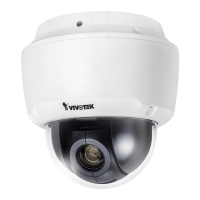
2. Joystick:
Click and drag your left mouse button across the screen, towards the direction you wish to
move. A light blue trace will appear. The longer the trace, the faster the move.
1.1X
Fast
Slow
Camera move directi
on
Note that while the camera is moving, you can change the move direction keeping the mouse
button hold down. Release the button to stop moving.


 To Next Page