VIVOTEK
42 - User's Manual
You can also use the mouse wheel to zoom in or zoom out.
The Patrol, Presets, and PTZ control panel is located at the left of the screen. You can click to begin a
pre-congured patrol, preset points, or enable an Auto tracking, or Pan action.
You can also adjust the Zoom speed, and/or manually adjust the Focus and the Focus speed.
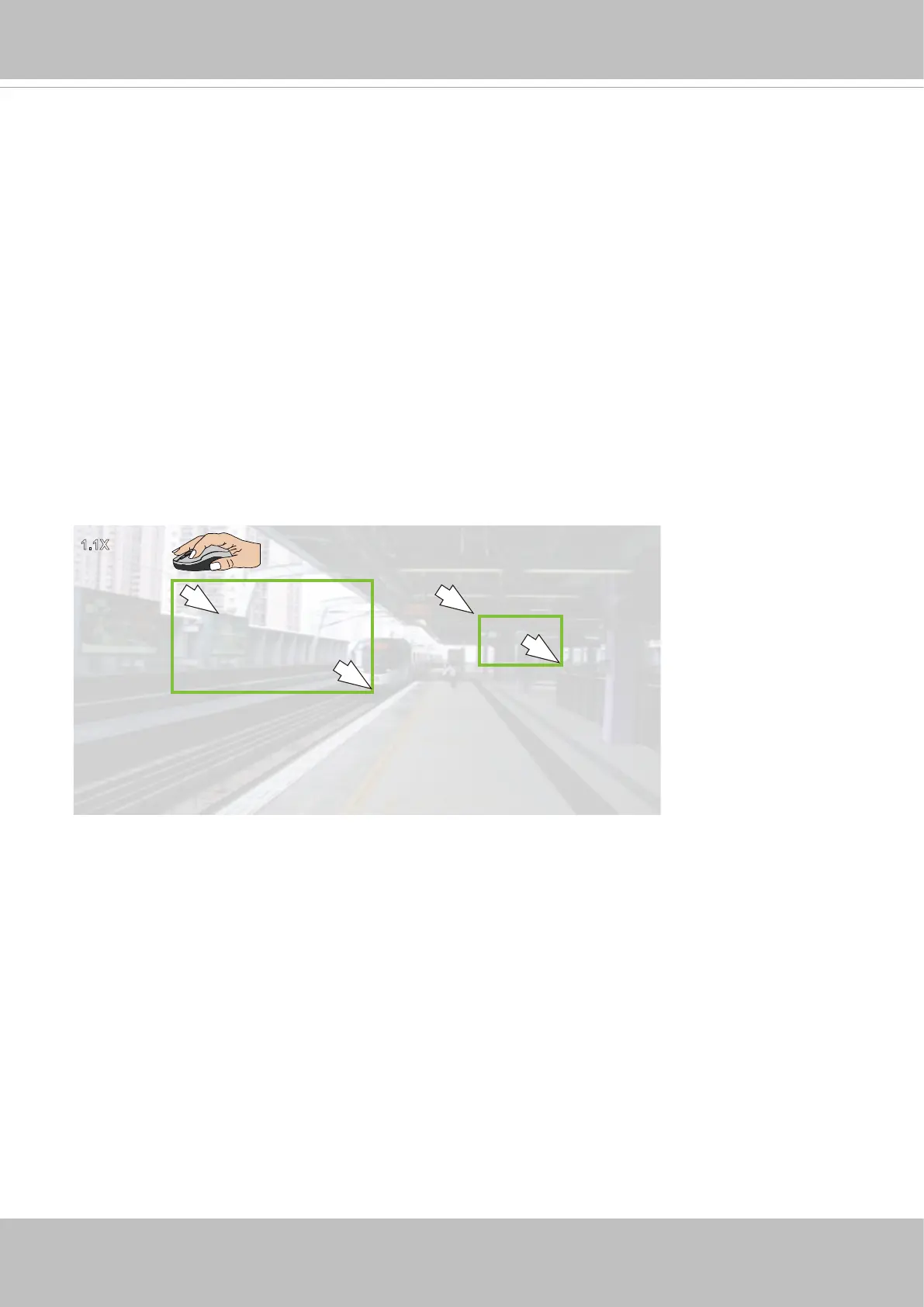
3. Area zoom:
The Area zoom allows you to select a view area and zoom in to that particular area of your
interest. The zoom ratio is proportional to the area you selected on screen. The smaller the area,
the deeper the zoom.
Note that to zoom out, you can use the mouse wheel or the Zoom buttons on the PTZ panel to
zoom out.
To more rapidly zoom out, you can click on the Home button or any of the preset positions in your pre-
congured patrol.
1.1X
Smaller
Zoom Ratio
Larger
Zoom Ratio


 To Next Page