5
39
USING THE INFO WINDOW
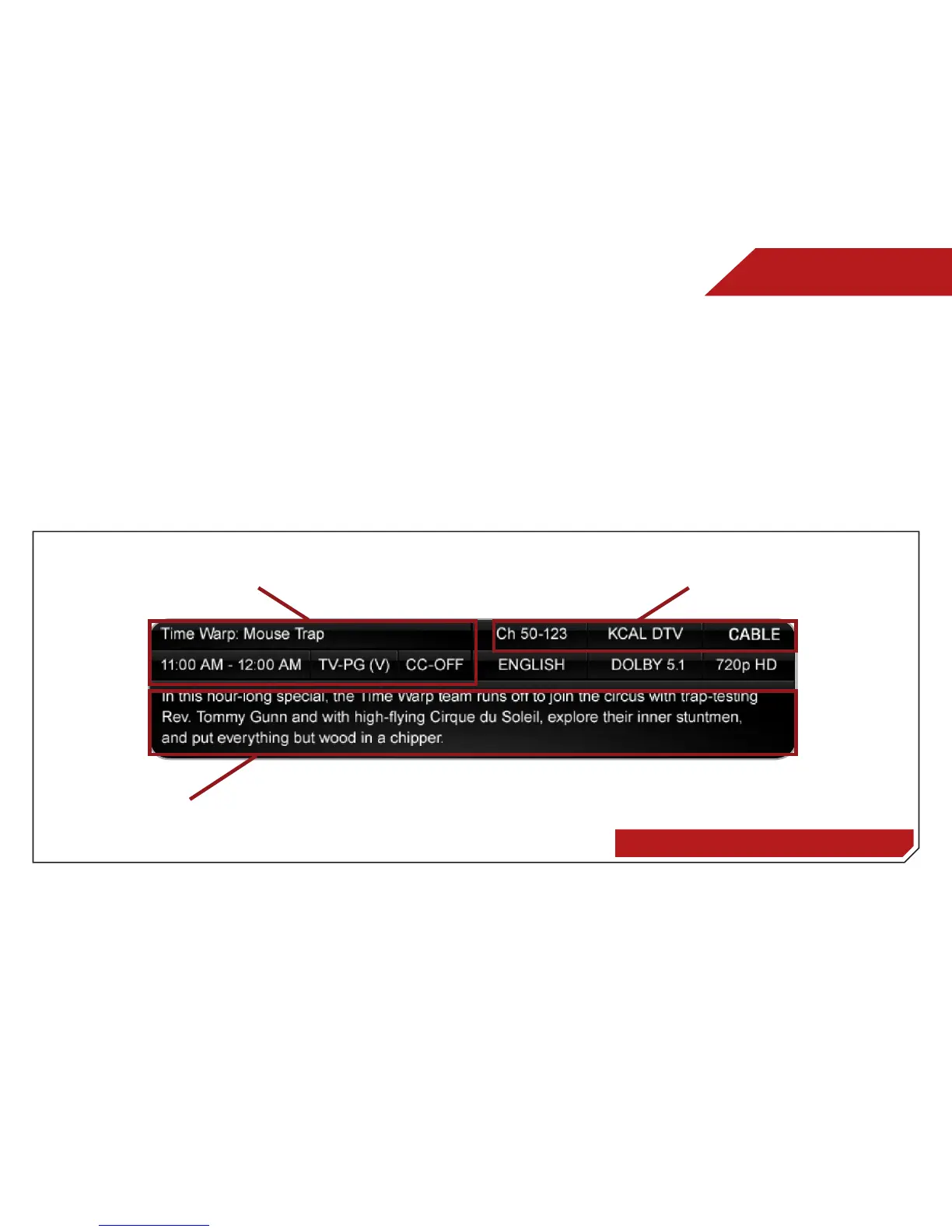
The Info Window can be displayed by pressing the INFO or GUIDE
button on the remote:
• Press the INFO or GUIDE button one time to display
channel and input information.
• Press the INFO or GUIDE button two times to display the
program title and closed captioning information.
• Press the INFO or GUIDE button three times to display the
program description.
Digital Episode Guide & Info Window
Program Description
Program Title/CC Information
Channel/Input Information


 To Next Page