VlZIO 60HZ E SERIES User Manual
Using the NFO Guide
Press INFO three times on the remote to display program information for the channel you are watching.
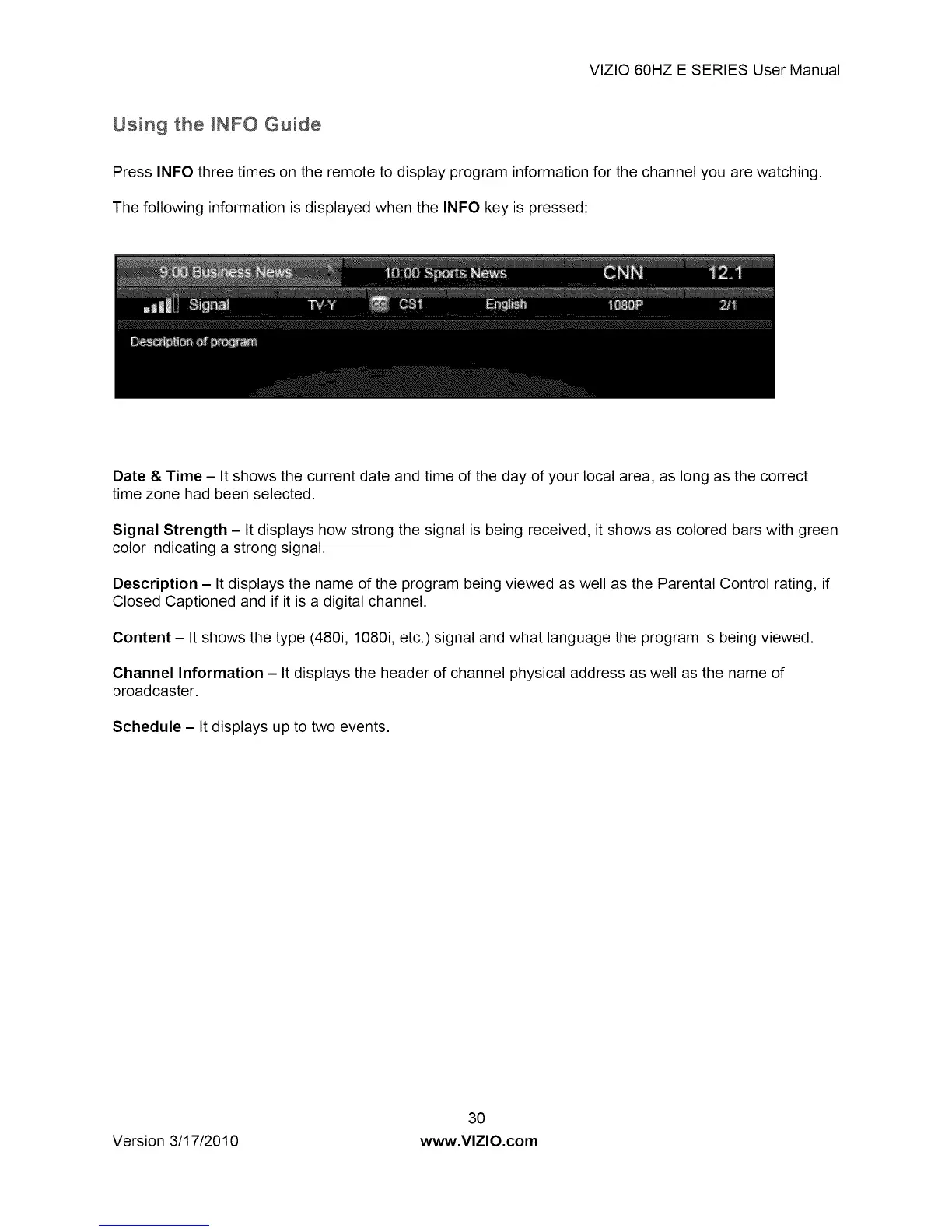
The following information is displayed when the INFO key is pressed:
Date & Time - It shows the current date and time of the day of your local area, as long as the correct
time zone had been selected.
Signal Strength - It displays how strong the signal is being received, it shows as colored bars with green
color indicating a strong signal.
Description - It displays the name of the program being viewed as well as the Parental Control rating, if
Closed Captioned and if it is a digital channel.
Content - It shows the type (480i, 1080i, etc.) signal and what language the program is being viewed.
Channel Information - It displays the header of channel physical address as well as the name of
broadcaster.
Schedule - It displays up to two events.
Version 3/17/2010
3O
www.VlZIO.com


 To Next Page