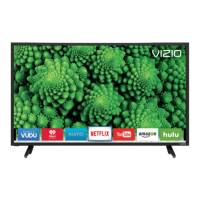
VlZIO 60HZ E SERIES User Manual
Troubleshooting Guide
If the TV fails to operate, or the performance changes dramatically, check the display in accordance with
the following instructions. Remember to check the peripherals to pinpoint the source of the problem. If
the display still fails to perform as expected, contact the VlZIO for assistance by calling 1-877-698-4946
or e-mail us at techsupport@vizio.com.
No power.
No sound.
If the screen is black.
Power is ON but no
screen image.
Wrong or abnormal colors
appear.
Control buttons do not
work.
Remote Control does not
work.
There appears to be
image quality issues.
Make sure the power button is ON (VlZlO Logo glows white).
Make sure AC power cord is securely connected to the AC socket.
Plug another electrical device (like a radio) to the power outlet to verify that
the outlet is supplying power.
Press the Volume + (Up) key on the remote control
Check to see if the MUTE symbol is displayed in the lower corner of the
screen. Press MUTE on the remote so that MUTE disappears from the
screen
Check your audio settings. If TV input is selected, audio may be set to
SAP, or speakers are set to off.
If external devices are selected input, check the audio connections.
Make sure the power button is ON (VlZlO Logo glows white).
Press the INPUT button on the TV or the Remote.
Check the input connections.
Make sure any cable attached to the TV is connected to the correct output
from a Set-Top Box, DVD, etc.
Adjust brightness, contrast or backlight.
Check Input settings.
Check Color and tint settings in Picture Menu. Reset Picture settings.
Component Input: If any colors (red, or blue) are missing, check the video
cables to make sure they are securely connected.
PC Input: If any colors (red, green, or blue) are missing, check the video
cable to make sure it is securely connected.
Press only one button at a time.
Make sure batteries are inserted correctly
Batteries could be weak.
Make sure you have selected TV on the remote.
For best image quality, view HD wide screen programs where possible. If
HD content is not available view "Standard Definition" from a digital source.
Standard, analog TV will always be noticeably inferior to HD because your
digital flat panel TV has video that is many times better than old TV's and
so you can see interference and deficiencies you did not know you had.
Version 3/17/2010
49
www.VlZIO.com


 To Next Page