English - 17
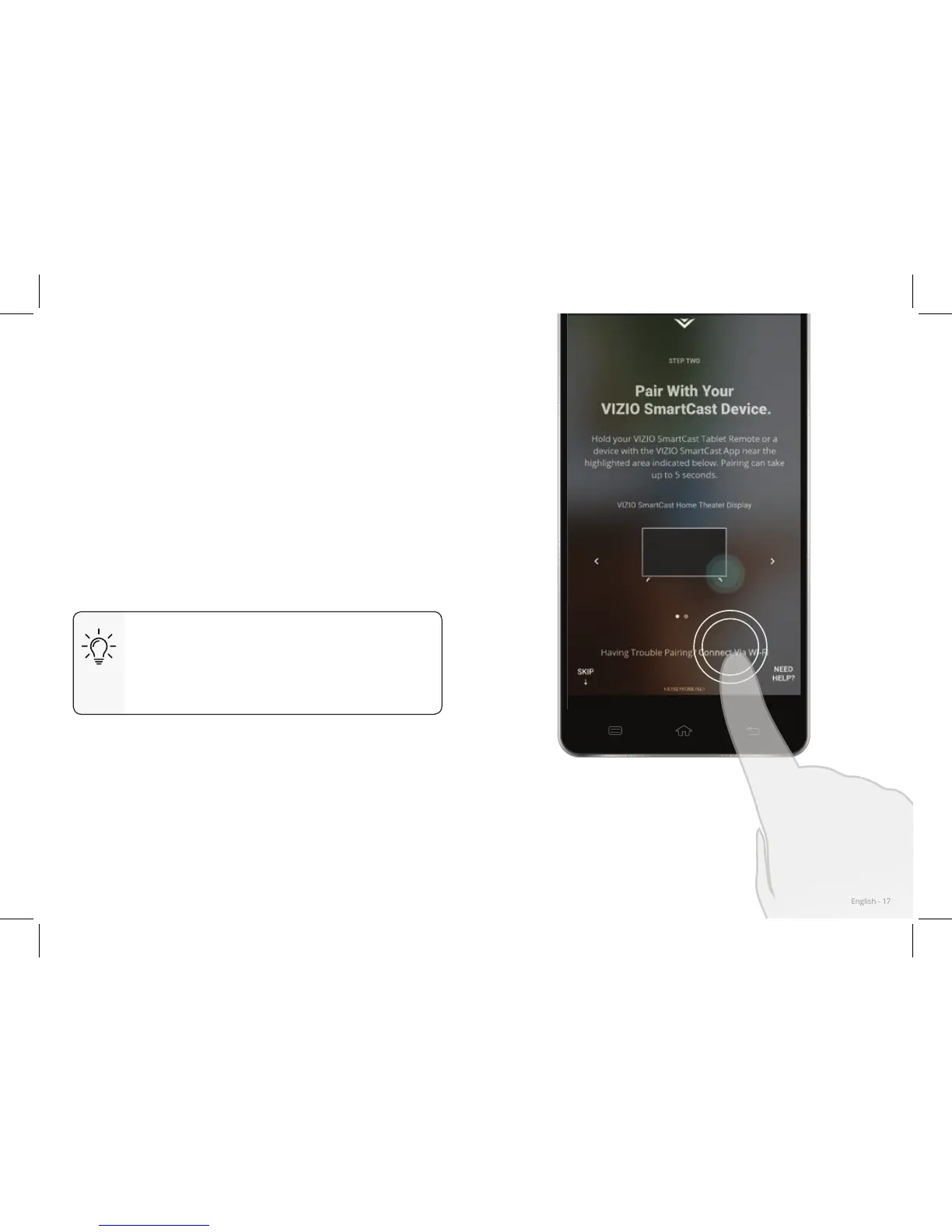
If your device is not bluetooth enabled or you are
having trouble pairing, connect to your SmartCast HDTV
through the local Wi-Fi network.
To pair through a Wi-Fi network:
1. Tap Connect Via Wi-Fi from the SmartCast App’s
pairing screen
2. Look for your SmartCast HDTV name on the list
of discovered devices and tap to select.
Follow the on screen instructions to nish the setup
wizard.
Your VIZIO SmartCast HDTV name is
displayed the TV screen during the
setup process. Look for a name such as
Cast1234
.
Pairing Via Wi-Fi



 To Next Page
 Loading...