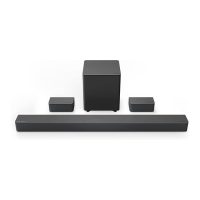
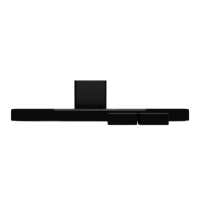
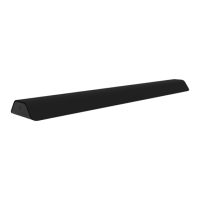
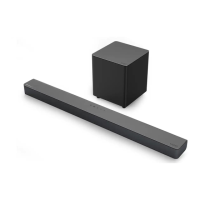
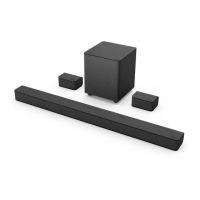
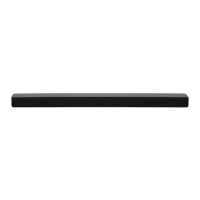
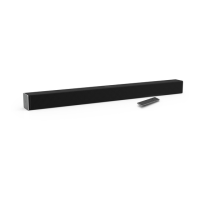
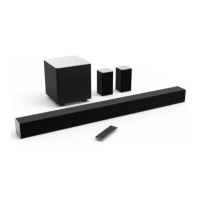
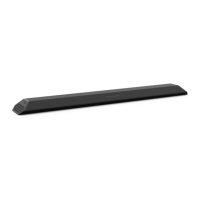
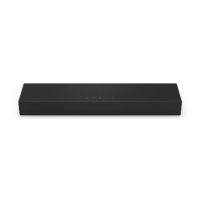
This document describes the VIZIO 5.1 Sound Bar with Dolby Atmos, Model M51a-H6, a home audio system designed to enhance your entertainment experience with immersive surround sound. The system includes a sound bar, a wireless subwoofer, and two surround speakers, along with a remote control and various audio cables for connectivity.
Function Description
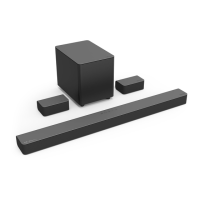
The VIZIO M51a-H6 is a 5.1 channel sound bar system that delivers high-quality audio with Dolby Atmos® technology, creating a three-dimensional sound experience. The sound bar serves as the central audio component, housing multiple full-range drivers and tweeters for left, right, and center channels. The wireless subwoofer provides deep, rich bass, while the two surround speakers extend the sound field, enveloping the listener in audio.
The system supports multiple audio inputs, including HDMI In, HDMI Out (eARC) to TV, Digital Optical Audio In, AUX In (Stereo 3.5mm), and AUX VA (Voice Assistant) for dedicated voice assistant device connections. It also features a USB port for WAV and MP3 file playback. Bluetooth connectivity allows for wireless audio streaming from compatible devices.
Usage Features
- Easy Setup: The manual provides clear, step-by-step instructions for initial setup, including connecting the sound bar to your TV using the best available cable type (HDMI ARC or Digital Optical), connecting the surround speakers to the subwoofer, and powering on all components.
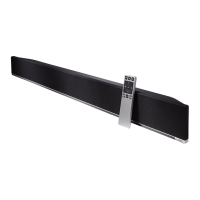
- Remote Control: A comprehensive remote control with an LCD display allows for easy navigation and adjustment of all sound bar settings. Buttons include Power, Input, Bluetooth, Previous/Next track, Volume +/-, EQ settings, Level settings, Setup settings, and Effect settings.
- Input Selection: Users can easily switch between audio sources using the INPUT button on the sound bar or remote. An auto-detect function helps identify active inputs during first-time setup.
- Audio Customization: The remote offers extensive audio customization options:
- EQ Settings: Toggle between preset equalizer modes like Movie, Music, Direct, and Game to optimize sound for different content.
- Level Settings: Adjust individual audio levels for Bass, Treble, Dialogue, Center, and Subwoofer to fine-tune the sound balance.
- Surround Sound Control: Adjust the surround sound level and balance to create an optimal listening environment. The system supports both standard surround placement and a "Front Surround Mode" for virtual surround sound when rear speaker placement is not ideal.
- TruVolume: Enable TruVolume for a consistent and comfortable volume level, preventing sudden changes in loudness.
- Virtual:X: Activate Virtual:X to simulate overhead sound, enhancing the immersive experience.
- Night Mode: Lower bass frequency levels for a quieter listening environment, ideal for late-night viewing.
- Bluetooth Streaming: Easily pair your Bluetooth-enabled devices to stream audio wirelessly. The sound bar supports a range of up to 30 feet for Bluetooth connections.
- Voice Assistant Integration: Connect a Voice Assistant (VA) device via the dedicated AUX VA port or Bluetooth. The sound bar acts as the VA speaker, with features like dedicated input and auto-muting of original source audio when the VA is active.
- HDMI ARC Connectivity: Connect to your TV's HDMI ARC port to send audio to the sound bar using a single HDMI cable, simplifying setup and enabling TV remote control over sound bar volume (with CEC functions enabled).
- Remote Learning: Program your TV remote to control the sound bar's volume and mute functions, reducing the number of remotes needed.
- Speaker Test Function: Activate a speaker test to ensure all channels (Left Front, Center, Right Front, Right Rear, Left Rear, and subwoofer) are functioning correctly.
- Eco Power Mode: Enable or disable Eco Power Mode, which automatically puts the sound bar into standby after a period of inactivity or turns it off when no audio signal is detected, helping to conserve energy.
- Wall-Mounting: The system includes brackets and a template for wall-mounting the sound bar and surround speakers, offering flexible placement options.
Maintenance Features
- Cleaning: The sound bar and components should be cleaned with a dry cloth. A damp cloth is sufficient; abrasive cleaners, liquids, or spray cleaners should not be used.
- Battery Replacement: The remote control uses two AAA alkaline batteries, which should be replaced when needed.
- Firmware Updates: VIZIO may provide product updates and notifications, which can be accessed through their support website.
- Troubleshooting Guide: The manual includes a "Help & Troubleshooting" section to address common issues such as no power, no sound, buzzing/humming, or remote control malfunction, offering solutions like checking connections, adjusting settings, and replacing batteries.
- Factory Reset: A factory reset function is available to restore the sound bar to its default settings, which can be useful for resolving persistent issues or when preparing to reprogram the device. This process unpairs all Bluetooth devices and removes programmed IR remotes.


 To Next Page
 General