English - 25
This Device
SmartCast Sound Bar
This Device
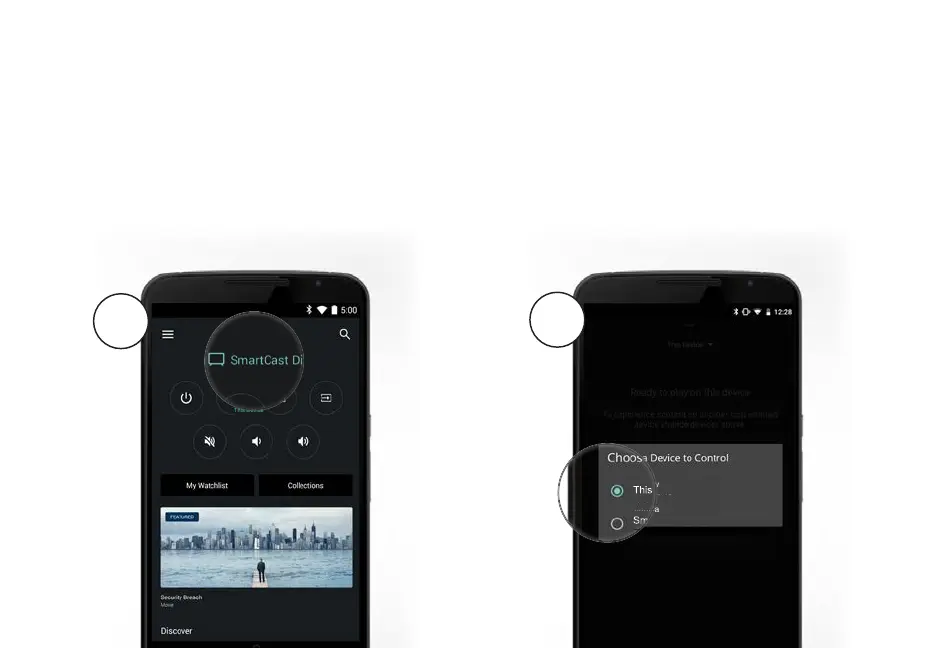
SELECTING A SMARTCAST DEVICE
You can pair your smartphone or tablet with multiple SmartCast devices, allowing you to seamlessly access and
cast your content wherever you are.
To select a dierent SmartCast device:
1. On the Home screen of the VIZIO SmartCast app, tap This Device to reveal a list of available devices.
2. Tap to select a new device to control. Make sure the newly selected SmartCast device is turned on.
1
2



 To Next Page