EasyManua.ls Logo

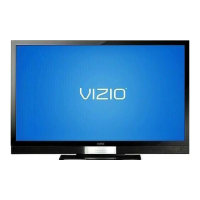
Vizio SV420XVT1A - User Manual

Vizio SV420XVT1A
104 pages
Print Icon
To Next Page IconTo Next Page
Loading...
VIZIO SV420XVT1A User Manual
Version 6/2/2008 1
www.VIZIO.com
Dear VIZIO Customer,
Congratulations on your new VIZIO SV420XVT1A
LCD Television purchase. Thank you for your
support. For maximum benefit of your set, please
read these instructions before making any
adjustments, and retain them for future reference.
We hope you will experience many years of
enjoyment from your new VIZIO SV420XVT1A
Television.
For assistance, please call (877) 698-4946 or e-
mail us at
techsupport@vizio.com.
To purchase or inquire about accessories and
installation services for your VIZIO LCD HDTV,
please visit our website at
www.vizio.com or call
toll free at 888-VIZIOCE (888-849-4623).
We recommend you register your VIZIO
SV420XVT1A TV either at our website
www.vizio.com or fill in your registration card
and mail it in. For peace of mind and to protect
your investment beyond the standard warranty,
VIZIO offers on-site extended warranty service
plans. These plans give additional coverage
during the standard warranty period. Visit our
website or call us to purchase a plan.
Write down the serial number located on the back
of your SV420XVT1A.__
__ __ __ __ __ __ __ __
__ __ __ __ __
Purchase Date _____________________
VIZIO is a registered trademark of VIZIO, Inc. dba V, Inc.
HDMI logo and “High Definition Multimedia Interface” are
registered trademarks of HDMI Licensing LLC.
Manufactured under license from Dolby Laboratories.
Dolby and the double-D symbol are trademarks of Dolby Laboratories.
TruSurround, SRS and the symbol are trademarks of SRS Labs, Inc
THE TRADEMARKS SHOWN HEREIN ARE THE PROPERTY OF THEIR RESPECTIVE OWNERS; IMAGES USED ARE FOR
ILLUSTRATION PURPOSES ONLY. BRAVO, VIZIO AND THE V LOGO AND WHERE VISION MEETS VALUE AND OTHER
VIZIO TRADEMARKS ARE THE INTELLECTUAL PROPERTY OF VIZIO INC. PRODUCT SPECIFICATIONS ARE SUBJECT TO
CHANGE WITHOUT NOTICE OR OBLIGATION. © 2008 VIZIO INC. ALL RIGHTS RESERVED.

Table of Contents

Questions and Answers

  • R
    robinsonhannahAug 20, 2025
    What are the tips for high-definition users of Vizio SV420XVT1A LCD TV?
    • H
      Holly NicholsAug 20, 2025
      The LCD HDTV is an ideal platform for viewing High Definition Content. Best Image Quality will be achieved by the HDMI Input, then YPbPr, then RGB. However, due to variances in broadcast practices, it is possible some image distortions can occur.
  • L
    Laura JonesAug 22, 2025
    What are the tips for letterbox content users of Vizio LCD TV?
    • M
      Michael UnderwoodAug 22, 2025
      Letterboxed (or “Widescreen”) versions of DVD movies are most commonly formatted for standard 4:3 Televisions. The LCD HDTV has the capability of expanding this content so the entire screen is filled at the expense of image accuracy. To use this function, press the “ZOOM” key on the remote control and cycle among the available options.
  • J
    Jackie CampbellAug 25, 2025
    How to fix a Vizio SV420XVT1A with no power?
    • K
      Kristen WilliamsAug 25, 2025
      If your Vizio LCD TV has no power, ensure the power button (White VIZIO Logo) is ON and the AC power cord is securely connected to the AC socket. To verify the outlet is supplying power, plug another electrical device into it.
  • B
    bryanellisonAug 26, 2025
    Vizio SV420XVT1A remote control does not work, how to fix?
    • M
      markramirezAug 26, 2025
      If the remote control for your Vizio LCD TV is not working, make sure the batteries are inserted correctly and are not weak. Also, ensure you have selected 'TV' on the remote.
  • R
    Roy Harris PhDAug 27, 2025
    What to do if Vizio LCD TV has power but no screen?
    • S
      Scott RobertsAug 28, 2025
      If your Vizio LCD TV has power but no screen, ensure the video cable is secured to the correct video output port on both the TV and the VCR. Also, make sure any cable attached to the TV is secured to the correct output on your Set-Top Box, DVD player, etc. Adjust the brightness and contrast settings and check the Source settings.
  • R
    Randall KrauseAug 29, 2025
    How to fix sound if my Vizio LCD TV has picture but no sound?
    • J
      Justin LoveAug 29, 2025
      If you can see a picture but cannot hear sound on your Vizio LCD TV, ensure the volume is not turned down and the sound is not muted. Also, make sure your audio input source cables are connected securely and correctly.
  • J
    Joe WoodsAug 31, 2025
    Why does my Vizio SV420XVT1A have wrong colors?
    • S
      Shawn BrooksAug 31, 2025
      If wrong or abnormal colors appear on your Vizio LCD TV, check the video cable to ensure it is securely connected, especially if any colors (red, green, or blue) are missing.
  • K
    Kimberly RobertsonSep 2, 2025
    Why is my Vizio LCD TV picture distorted?
    • D
      dhoganSep 2, 2025
      If you see a distorted picture or hear unusual sound on your Vizio LCD TV, it may be due to interference from electrical appliances, cars, motorcycles, or fluorescent lights. If you have not mounted it on the wall, try moving your TV to another location to see if this is the cause of the problem.
  • A
    Andrea WellsSep 4, 2025
    Why does my Vizio SV420XVT1A have abnormal picture patterns?
    • R
      Raymond RodriguezSep 4, 2025
      If the picture on your Vizio LCD TV has abnormal patterns, ensure that the input source cable is attached securely and correctly to the back of your TV. Also, make sure that the video input source is within the range of your TV by comparing its specifications with your TV specifications.
  • L
    Leslie MackSep 6, 2025
    How to improve image quality on Vizio SV420XVT1A LCD TV?
    • A
      Andrew YoungSep 6, 2025
      For the best image quality on your Vizio LCD TV, view HD wide screen programs where possible. If HD content is not available, view 'Standard Definition' from a digital source. Standard analog TV will always be noticeably inferior to HD because your digital flat panel TV has video that is many times better than old TVs, so you can see interference and deficiencies you did not know you had.

Summary

Important Safety Instructions

Package and Initial Setup

Basic HDTV Initial Setup Guide

Step-by-step guide for initial TV setup and connection.

Connecting External Devices

Choosing Video Connection Types

Guide to choosing the best video connection type based on quality.

Connecting Cable or Satellite Box

Steps to connect a cable/satellite box using HDMI or Component video.

Advanced Picture and Audio Adjustments

Maintenance and Troubleshooting

Troubleshooting Common TV Problems

A guide to diagnosing and solving common TV problems.

Warranty and Policies

VIZIO Limited Product Warranty Details

Details of the one-year limited product warranty.

Obtaining VIZIO Warranty Service

Steps for contacting VIZIO for warranty service.

Vizio SV420XVT1A Specifications

General IconGeneral
BrandVizio
ModelSV420XVT1A
CategoryLCD TV
LanguageEnglish

Related product manuals