EasyManua.ls Logo

Vizio VP322 - User Manual

Vizio VP322
69 pages
Print Icon
To Next Page IconTo Next Page
Loading...
VIZIO VP322 HDTV10A User Manual
Version 4/8/2008 1
www.VIZIO.com
Dear VIZIO Customer,
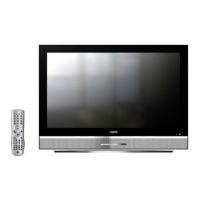
Congratulations on your new VIZIO VP322 High
Definition Plasma Television purchase. Thank
you for your support. For maximum benefit of
your set, please read these instructions before
making any adjustments, and retain them for
future reference. We hope you will experience
many years of enjoyment from your new VIZIO
VP322 HDTV10A.
For assistance, please call (877) 698-4946 or e-
mail us at
techsupport@vizio.com
.
To purchase or inquire about accessories and
installation services for your VIZIO PLASMA
HDTV, please visit our website at
www.VIZIO.com
or call toll free at 888-VIZIOCE
(888-849-4623).
We recommend you register your VIZIO VP322
HDTV10A either at our website
www.VIZIO.com
or fill in your registration card and mail it in. For
peace of mind and to protect your investment
beyond the standard warranty, VIZIO offers on-
site extended warranty service plans. These
plans give additional coverage during the
standard warranty period. Visit our website or call
us to purchase a plan.
Write down the serial number located on the back
of your VIZIO VP322 HDTV10A.
__ __ __ __ __ __ __ __ __ __ __ __ __ __
Purchase Date _____________________
VIZIO is a registered trademark of VIZIO, Inc. dba V, INC.
HDMI logo and “High Definition Multimedia Interface”
are registered trademarks of HDMI Licensing LLC.
Manufactured under license from Dolby Laboratories
Dolby and the double-D symbol are trademarks of Dolby Laboratories


Table of Contents

Other manuals for Vizio VP322

Questions and Answers

  • R
    rguerreroAug 16, 2025
    What to do if my Vizio VP322 LCD TV has no power?
    • R
      Randy RoseAug 17, 2025
      First, ensure the power button is set to ON, indicated by a white VIZIO logo. Then, verify that the AC power cord is securely connected to the AC socket. To confirm the outlet is functioning correctly, plug another electrical device, such as a radio, into the same outlet to check if it's supplying the appropriate voltage.
  • M
    Michael McdanielAug 19, 2025
    How to fix Vizio VP322 LCD TV with no sound?
    • J
      John LeeAug 19, 2025
      If your Vizio LCD TV has no sound, start by checking your audio connections. Ensure the MUTE function is off by pressing the MUTE button on the remote until the mute symbol disappears from the screen. Review your audio settings to ensure the TV audio is not set to SAP, min, or speakers off. Increase the volume by pressing the Volume + (Up) key on your remote. Also, verify that headphones are not connected to the TV.
  • D
    Dylan ThompsonAug 22, 2025
    What to do if I cannot see a picture on my Vizio VP322 LCD TV?
    • T
      travis99Aug 22, 2025
      First, ensure that the power cord is properly plugged into a grounded electrical outlet and that the power button is turned on. Next, verify that the selected input source is correctly connected to a working input source. If your TV is connected to your computer in RGB or HDMI mode, press any key on your keyboard to wake your computer.
  • H
    Hannah FisherAug 25, 2025
    Why is there no screen image on my Vizio VP322 even though the power is on?
    • M
      Miss Jamie JohnsonAug 26, 2025
      First, check that the video cable supplied with the TV is securely connected to the correct video output port on both the back of the VCR and the side of the TV. Also, make sure any cable attached to the TV is securely connected to the correct output on your Set-Top Box, DVD player, etc. Then, adjust the brightness and contrast settings. Finally, check the Source settings to ensure the correct input source is selected.
  • W
    William RobertsAug 27, 2025
    Why is the picture distorted or is there unusual sound on my Vizio VP322 LCD TV?
    • B
      Bradley Morris Jr.Aug 27, 2025
      The issue might be due to interference from electrical appliances, cars, motorcycles, or fluorescent lights. If your TV is not wall-mounted, try moving it to a different location to see if this resolves the problem.
  • S
    scotthullAug 30, 2025
    Why can I see a picture but cannot hear sound on my Vizio LCD TV?
    • J
      Joshua AndersonAug 30, 2025
      First, ensure that the volume is not turned down. Next, verify that the sound is not muted. Finally, check that your audio input source cables are securely and correctly connected.
  • E
    Edward ReedSep 2, 2025
    Why does the volume change when I switch inputs on my Vizio VP322 LCD TV?
    • B
      Beth WilsonSep 2, 2025
      Your Vizio LCD TV remembers the volume level from the last time you adjusted it for each input. Therefore, if the sound level is different from another source, the loudness will change accordingly when you switch inputs.
  • M
    Matthew KingSep 5, 2025
    Why does the screen size change when I switch inputs on my Vizio LCD TV?
    • Z
      zrubioSep 5, 2025
      The TV remembers the viewing mode from the last time you used a particular input (AV, Component, HDMI and TV).
  • K
    kedwardsSep 7, 2025
    What causes image quality issues on a Vizio VP322 LCD TV?
    • P
      Pamela DanielsSep 7, 2025
      For optimal image quality, it's best to view HD widescreen programs whenever possible. If HD content isn't available, viewing 'Standard Definition' from a digital source is preferable. Standard, analog TV will always appear noticeably inferior to HD because your digital flat panel TV has video capabilities that are significantly better than older TVs, making interference and deficiencies more apparent.
  • E
    Eric ConwaySep 12, 2025
    What to do if the control buttons on my Vizio VP322 do not work?
    • J
      jessica87Sep 12, 2025
      Ensure that you are pressing only one button at a time on your Vizio LCD TV.

Summary

Basic Controls and Connections

VIZIO Remote Control

Explains the functions of remote buttons, battery installation, range, and precautions.

Connecting Equipment

Setting Up to Watch Television

Basic Plasma HDTV Start Up

Guides through initial setup, power connection, and basic configuration.

Advanced Adjustment of HDTV

Using the On Screen Display (OSD)

Introduction to OSD menus for picture, audio, setup, and tuner adjustments.

DTV; TV Input Picture Adjustment

Detailed picture settings like Brightness, Contrast, Color, Tint, Sharpness.

DTV; TV Input Audio Adjustment

Detailed audio settings like Volume, Bass, Treble, Balance, Surround.

DTV; TV Tuner Setup

Setup for tuner modes, channel scanning, skipping, time zone, daylight saving.

DTV; TV Input Setup

Settings for language, sleep timer, wide mode, input naming, closed caption.

DTV; TV Input Parental Control

Content restriction features like channel blocking and rating control.

PC Input Picture Adjustment

Picture settings for PC input, including Auto Adjust and Brightness.

Maintenance and Troubleshooting

Troubleshooting Guide

Solutions for common TV problems like no power, no sound, or image issues.

Telephone & Technical Support

VIZIO technical support contact details and operating hours.

Miscellaneous Information

Specifications

Detailed technical specifications of the VIZIO VP322 HDTV10A.

Vizio VP322 Specifications

General IconGeneral
BrandVizio
ModelVP322
CategoryLCD TV
LanguageEnglish

Related product manuals