EasyManua.ls Logo

Vizio VX42L - User Manual

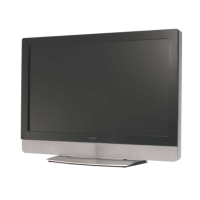
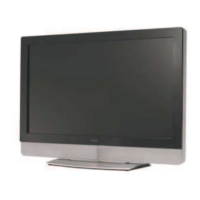
Vizio VX42L
57 pages
Print Icon
To Next Page IconTo Next Page
Loading...
VIZIO VX42L HDTV10A User Manual
Version 4/24/2007 1
www.VIZIO.com
Dear VIZIO Customer,
Congratulations on your new VIZIO VX42L High
Definition LCD Television purchase. Thank you
for your support. For maximum benefit of your set,
please read these instructions before making any
adjustments, and retain them for future reference.
We hope you will experience many years of
enjoyment from your new VIZIO VX42L High
Definition Television.
For assistance, please call 949-668-0588 or e-
mail us at
techsupport@vinc.com.
To purchase or inquire about accessories and
installation services for your VIZIO LCD HDTV,
please visit our website at
www.VIZIO.com or
call toll free at 888-VIZIOCE (888-849-4623).
We recommend you register your VIZIO VX42L
HDTV10A either at our website
www.VIZIO.com
or fill in your registration card and mail it in. For
peace of mind and to protect your investment
beyond the standard warranty, VIZIO offers on-
site extended warranty service plans. These
plans give additional coverage during the
standard warranty period. Visit our website or call
us to purchase a plan.
Write down the serial number located on the back
of your VX42L.
__ __ __ __ __ __ __ __ __ __ __ __ __ __
Purchase Date _____________________
VIZIO is a registered trademark of V, Inc.
HDMI logo and “High Definition Multimedia Interface” are registered trademarks of HDMI Licensing LLC.
Manufactured under license from Dolby Laboratories.
Dolby and the double-D symbol are trademarks of Dolby Laboratories.

Table of Contents

Other manuals for Vizio VX42L

Questions and Answers

  • A
    aprilyoungAug 18, 2025
    Why is there no power on my Vizio VX42L?
    • A
      Anna MillerAug 18, 2025
      First, ensure the power button is ON, indicated by a white VIZIO logo. Then, check that the AC power cord is securely connected to the AC socket. To verify the outlet is supplying power, plug in another electrical device, such as a radio.
  • D
    Dwayne CardenasAug 20, 2025
    What to do if the screen is black on my Vizio LCD TV?
    • N
      njamesAug 20, 2025
      Check your input connections.
  • M
    Mr. Gregory PhillipsAug 23, 2025
    What to do if my Vizio LCD TV has no sound?
    • E
      Erica AguilarAug 23, 2025
      First, check your audio connections. Then, ensure that the mute function is off by pressing the MUTE button on the remote until the mute symbol disappears from the screen. Check your audio settings to ensure your TV audio is not set to SAP, min, or speakers off. Increase the volume by pressing the Volume + (Up) key on your remote control. Finally, make sure headphones are not connected.
  • J
    Julie LloydAug 26, 2025
    What to do if my Vizio VX42L LCD TV has power but no screen image?
    • P
      pattersoncaitlynAug 26, 2025
      First, ensure the video cable that came with your TV is securely connected to the correct video output port on both your VCR and the TV. Make sure any cable attached to the TV is securely connected to the correct output on your Set-Top Box, DVD player, etc. Adjust the brightness and contrast settings. Finally, check the Source settings.
  • C
    carolsolisAug 28, 2025
    Why can't I see a picture on my Vizio VX42L LCD TV?
    • A
      alanhollowayAug 28, 2025
      Make sure the power cord is plugged into a grounded electrical outlet and that the power button is turned on. Also, verify that the selected input source is connected to a working input source. If your TV is connected to your computer in RGB or HDMI mode, press any key on your keyboard to wake your computer.
  • K
    katherine12Aug 30, 2025
    Why can I see a picture but I cannot hear sound on my Vizio LCD TV?
    • J
      Julian ArnoldAug 30, 2025
      Make sure the volume is not turned down or muted. Also, check that your audio input source cables are securely and correctly connected.
  • D
    David CobbSep 2, 2025
    Why does the picture have abnormal patterns on my Vizio LCD TV?
    • N
      nathan65Sep 2, 2025
      Ensure that the input source cable is securely and correctly attached to the back of your TV. Verify that the video input source is within the range of your TV by comparing the video input source’s specifications with your TV specifications.
  • M
    mark39Sep 4, 2025
    Why does the screen size change when I switch inputs on my Vizio VX42L?
    • K
      karen41Sep 4, 2025
      The TV remembers the viewing mode from the last time you used a particular input (AV, Component, HDMI and TV).
  • S
    Shannon JonesSep 7, 2025
    Why does the volume change when I switch inputs on my Vizio VX42L?
    • D
      Dustin PierceSep 7, 2025
      The TV remembers the volume level from the last time you adjusted it. If the sound level is higher or lower from another source, then the loudness will change.
  • J
    Jamie DavisSep 10, 2025
    Why do I see “noise” or “trash” on the screen of my Vizio VX42L?
    • H
      Helen WellsSep 10, 2025
      When your LCD HDTV’s digital capabilities exceed a digital broadcast signal, the signal is up-converted (increased) to match your TV’s display capabilities. Up-converting can cause noise or trash.

Summary

Regulatory Safety Certifications

Safety Compliance Information

Information on product design and testing compliance with safety certifications.

Antenna and Connection Protection

External Antenna Grounding, Lightning, and Power Line Safety

Guidelines for grounding, lightning protection, and power line safety for TV antennas.

Package Contents and Unpacking

Opening the Package and Contents

Instructions for unpacking the VIZIO HDTV and a list of included items.

Installation Preparation

Installation Preparation and Wall Mounting Guide

Essential steps before installation and guide for wall mounting, including stand base removal.

Basic Controls and Connections

Front Panel Controls

Describes controls and indicators on the front panel of the VIZIO HDTV.

Side Panel Controls and Connections

Explains buttons and connectors on the right and left side panels.

Rear Panel Connections

Identifies and explains rear panel input/output ports for connecting devices.

Remote Control Operation

VIZIO Remote Control Overview

Details on remote control buttons and their functions for operating the TV.

Remote Control Battery and Precautions

Guide for inserting batteries, range, and essential precautions for the remote control.

Connecting External Equipment

Choosing the Right Video Connection

Explains different video connection types and their quality for optimal device connection.

Connecting Coaxial (RF) Devices

Instructions for connecting antennas or cable using coaxial cables for DTV/TV.

Connecting HDTV Set-Top Boxes

Guides for connecting HDTV Set-Top Boxes via HDMI, DVI, and Component Video.

Connecting HDTV Set-Top Boxes using Component Video

Step-by-step instructions for connecting an HDTV Set-Top Box via Component Video.

Connecting Basic Set-Top Boxes

Instructions for connecting basic set-top boxes using Composite Video or Coax (RF).

Connecting DVD Players via HDMI

Guides for connecting DVD players using HDMI, including DVI considerations.

Connecting DVD Players via Component Video

Step-by-step instructions for connecting a DVD player via Component Video.

Connecting DVD Players via S-Video or Composite

Instructions for connecting DVD players using S-Video (AV1) or Composite (AV) video inputs.

Connecting VCRs, Video Cameras, and Receivers

Guides for connecting VCRs, cameras, and external audio receivers/amplifiers.

Connecting a PC Computer and Resolutions

Instructions for connecting a computer via RGB (VGA) and audio, including PC resolutions.

Initial TV Setup

Basic LCD HDTV Start Up

Steps for initial setup, including connecting power, cables, and channel scanning.

Watching TV Programs and Basic Settings

How to select channels, adjust volume, and use screen modes.

Program Information and HDTV Status

Accessing program guides and viewing TV status information.

Advanced Picture Adjustments

Using the On Screen Display (OSD)

Navigating and using the OSD menus for TV adjustments.

DTV;TV Input Picture Settings

Detailed picture adjustments for DTV/TV inputs including mode, brightness, contrast, color, etc.

Picture Adjustment Details (Brightness, Contrast, Color, Tint)

Specific adjustments for brightness, contrast, color, and tint for picture quality.

Picture Adjustment Details (Sharpness, Color Temp)

Adjustments for sharpness and color temperature to fine-tune picture appearance.

Advanced Video Settings

Explains advanced video features like DNR, Black Level Extender, and CTI.

Advanced Audio Adjustments

DTV;TV Input Audio Settings

Audio adjustments for DTV/TV inputs like volume, bass, treble, balance, and surround.

TV Tuner Setup

Configuring tuner mode, auto search, skip channels, and time zone settings.

Input Setup Options (Language, Sleep Timer, Captions)

Settings for language, sleep timer, and closed captioning for DTV/TV inputs.

Parental Controls

Channel and Program Blocking Features

Features for channel blocking, rating control, and password management.

TV and Movie Rating Controls

Allows blocking of programs based on TV and movie content ratings.

Input-Specific Adjustments

HDMI Input Adjustments (Picture, Audio, Setup)

Settings for picture, audio, and general setup when using HDMI input.

Video Input Adjustments (Picture, Audio, Setup)

Settings for picture, audio, and general setup for Component/AV video inputs.

PC Input Adjustments (Picture, Audio, Setup)

Picture, audio, and setup adjustments specifically for PC input.

Viewing Modes and PIP

Understanding Viewing Modes

Explains aspect ratio modes: Normal, Wide, Zoom, and Panoramic.

Picture-In-Picture (PIP) Settings

How to use PIP mode, adjust settings, and set the sleep timer.

Maintenance and Troubleshooting

Cleaning and Maintenance

Guidelines for cleaning the TV, remote, and screen.

Troubleshooting Common Issues

Solutions for common TV problems like no power, no sound, or picture distortion.

Technical Support Contact Information

Contact information and hours for VIZIO technical assistance.

Compliance, Specifications, and Glossary

Compliance and Interference Statements

Product compliance details and FCC radio interference statements.

Technical Specifications

Lists the detailed technical specifications of the VIZIO VX42L HDTV.

Glossary of Terms

Defines technical terms and jargon used throughout the manual.

Index

An alphabetical index for quick topic lookup.

Vizio VX42L Specifications

General IconGeneral
BrandVizio
ModelVX42L
CategoryLCD TV
LanguageEnglish

Related product manuals