EasyManua.ls Logo

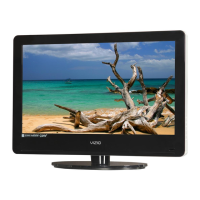
Vizio VA370M - User Manual

Vizio VA370M
61 pages
Print Icon
To Next Page IconTo Next Page
Loading...
VIZIO VA370M User Manual
Version 7/23/2009 1
www.VIZIO.com
Dear VIZIO Customer,
Congratulations on your new VIZIO High Definition LCD Television
purchase. This User Manual covers VA370M model; for any specific,
please refer to the specification sheets in Chapter 5. Thank you for your
support. For maximum benefit of your set, please read these instructions
before making any adjustments, and retain them for future reference. We
hope you will experience many years of enjoyment from your new VIZIO
HDTV.
For assistance, please call (877) 698-8462 or visit us at www.vizio.com
To purchase or inquire about accessories and installation services for your
VIZIO LCD HDTV, please visit our website at
www.vizio.com or call toll
free at (888) 849-4623.
We recommend you register your VIZIO HDTV either at our website
www.VIZIO.com or fill in your registration card and mail it in. For peace
of mind and to protect your investment beyond the standard warranty,
VIZIO offers on-site extended warranty service plans. These plans give
additional coverage during the standard warranty period. Visit our website
or call us to purchase a plan.
Write down the serial number located on the back of your HDTV.
__ __ __ __ __ __ __ __ __ __ __ __ __
Purchase Date _____________________
VIZIO is a registered trademark of VIZIO, Inc. dba V, Inc.
HDMI logo and “High Definition Multimedia Interface” are registered trademarks of HDMI Licensing LLC.
Manufactured under license from Dolby Laboratories.
Dolby and the double-D symbol are trademarks of Dolby Laboratories.
and are trademarks of SRS Labs, Inc.
TruSurround HD and TruVolume technologies are incorporated under license from SRS Labs, Inc.
THE TRADEMARKS SHOWN HEREIN ARE THE PROPERTY OF THEIR RESPECTIVE OWNERS; IMAGES USED ARE FOR
ILLUSTRATION PURPOSES ONLY. BRAVO, VIZIO AND THE V LOGO AND WHERE VISION MEETS VALUE AND OTHER VIZIO
TRADEMARKS ARE THE INTELLECTUAL PROPERTY OF VIZIO INC. PRODUCT SPECIFICATIONS ARE SUBJECT TO
CHANGE WITHOUT NOTICE OR OBLIGATION. © 2008 VIZIO INC. ALL RIGHTS RESERVED.


Table of Contents

Other manuals for Vizio VA370M

Questions and Answers

  • T
    Tara JacksonAug 19, 2025
    What to do if my Vizio LCD TV screen is black?
    • D
      davidyoungAug 19, 2025
      Ensure the power button is ON (VIZIO Logo glows white). Press the INPUT button on the TV or the Remote. Check the input connections to ensure they are properly connected.
  • D
    daniel69Aug 21, 2025
    What to do if my Vizio VA370M LCD TV has no power?
    • B
      Brian TaylorAug 22, 2025
      First, ensure the power button is ON; the VIZIO Logo should glow white. Then, check that the AC power cord is securely connected to the AC socket. To verify the outlet is supplying power, plug another electrical device into it.
  • J
    jessica96Aug 23, 2025
    Why is there no sound on my Vizio LCD TV?
    • G
      Garrett MaloneAug 25, 2025
      First, press the Volume + (Up) key on the remote control. Check if the MUTE symbol is displayed; if so, press MUTE on the remote. Also, check your audio settings. If TV input is selected, audio may be set to SAP, or speakers are off. If external devices are selected, check the audio connections.
  • M
    Mrs. Barbara Johnson DVMAug 26, 2025
    Why is my Vizio VA370M power ON but there is no screen image?
    • J
      justinnguyenAug 26, 2025
      Ensure any cable attached to the TV is connected to the correct output from a Set-Top Box, DVD, etc. Adjust the brightness, contrast, or backlight settings. Check the Input settings to ensure the correct source is selected.
  • E
    Erik KingAug 28, 2025
    Why do wrong or abnormal colors appear on my Vizio VA370M LCD TV?
    • K
      Kelly OrtegaAug 28, 2025
      Check the Color and tint settings in the Picture Menu. Try resetting the Picture settings. If using Component Input and colors are missing, check the video cables for secure connections. If using PC Input and colors are missing, check the video cable for a secure connection.
  • B
    Barbara HobbsAug 30, 2025
    Why can I see a picture but I cannot hear sound on my Vizio VA370M LCD TV?
    • S
      Suzanne LynchAug 30, 2025
      Ensure that the volume is not turned down. Make sure that the sound is not muted. Check that your audio input source cables are connected securely and correctly.
  • K
    Kyle TurnerSep 1, 2025
    What to do if the remote control does not work on my Vizio VA370M LCD TV?
    • J
      John BennettSep 1, 2025
      Ensure the batteries are inserted correctly and are not weak. Make sure you have selected TV on the remote.
  • J
    Jesse WilliamsSep 3, 2025
    Why can't I see a picture on my Vizio LCD TV?
    • C
      Christopher BairdSep 3, 2025
      Make sure that the power cord is plugged into a grounded electrical outlet and that the power button is turned on. Also, verify that the selected input source is connected to a working input source. If your TV is connected to your computer in RGB or HDMI mode, press any key on your keyboard to “wake” your computer.
  • D
    Danielle JonesSep 5, 2025
    Why do I see 'noise' or 'trash' on the screen of my Vizio VA370M LCD TV?
    • A
      Alexandra RoseSep 6, 2025
      When your LCD HDTV’s digital capabilities exceed a digital broadcast signal, the signal is up-converted (increased) to match your TV’s display capabilities. This up-converting process can cause noise or trash to appear on the screen.
  • A
    asanchezSep 7, 2025
    Why does the volume change when I switch inputs on my Vizio VA370M?
    • M
      marshallscottSep 7, 2025
      The TV remembers the volume level from the last time you adjusted it for each input. So, if the sound level is higher or lower from another source, the loudness will change when you switch to that input.

Summary

Chapter 1 Basic Controls and Connections

VIZIO Universal Remote Control

Introduces the remote control, its functions, operation, and care.

Chapter 2 Connecting Equipment

Chapter 3 Setting Up to Watch Television

Initial HDTV Setup and Channel Scan

Guides through initial setup, language selection, signal source, and channel scanning.

Chapter 4 Maintenance and Troubleshooting

Maintenance and Cleaning Procedures

Important cleaning and maintenance instructions for the TV and remote control.

Troubleshooting Common Issues

Provides solutions for common TV operational problems like no power, no sound, and picture issues.

Chapter 5 Specifications

Warranty and Return Information

Limited Product Warranty Details

Outlines the terms and conditions of the one-year limited warranty for VIZIO displays.

Vizio VA370M Specifications

General IconGeneral
BrandVizio
ModelVA370M
CategoryLCD TV
LanguageEnglish

Related product manuals