EasyManua.ls Logo

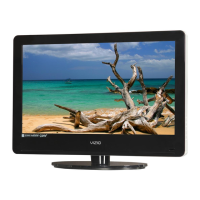
Vizio VA26L - User Manual

Vizio VA26L
70 pages
Print Icon
To Next Page IconTo Next Page
Loading...
VIZIO VA26L HDTV10T User Manual
Version 6/5/2008 2
www.VIZIO.com
Dear VIZIO Customer,
Congratulations on your new VIZIO VA26L High Definition LCD
Television purchase. To get the maximum benefit from your HDTV, read
these instructions before making any adjustments, and retain them for
future reference. We hope you will experience many years of enjoyment
from your new HDTV.
For assistance, call (877) 698-4946 or e-mail us at
techsupport@VIZIO.com.
To purchase or inquire about accessories and installation services for
your HDTV, visit our website at www.VIZIO.com or call toll free at 888-
VIZIOCE (888-849-4623).
We recommend you register your HDTV either by visiting our website
(www.VIZIO.com) or by completing and mailing in your registration card.
For peace of mind and to protect your investment beyond the standard
warranty, VIZIO offers on-site extended warranty service plans. These
plans give additional coverage during the standard warranty period. Visit
our website or call us to purchase a plan.
Write down the serial number located on the back of your HDTV.
__ __ __ __ __ __ __ __ __ __ __ __ __ __
Purchase Date _____________________
VIZIO is a registered trademark of VIZIO, Inc. dba V, Inc.
HDMI logo and “High Definition Multimedia Interface” are registered
trademarks of HDMI Licensing LLC.
Manufactured under license from Dolby Laboratories.
Dolby and the double-D symbol are trademarks of Dolby Laboratories.
THE TRADEMARKS SHOWN HEREIN ARE THE PROPERTY OF THEIR RESPECTIVE OWNERS; IMAGES USED ARE FOR
ILLUSTRATION PURPOSES ONLY. BRAVO, VIZIO AND THE V LOGO AND WHERE VISION MEETS VALUE AND OTHER VIZIO
TRADEMARKS ARE THE INTELLECTUAL PROPERTY OF VIZIO INC. PRODUCT SPECIFICATIONS ARE SUBJECT TO
CHANGE WITHOUT NOTICE OR OBLIGATION. © 2008 VIZIO INC. ALL RIGHTS RESERVED.


Table of Contents

Questions and Answers

  • L
    Lisa TaylorAug 20, 2025
    Why are the colors wrong on my Vizio VA26L LCD TV?
    • L
      Lisa NortonAug 20, 2025
      If the colors on your Vizio LCD TV are wrong or abnormal, and any colors (red, green, or blue) are missing, check the video cable to ensure it is securely connected.
  • R
    Ronald SmithAug 22, 2025
    Why is the picture distorted on my Vizio VA26L?
    • N
      njohnsonAug 22, 2025
      If your Vizio LCD TV picture is distorted, it may be due to interference from electrical appliances, cars, motorcycles, or fluorescent lights. If the TV is not wall-mounted, try moving it to another location to see if this resolves the issue. It could also be interference from a device on the same electrical circuit, so try plugging the TV into another power outlet.
  • B
    Bradley TaylorAug 25, 2025
    How to fix “No Signal” error on Vizio VA26L?
    • M
      marymejiaAug 25, 2025
      If your Vizio LCD TV displays a “No Signal” error, try pressing the INPUT button to select a different source. This should help your TV find the correct signal.
  • J
    Jonathan LeonardAug 26, 2025
    What to do if my Vizio VA26L has no power?
    • M
      michaelnguyenAug 26, 2025
      If your Vizio LCD TV has no power, ensure the power is ON (the VIZIO logo will be white). Also, check that the power cord is securely connected to the back of your TV and the power outlet. To verify the outlet is working, connect another electrical device to it.
  • H
    Heidi HolmesAug 27, 2025
    Why is my Vizio LCD TV screen black?
    • J
      Jason TrevinoAug 28, 2025
      If your Vizio LCD TV screen is black, check the connections on the back of your TV and the connected components. Ensure the power cord is securely connected to both the TV and a grounded power outlet, and that the power is ON (the VIZIO logo will be white). Verify that the selected input source (like a DVD player) is working correctly. If connected to a computer via RGB or HDMI, press any key on the keyboard to wake the computer.
  • S
    Sheila MillerAug 29, 2025
    How to troubleshoot no sound on Vizio LCD TV?
    • C
      Christine SilvaAug 29, 2025
      If there is no sound on your Vizio LCD TV, check the audio connections on the back of your TV and any connected components. Make sure the volume isn't turned down or muted, and that headphones aren't connected. Also, check your audio settings in the OSD to ensure the audio isn't set to SAP, minimum, or speakers off.
  • R
    Rachel EvansAug 31, 2025
    Vizio LCD TV has power but no picture: what to do?
    • S
      Stephanie GardnerAug 31, 2025
      If your Vizio LCD TV has power but no screen image, check the connections on the back of your TV and the connected components. Try adjusting the brightness and contrast settings. You can also try pressing the INPUT button to select a different source.
  • J
    Julia ChanSep 2, 2025
    Vizio VA26L LCD TV remote control not working: what to do?
    • J
      james06Sep 2, 2025
      If the remote control for your Vizio LCD TV is not working, make sure the batteries are inserted correctly and replace them if they are expired. Also, ensure you are pressing the correct source button on the remote (e.g., TV to control the TV source).
  • R
    Rhonda Sawyer MDSep 4, 2025
    Why does my Vizio VA26L make unusual sounds?
    • J
      Janet TorresSep 4, 2025
      If you're experiencing unusual sounds from your Vizio LCD TV, it may be due to interference from electrical appliances, cars, motorcycles, or fluorescent lights. If your TV is not mounted on the wall, try moving it to another location to see if this is the cause.
  • E
    Erik WilliamsSep 6, 2025
    How to improve image quality on Vizio LCD TV?
    • A
      Angela PayneSep 6, 2025
      If you are experiencing image quality issues with your Vizio LCD TV, standard analog TV will always be noticeably inferior to HD because your digital flat panel TV has video that is much better than older TVs. For the best image quality, view HD widescreen programs when possible. If HD content is not available, view “Standard Definition” from a digital source.

Summary

Safety and Initial Setup

Important Safety Instructions

Essential safety rules for electrical connections, ventilation, and proper HDTV placement to prevent hazards.

Electrical Safety and Installation Guidelines

Key safety guidelines for electrical connections, ventilation, and proper usage to prevent hazards.

Handling, Moving, and Battery Precautions

Guidelines for safely moving the unit, handling batteries, and addressing potential operational issues.

Connecting Devices and Initial Setup

Choosing Video Connections

Guide to selecting the best video connection for various devices like cable boxes and DVD players.

Initial HDTV Setup

How to insert batteries and begin the initial setup wizard for your HDTV.

Picture and Audio Settings

Advanced Picture Settings

Selecting picture modes and adjusting core settings like Backlight and Brightness.

TV Tuning and Parental Controls

Parental Controls

Enabling parental controls and blocking specific TV channels.

Maintenance, Troubleshooting, and Warranty

Troubleshooting Common Issues

Solutions for common problems like 'No Signal', 'No Power', 'No Sound', and screen issues.

VIZIO Limited Product Warranty

Details VIZIO's one-year warranty, labor, parts, and how to obtain service.

Vizio VA26L Specifications

General IconGeneral
BrandVizio
ModelVA26L
CategoryLCD TV
LanguageEnglish

Related product manuals