EasyManua.ls Logo

Vizio VO22L HDTV10A - User Manual

Vizio VO22L HDTV10A
73 pages
Print Icon
To Next Page IconTo Next Page
Loading...
VIZIO VO22L HDTV10A User Manual
Version 7/22/2008 1
www.VIZIO.com
Dear VIZIO Customer,
Congratulations on your new VIZIO VO22L
HDTV10A High Definition LCD Television
purchase. Thank you for your support. For
maximum benefit of your set, please read these
instructions before making any adjustments, and
retain them for future reference. We hope you will
experience many years of enjoyment from your
new VIZIO VO22L HDTV10A High Definition
Television.
For assistance, please call (877)-698-4946 or e-
mail us at
techsupport@vizio.com.
To purchase or inquire about accessories and
installation services for your VIZIO LCD HDTV,
please visit our website at
www.vizio.com or call
toll free at (888)-849-4623.
We recommend you register your VIZIO VO22L
HDTV10A either at our website
www.VIZIO.com
or fill in your registration card and mail it in. For
peace of mind and to protect your investment
beyond the standard warranty, VIZIO offers on-
site extended warranty service plans. These
plans give additional coverage during the
standard warranty period. Visit our website or call
us to purchase a plan.
Write down the serial number located on the back
of your VO22L HDTV10A.
L
__ __ __ __ __ __ __ __ __ __ __ __ __
Purchase Date _____________________
VIZIO is a registered trademark of V, Inc.
HDMI logo and “High Definition Multimedia Interface” are registered trademarks of HDMI Licensing LLC.
Manufactured under license from Dolby Laboratories.
Dolby and the double-D symbol are trademarks of Dolby Laboratories.

Table of Contents

Question and Answer IconNeed help?

Do you have a question about the Vizio VO22L HDTV10A and is the answer not in the manual?

Summary

VIZIO VO22 L HDTV10 A User Manual

Product Safety Certifications and Precautions

Television Antenna Connection Protection

External Television Antenna Grounding

Ensures antenna/cable system is electrically grounded for protection against surges and static charges.

Additional Accessories and Installation Preparation

Installation Preparation Steps

Guidance on preparing for TV installation, including power, ventilation, and orientation.

Preparing for Wall Mounting

Chapter 1: Basic Controls and Connections

1.1 Front Panel Controls

Identifies and describes the power light and remote control sensor on the front panel.

1.2 Side Panel Controls

Explains the function of the power, menu, channel, and input buttons on the TV's side.

Rear and Side Panel Connections

1.3 Rear Panel Connections

Details all input and output ports on the rear of the HDTV and their functions.

VIZIO Remote Control

1.5 VIZIO Remote Control Overview

Identifies buttons like GUIDE, POWER, MUTE, INPUT, and navigation controls.

1.5.1 Battery Insertion

Instructions for inserting AA batteries into the remote control, with safety tips.

Chapter 2: Connecting Equipment

2.1 Choosing Video Connections

Compares different video connection types (HDMI, RF, RGB, Component, S-Video, Composite).

Connecting a PC Computer

2.8.1 Preset PC Resolutions

Table of compatible PC resolutions and timing modes for optimal display.

Chapter 3: Setting Up to Watch Television

3.1 Basic HDTV Setup

Initial setup steps including connecting power, cables, and initial configuration.

3.1.1 Selecting Input Source

How to select the correct input source for viewing content.

3.1.2 Fine Tuning TV Settings

Adjusting picture settings like Color Temperature for optimal viewing.

Watching a TV Program

Adjusting Basic HDTV Settings

Chapter 4: Advanced Adjustment

4.1 Using the On-Screen Display (OSD)

Overview of the OSD menus for adjusting picture, audio, setup, tuner, and parental controls.

DTV;TV Picture Adjustment

4.2.1 Backlight Adjustment

Adjusts the TV's lamp current to control overall picture brilliance.

4.2.2 Brightness Adjustment

Controls the black levels in the picture for detail in dark areas.

4.2.3 Contrast Adjustment

Controls the white levels in the picture for detail in bright areas.

4.2.4 Color Adjustment

Adjusts the amount of color saturation in the picture.

4.2.5 Tint Adjustment

Adjusts the hue of the picture, often used to set flesh tones.

4.2.6 Sharpness Adjustment

Adjusts the clarity and definition of edges in the picture.

4.2.7 Color Temperature

Sets the color balance (Cool, Normal, Warm, Custom) for the picture.

4.2.8 Advanced Video Settings

Fine-tuning options including DNR, Black Level Extender, and White Peak Limiter.

DTV;TV Audio Adjustment

4.3.1 Volume Control

How to increase or decrease the TV's audio volume.

4.3.2 Bass Control

Adjusts the bass boost or attenuation for the audio output.

4.3.3 Treble Control

Adjusts the treble boost or attenuation for the audio output.

4.3.4 Balance Control

Adjusts the left/right balance of the audio.

DTV;TV Tuner Setup

DTV;TV Input Setup

DTV;TV Parental Control

HDMI Input Adjustments

Video Input Adjustments

Video Input Parental Control

PC Input Picture Adjustment

PC Input Audio Adjustment

PC Input Setup

Chapter 5: Maintenance & Troubleshooting

5.1 Maintenance

Instructions for cleaning the TV, housing, and remote control safely.

5.2 Troubleshooting Guide

Provides solutions for common TV problems like no power, no sound, or picture issues.

Technical Support

Chapter 6: Miscellaneous Information

6.1 Product Specifications

Detailed technical specifications for the VIZIO VO22L HDTV10A TV.
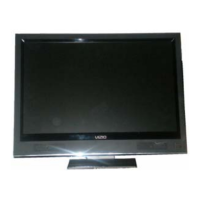
Vizio VO22L HDTV10A Specifications

General IconGeneral
BrandVizio
ModelVO22L HDTV10A
CategoryLCD TV
LanguageEnglish

Related product manuals