•
Run this procedure on a cold motor for best
results
To run AMA
1. Press [Main Menu] to access parameters.
2.
Scroll to parameter group 1-** Load and Motor.
3. Press [OK].
4.
Scroll to parameter group 1-2* Motor Data.
5. Press [OK].
6.
Scroll to 1-29 Automatic Motor Adaptation (AMA).
7. Press [OK].
8.
Select Enable complete AMA.
9. Press [OK].
10. Follow on-screen instructions.
11. The test will run automatically and indicate when
it is complete.
3.7 Check Motor Rotation
Before running the adjustable frequency drive, check the
motor rotation.
1. Press [Hand On].
2. Press [►] for positive speed reference.
3. Check that the speed displayed is positive.
When 1-06 Clockwise Direction is set to [0] Normal (default
clockwise):
4a. Verify that the motor turns clockwise.
5a. Verify that the LCP direction arrow is
clockwise.
When 1-06 Clockwise Direction is set to [1] Inverse (counter-
clockwise):
4b. Verify that the motor turns counter-clockwise.
5b. Verify that the LCP direction arrow is counter-
clockwise.
3.8
Check Encoder Rotation
Check encoder rotation only if encoder feedback is used.
Check encoder rotation in default open-loop control.
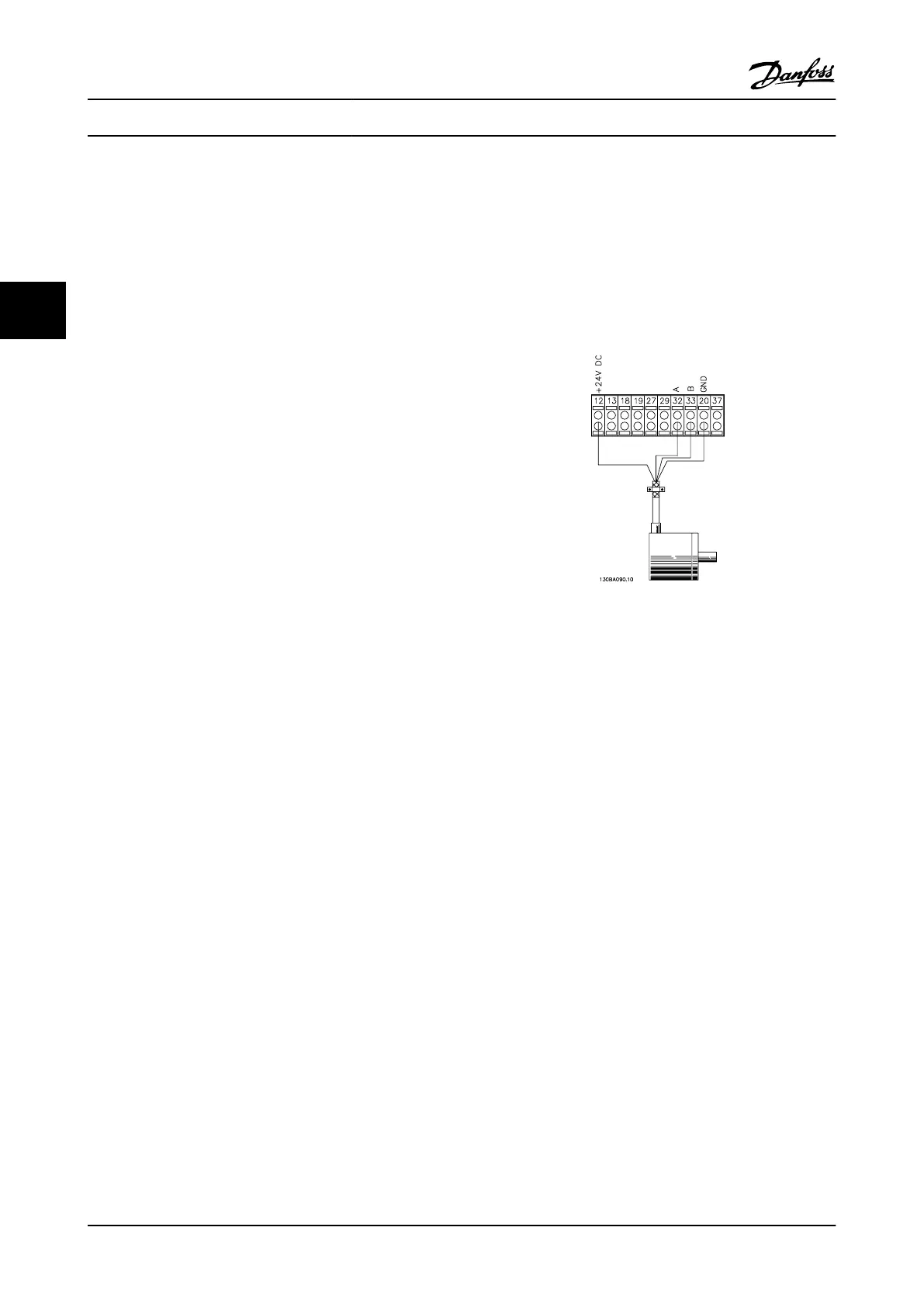
1. Verify that the encoder connection is according
to Figure 3.7:
Figure 3.7 Wiring Diagram
NOTE!
When using an encoder option, refer to the option manual.
2. Enter the speed PID feedback source in
7-00 Speed PID Feedback Source.
3. Press [Hand On].
4.
Press [►] for positive speed reference
(1-06 Clockwise Direction at [0] Normal).
5.
Check in 16-57 Feedback [RPM] that the feedback
is positive.
NOTE!
If the feedback is negative, the encoder connection is
wrong!
Start-up and Functional Tes...
VLT
®
AutomationDrive Instruction
Manual
3-6 MG33AM22 - VLT
®
is a registered Danfoss trademark
33



 To Next Page