7
Connector Panel
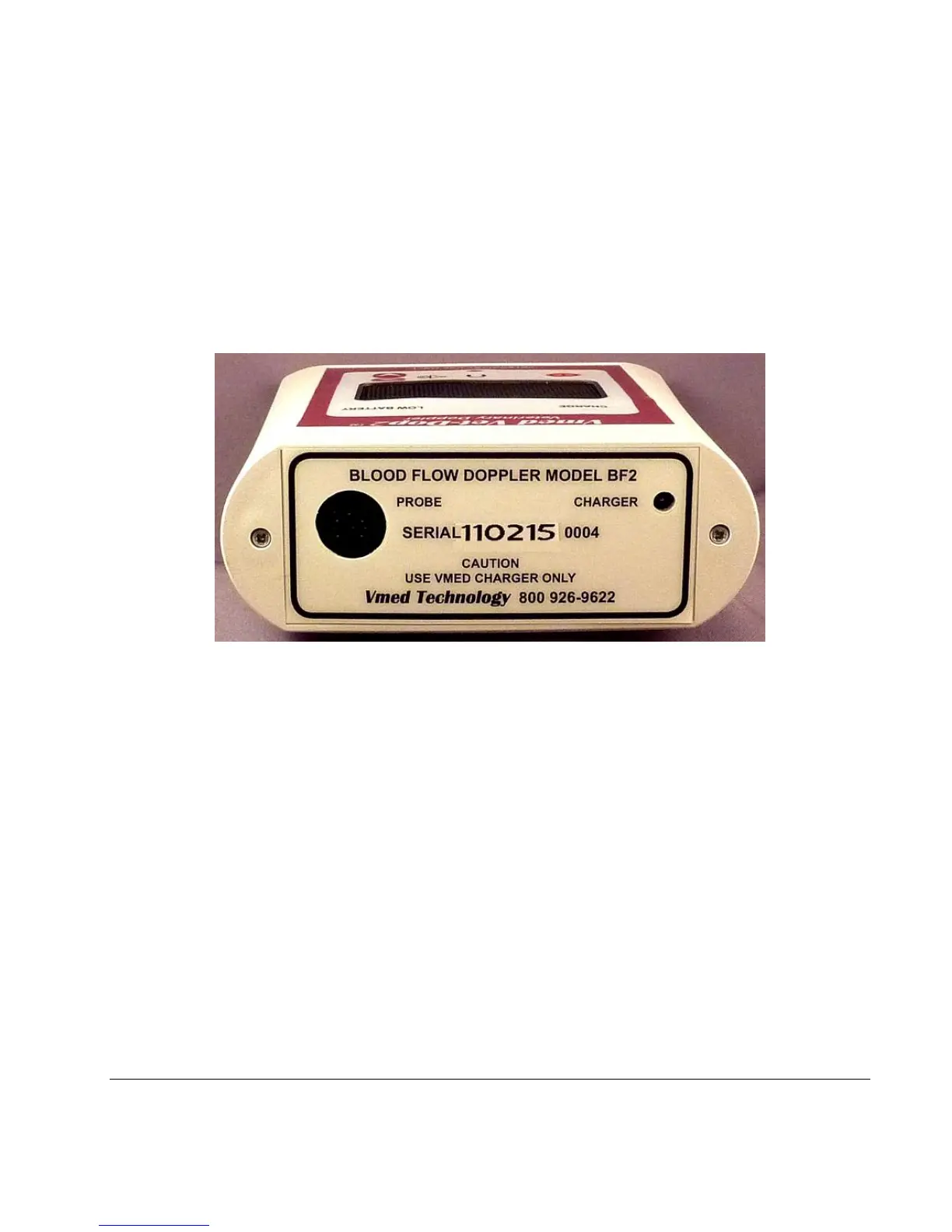
The connector panel includes the battery charge port and the Doppler sensor
receptacle as shown below.
Figure 2 Connector panel
CHARGING RECEPTACLE: Plug the battery charger cable into the CHARGER port to
charge the battery. (NOTE: For safety reasons, the device will not operate
when the battery charger is plugged in.) (CAUTION: Use the power supply
adapter provided with the Vet-Dop2 ONLY. Use of any other power supply
adapter could damage the unit and void the warranty.)
PROBE RECEPTACLE: Insert the Doppler sensor into the PROBE receptacle. (NOTE:
The sensor plug is keyed and can only be inserted one way-see Fig. 3).
SERIAL NUMBER: Each device has a unique serial number as shown above.


 To Next Page