northStar e™ ramP oPeratIon
9
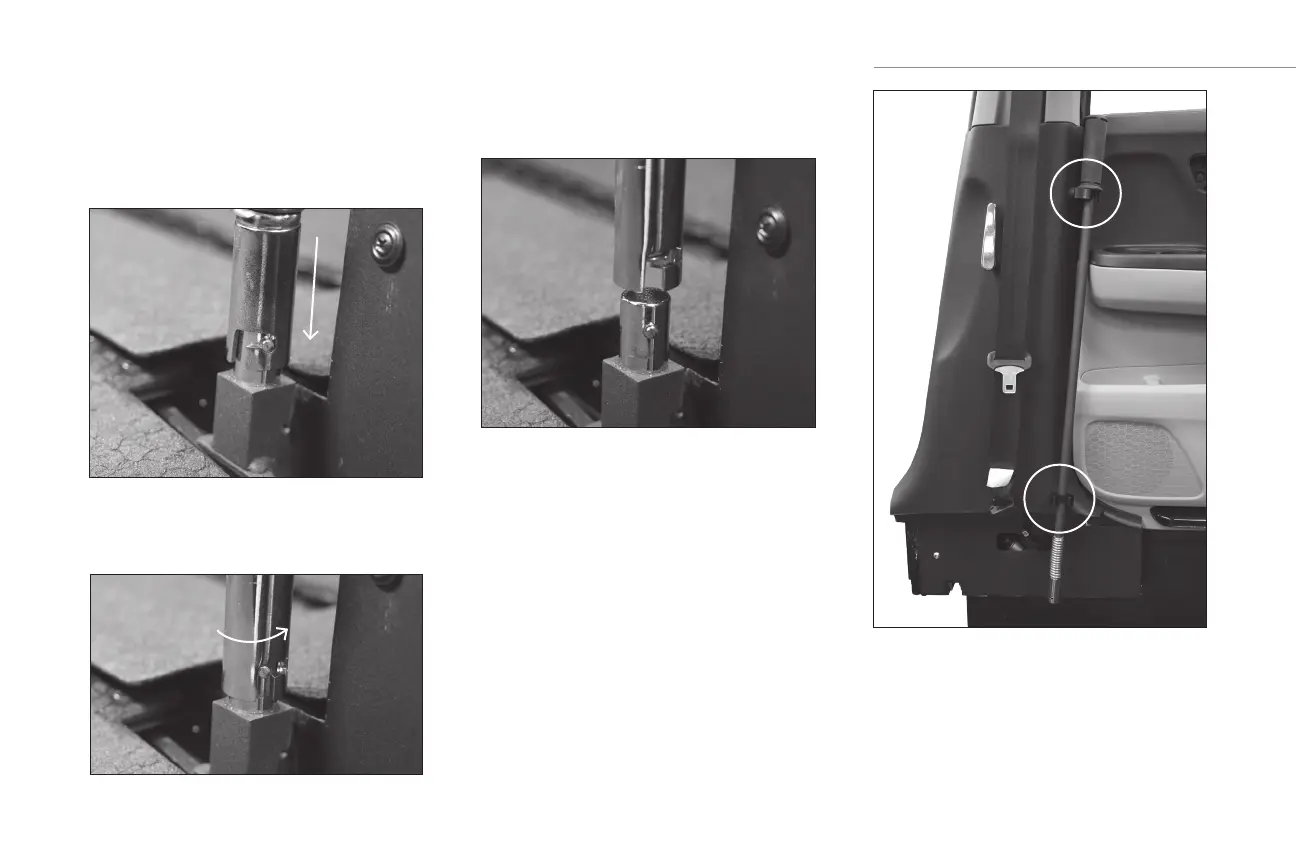
REMOVING THE RAMP HANDLE
1. Press down on the ramp handle to
unlock the pin.
2. Rotate the ramp handle counter
clockwise to release the pin.
3. Remove the ramp handle from the
ramp.
4. Attach the ramp handle to the
designated spot on the door by using
the two clasps.


 To Next Page