SeatIng and Securement
19
RESTRAINT SYSTEM ATTACHMENT TO
FLOOR TRACK
Instructions for Use
1. Place wheelchair in the vehicle facing
forward and in a suitable position.
2. Pre-select a position on the wheelchair
to attach the hook and a position on
the oor to attach the oor latch end of
the strap.
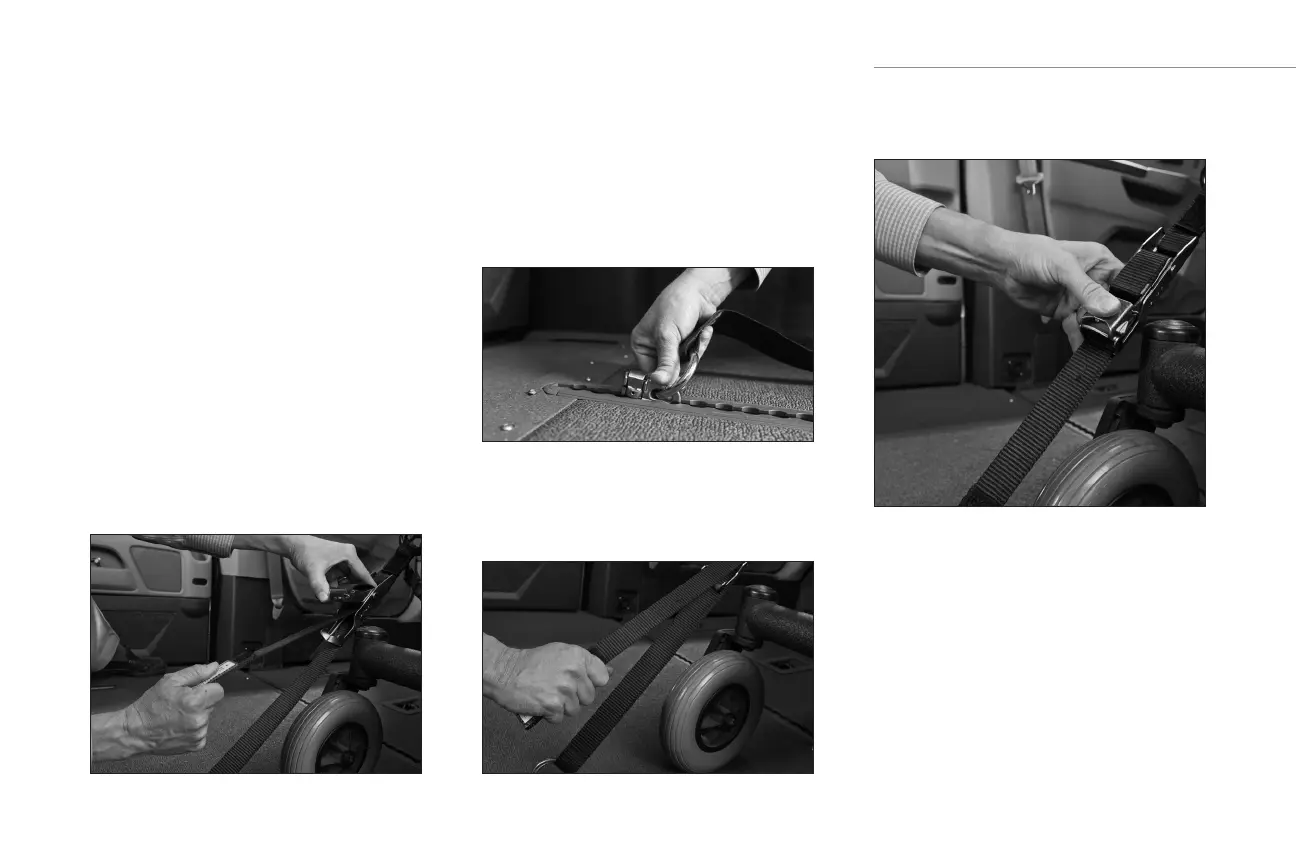
3. Release the buckle latch on the strap.
With the buckle released, pull the
webbing to create enough slack so that
the restraint belt can be attached to
the oor and the wheelchair. Attach the
restraint belt to the wheelchair.
4. Connect the oor latch to the pre-
selected location on the oor track by
pushing the tting with even pressure
into the track and slide the tting in
one direction until spring loaded latch
drops into place. Pull on the strap to
make sure it is secure.
5. Find the handheld strap and pull to
tighten the strap. Make sure there are
no twists or knots in the strap.
6. Lock buckle by pushing down until the
buckle latch locks in place.
7. Ensure the same procedure is followed
for all of the designated positions.


 To Next Page