1.GETTING STARTED
3
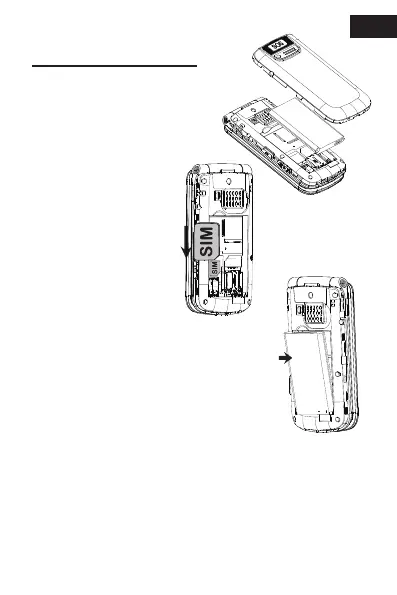
Slide the nano
SIM card into the
SIM card holder
with the gold
contacts facing
down and cut off
corner as shown.
Remove the battery cover
(opening in the bottom
left-hand corner).
Insert the battery by sliding it into
the battery compartment with the
contacts facing downwards to the
right. Replace the battery cover.
1.1
1.2
1.3
EN
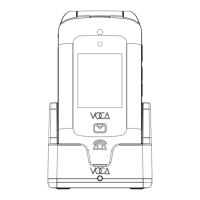
Before use, please charge your phone for 8
hours by connecting the phone to a wall socket
with the USB C cable and the power adaptor. (Or
place the phone on the charging cradle and
connect the charging cradle to a wall socket)
1.4



 To Next Page