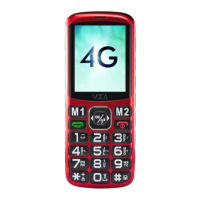
Dial Key: Dial Out / Answer / Call History
End/Power Key: Short press for Hangup,
Home screen, Long press for Power On
or Off
Left Soft Key : Short press for Menu / Ok
(command shown on lower left corner)
Right Soft Key: Short press for Contacts/
Back. (command shown on lower right corner)
2,3,4,5,6,7,8,9: Long press for quick dial
number. Short press for characters.
2.1
2.2
2.3
2.4
2.5
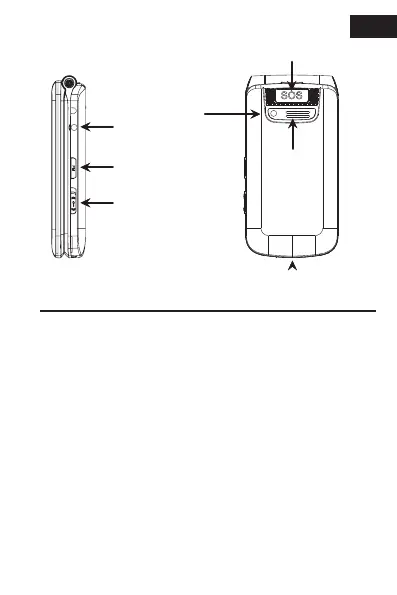
Camera
lens
Speaker
Volume boost/
FM Radio
SOS Button
3.5mm
Earphone
Jack
5
USB-C Charging Port
EN
Torch



 To Next Page