Unpacking and Checking the
Equipment
We recommend you to ensure all of the
items listed below are included before
discarding the cardboard box. If any items
are lost or damaged in transit, please
check with our distributor.
Contents of Box
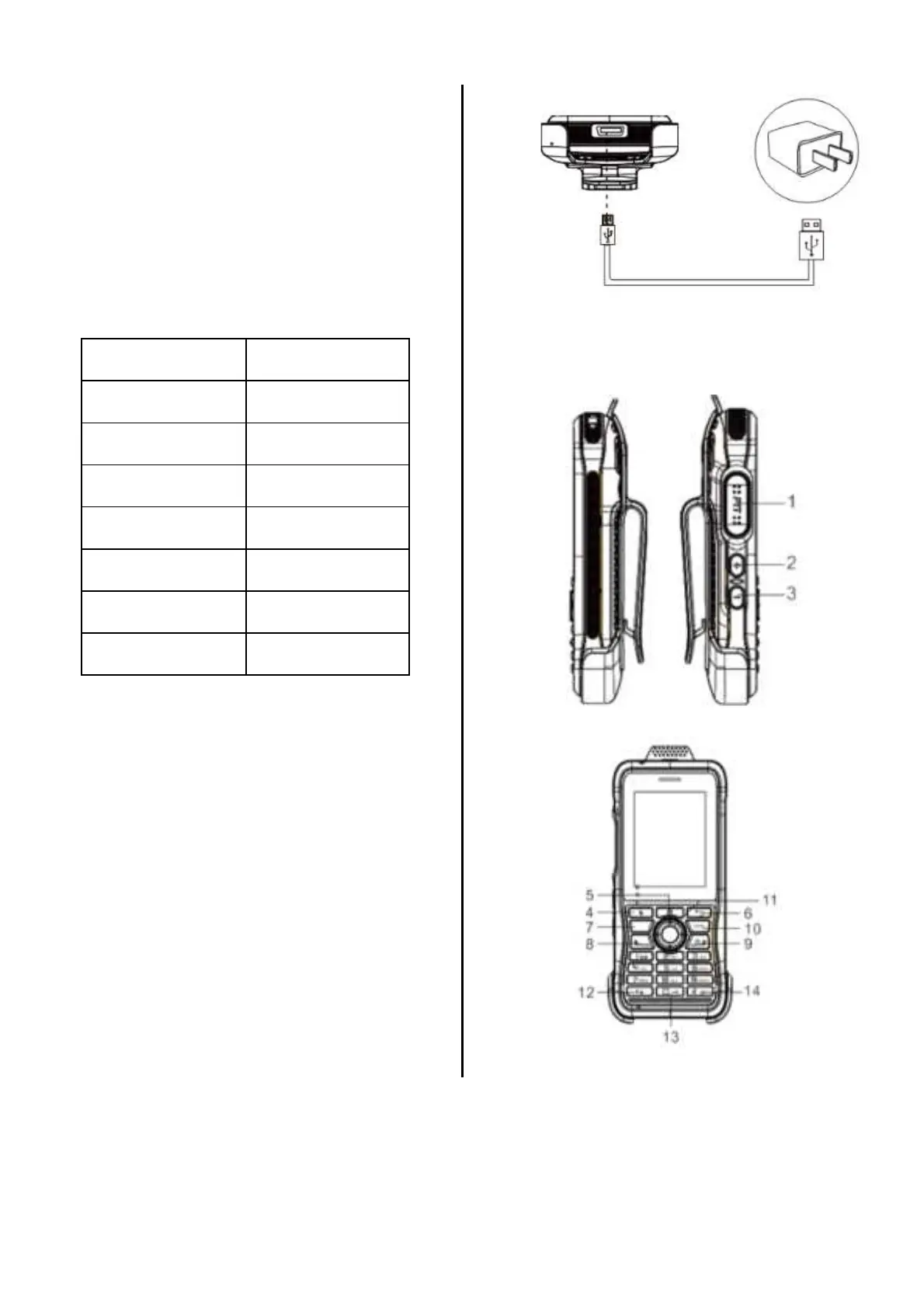
Charging
Connect the device with AC adapter,
power on, the indicator light color turns red.
Connect the device and Power adapter by
Micro USB cable. The LED indicator
should turn Red during charging.
The indicator light color turns green when
charging finishes. The indicator light turns
off when exposed to high operating
temperature, poor contact, or battery
damage.
Phone Overview


 To Next Page