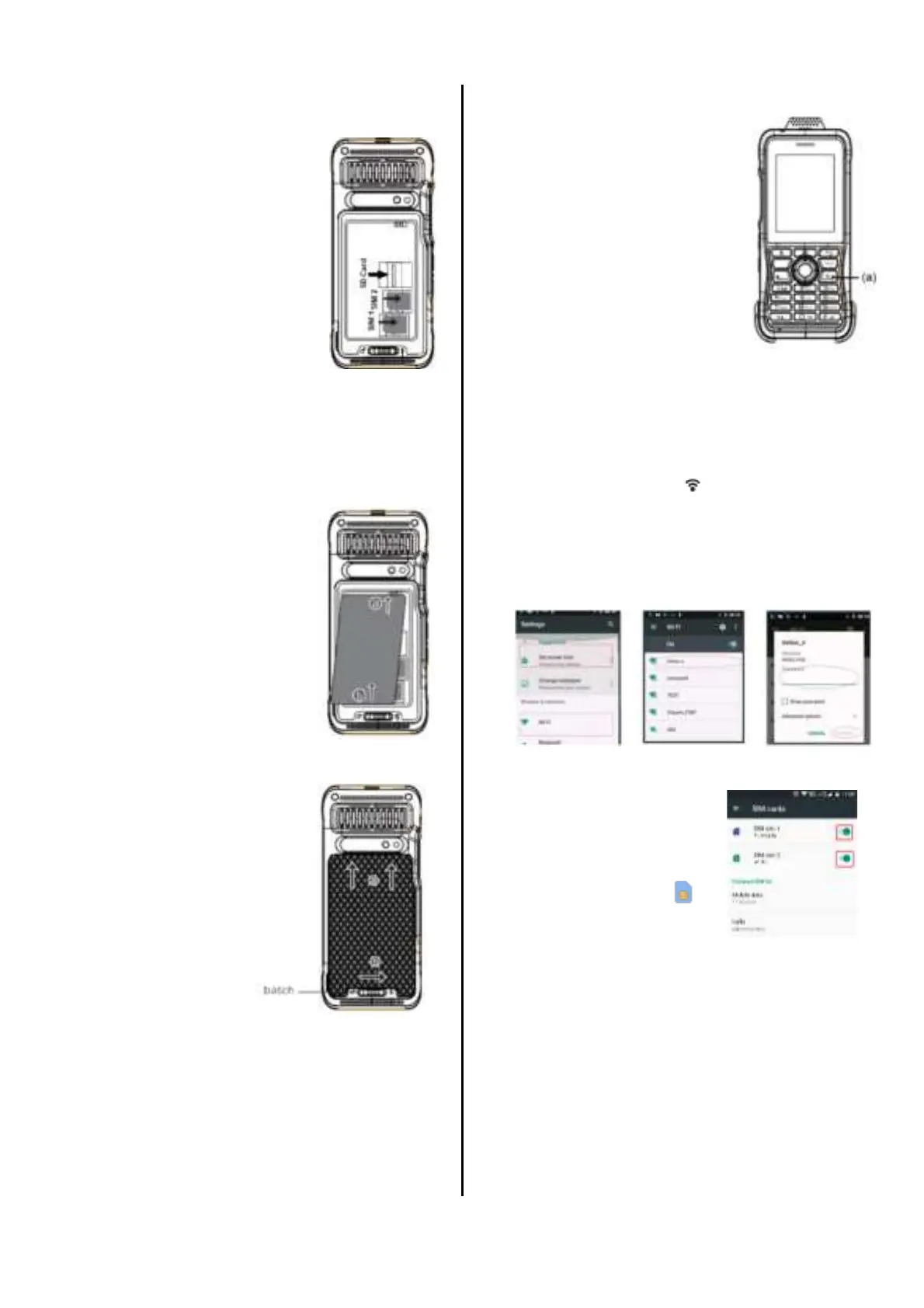
1. Insert SIM Card
(a) SIM 1: T-Mobile
(b) SIM 2: AT&T
2. Insert Micro SD Card
(Optional)
3. Insert Battery
(a) Insert the end
with metal
contacts into the
bottom of the
battery slot;
(b) Press down on
the other end of
the battery
Close the battery cover
(a) Push up the
battery
cover
socket;
(b) Lock the
battery
latch, slide
right the
batch to
lock
(c) To open the battery cover, slide the
battery batch to left
4. Power ON
(a) Press and hold
the power button
until the screen
is ON
Connecting to
Network
Connect to Wi-Fi
After the device is turned on and the main
screen shows up, click the “Settings” icon
and find the Wi-Fi icon , then click to enter
the check box, make sure the right side
“On” button is toggled on, choose the
wireless network you want to connect to,
enter the password.
SIM Cards Settings
You can choose which
SIM card that you like to
activate. Click the
“Settings” icon, and find
the SIM cards icon ,
then click the toggle
ON/OFF for the network
that you like to use.
Connect to Cellular Data
Click the “Settings” icon on the main
screen, find the “More” - “Cellular
networks”. Please check the “Access Point
Names” information if correct.
Find the “Data usage” in “Settings” and
click to enter the check box, switch on &


 To Next Page