INSTRUCTIONS FOR USE:
CHARGING THE CASE
CHARGING THE EARPHONES
SWITCHING ON THE EARPHONES
4
• Please ensure that the battery is fully charged before using the device for
the first time.
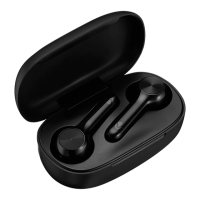
• Place the earphones into the charging case. A red LED Indicator Light inside the
earphones will turn on when the charging has begun. When the charging is complete,
the red LED Indicator Lights will switch off automatically.
Note: The earphones will turn off when inserted into the charging case, even if
they were powered on before charging.
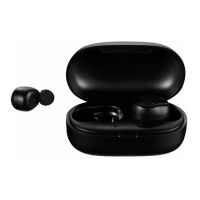
• The earphones switch on automatically when removed from the charging case.
• To switch on the device manually, touch and hold the Multi-Function Touch Button for
about 6 seconds until the LED Indicator Lights on the earphones turn on and
start flashing.
• To switch off the device, press and hold the Multi-Function Touch Button for about 3
seconds until the LED Indicator Lights turn off.
Note: When the earphones are switched on manually, they would need to
be switched on individually.
• Please ensure that the battery is fully charged before using the device for
the first time.
• Connect the provided USB charge cable to the DC 5 V charging slot on the charging
case; connect the other end of the USB to a wall charger or an available USB port on
a compatible device.
• The red LED indicator light will pulse to indicate that charging has begun.
• The LED Indicator will blink to indicate that the battery is flat.
Note: Once fully charged, the Red LED will stay on.











 To Next Page