EasyManua.ls Logo

volkano Libra Series - User Manual

volkano Libra Series
12 pages
Print Icon
To Next Page IconTo Next Page
Loading...
VK-1123-BK
V1.3
Please read these instructions carefully and
retain for future reference.
INSTRUCTION MANUAL
Libra Series
TA-2019/2451
APPROVED
Question and Answer IconNeed help?

Do you have a question about the volkano Libra Series and is the answer not in the manual?

Summary

Highlights

Package Contents

Specifications

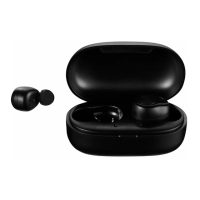
Identifying Parts

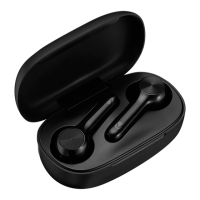
Charging Case

The main housing for storing and charging the earbuds.

Charging Case LED Indicator

LED light on the charging case indicating status like charging or battery level.

Type-C Charging Port

The port on the charging case used for recharging its battery.

Multi-function Touch Button

Touch-sensitive area on earbuds for controlling playback and calls.

Earphone LED Indicator

LED light on the earbuds indicating status like pairing or power.

Microphone

Built-in microphone on the earbud for calls and voice commands.

Magnetic Charging Pogo Pins

Contacts inside the case that connect to the earbuds for charging.
Charging the Case

Charging the Earphones

Switching On Earphones

Pairing Earphones Together

Pairing with Bluetooth Devices

Reset Functions

Locating Bluetooth Menu

Earphone Controls

Troubleshooting

Safety Precautions

Cleaning and Caring

Environmental Disposal

Disclaimer

Warranty Information

volkano Libra Series Specifications

General IconGeneral
Brandvolkano
ModelLibra Series
CategoryHeadphone
LanguageEnglish

Related product manuals