EasyManua.ls Logo

volkano Phonic Series - User Manual

volkano Phonic Series
9 pages
Print Icon
To Next Page IconTo Next Page
Loading...
VK-2002-BK / VK-2002-GD / VK-2002-BL
INSTRUCTION MANUAL
IMPORTANT: Please read before using this product.
Phonic Series
Question and Answer IconNeed help?

Do you have a question about the volkano Phonic Series and is the answer not in the manual?

Summary

Specifications

Identifying Parts

Charging Instructions

Powering Up and Connecting

Powering Up Headphones

Instructions for turning the headphones on and off using the power button.

Locating Bluetooth Menu

Steps to find the Bluetooth settings on iOS and Android devices for pairing.

Connecting and Using Headphones

Connecting with Paired Devices

Steps to switch to Bluetooth mode, pair, and connect the headphones to a device.

Volume Controls

Details on how to increase or decrease volume using headphone buttons or the paired device.

Audio Controls

Instructions for playing, pausing tracks, and navigating between tracks.

MP3 Playback Controls

How to enter MP3 mode and control playback using a Micro SD card.

FM Radio Controls

Instructions for entering FM mode, auto-scanning, and fine-tuning stations.

Aux-In Mode Operation

How to use the headphones with an audio cable and volume control limitations.

Safety and Care

Safety Precautions

Important warnings regarding product usage, water exposure, children, and commercial use.

Cleaning and Caring Instructions

Guidelines for cleaning the headphones safely and maintaining their finish.

Troubleshooting and Support

Troubleshooting Common Issues

Solutions for no power, music not playing, and Bluetooth connection problems.

Technical Support

Information on seeking assistance from technical support representatives.

Environmentally Friendly Disposal

Guidance on proper disposal of electrical appliances and environmental impact.

Legal Information

Disclaimer

Statement regarding trademarks and company names used in the manual.

Warranty Information

Details on the 12-month limited warranty, coverage, and exclusions.

Overview

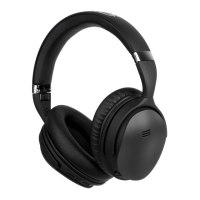
The Volkano Phonic Series Bluetooth Headphones are a versatile audio device designed for personal use, offering a range of features for listening to music, making calls, and enjoying FM radio. These folding headphones are engineered for convenience and portability, making them suitable for indoor use.

Function Description

The primary function of the Volkano Phonic Series Headphones is to provide a wireless audio experience via Bluetooth connectivity. They are compatible with various Bluetooth-enabled devices such as iPhones, iPads, iPods, Android phones, and tablets. The headphones support Bluetooth version V5.0 and are equipped with a JL-6925 chipset, supporting AVRCP, A2DP, and HFP profiles for comprehensive audio control and hands-free communication.

Beyond Bluetooth, the headphones offer multiple playback modes. Users can listen to FM radio, with an auto-scan function to find stations and fine-tuning options to skip or return to stations. For local music playback, the headphones include a Micro SD Card slot, allowing users to play MP3 files directly from a memory card. An Aux-In mode is also available, enabling a wired connection to audio sources using the provided 3.5 mm Aux Line Input Cable. This mode does not require the headphones to be powered on, and volume control is managed by the connected playback device.

The headphones are designed with an integrated microphone, facilitating hands-free calling when connected via Bluetooth. This allows users to answer, end, or reject calls directly from the headphones.

Usage Features

Operating the Volkano Phonic Series Headphones is intuitive, with clearly identified controls located on the earcup.

  • Power On/Off: A dedicated Power Button controls the device's power state. Pressing and holding this button for approximately 3 seconds will turn the headphones on or off, indicated by a blue LED light.
  • Bluetooth Pairing: To connect to a Bluetooth device, users switch on the headphones and press the "M" Mode Button to enter Bluetooth Mode. The red and blue LED lights will flash, signaling that the headphones are ready for pairing. Users then search for "Phonic" on their device's Bluetooth settings and confirm the pairing. Once successfully paired, the blue LED light will flash slowly.
  • Volume Control: Volume can be adjusted using the dedicated Volume Up (►►I) and Volume Down (◄◄) buttons. A long press on these buttons increases or decreases the volume. Volume can also be controlled directly from the paired device.
  • Music Playback Control:
    • Play/Pause: The ►II button allows users to play or pause audio playback.
    • Next/Previous Track: Short presses on the ►►I button advance to the next track, while short presses on the ◄◄ button return to the previous track.
  • Mode Switching: The "M" Mode Button cycles through the different playback modes: Bluetooth, FM Radio, and MP3 (Micro SD Card).
  • FM Radio Operation: In FM Mode, a long press of the ►II button initiates an auto-scan for stations. The ►►I and ◄◄ buttons can be used for fine-tuning, skipping forward or backward through stations.
  • MP3 Playback: Inserting a Micro SD Card automatically initiates MP3 playback. If already in another mode, pressing the "M" Mode Button will switch to MP3 Mode.
  • Aux-In Connection: For wired listening, the provided 3.5 mm audio cable is inserted into the Aux Input on the headphones and connected to the audio output of a playback device. In this mode, the headphone's volume controls are inactive, and volume is managed by the source device.

Maintenance Features

Proper care and maintenance are essential to ensure the longevity and optimal performance of the Volkano Phonic Series Headphones.

  • Charging: Before first use, the battery should be fully charged. The headphones are charged via the provided USB to Micro USB Cable, connected to a 5V USB wall charger or computer USB port. A red LED indicator light signifies charging, and it will flash twice and turn off when fully charged.
  • Cleaning: The headphones should be turned off and disconnected from charging before cleaning. The surface can be wiped down with a soft, slightly damp cloth. Harsh or abrasive cleaning chemicals and materials should be avoided as they can damage the surface finish.
  • Storage and Environmental Precautions:
    • The headphones are intended for indoor use only and should never be used near water or in areas where they could come into contact with liquids. If the product comes into contact with water while plugged in, it poses a safety hazard.
    • Hands should always be dry when touching the USB cable or power connections.
    • The product should not be operated with a damaged cable or if it has malfunctioned, been dropped, or damaged in any way.
    • Avoid exposing the headphones to direct sunlight or high temperatures for extended periods. They should not be stored in temperatures exceeding 60°C.
    • The product should only be used with parts provided by the manufacturer.
  • Troubleshooting: The manual provides guidance for common issues such as no power (recharge, try a different cable), music not playing over Bluetooth (check A2DP profile, pairing, restart headphones), and Bluetooth device not reconnecting (forget device in Bluetooth settings and re-pair).
  • Safety: The headphones are intended for personal use. Commercial use invalidates the warranty. They are not intended for use by children or persons with reduced capabilities without supervision. Children should be supervised to prevent them from playing with the headphones, and packaging should be kept out of reach of children.
  • Disposal: Electrical appliances should not be disposed of as unsorted municipal waste. Users are advised to use separate collection facilities and contact local government for information on available collection systems to prevent hazardous substances from leaking into the environment.

volkano Phonic Series Specifications

General IconGeneral
Bluetooth Version5.0
Driver Size40 mm
Impedance32 Ohms
Frequency Response20 Hz - 20 kHz
Charging Time2 Hours
Built-in MicrophoneYes
Wireless Range10 meters

Related product manuals