Updates with improvements and bug fixes are available for your Volla
Phone Quintus approximately every 2 months.
1. to check or perform an update, go to the system settings and select
the “Updates” entry.
2. if the update of the operating system or the pre-installed apps is
available, call up the “About” entry in the system settings and tap on
“Check for updates”.
3. after downloading a system update, you must confirm the update
once again. The device then starts in a mode for installing the system
update
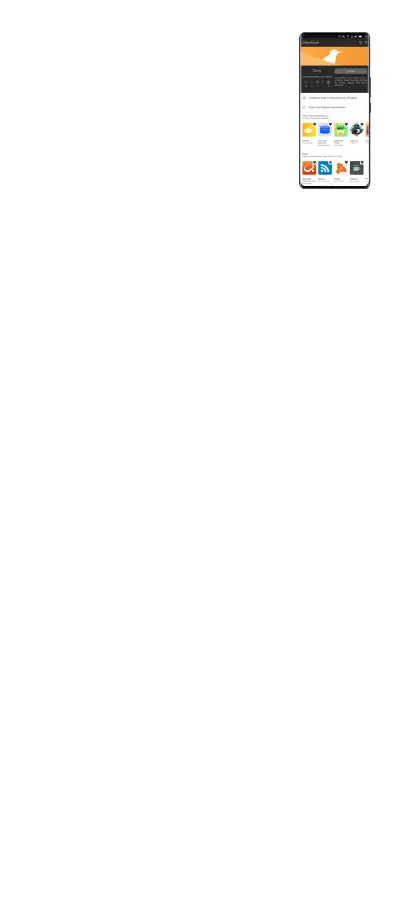
Ubuntu Touch uses its own app store. You cannot
use Android apps under Ubuntu Touch. This
requires the additional Waydroid software. In the
Open Store you will find a suitable app with which
you can install Waydroid.
open-store.io/app/waydroidhelper.aaronhafer
INSTALL
1. open the App Store via the sidebar, the dock.
2. tap on the magnifying glass icon in the bar at
the top to search for apps or tap on one of the
recommended apps
3. tap the green “Install” button in an app description to install an app.
TIPS FOR USING IMPORTANT APPS
1. phone: Swipe up from the bottom to see the calls made and missed.
2. messages: Perform a pinch gesture with your thumb and index finger
to increase or decrease the font size.
3. weather: Swipe up from the bottom to add a new location or share the
location via the settings.
4. contacts: Swipe up from the bottom to add a new contact or Import
a CardDAV file with the extension .vcf to transfer contacts from your
previous smartphone or PC.
UPDATE
1. tap on the “Installed apps” line to see the installed apps
2. if there is a current version of one or more apps, these are shown at
the top of the list. Tap on “Update all” to perform an update.
DELETE
1. tap on an entry in the list of installed apps to obtain detailed
information
2. then tap the trash can icon at the top right to delete the app.
4
Install and delete apps
System updates
Answers to frequently asked questions can be found on our website:
volla.online/en/faqs
We will be happy to answer your questions using our practical form:
volla.online/en/support
Our address is:
Volla Systeme GmbH\Kölner Straße 102\
42897 Remscheid\Germany
Customer service


 To Next Page