Stoelting
®
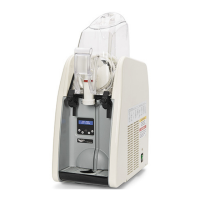
Mini Soft Serve Countertop Freezer Operator’s Manual 3
INSTALLATION
Unpack the Machine
NOTICE: Do not lift the machine by the tank, augers, or handles.
Only lift by grasping the bottom of the machine.
1. Remove all packing material and tape, as well as any protective
plastic from the equipment.
2. Clean any glue residue left over from the plastic or tape.
3. Save the original packaging. Use this packing to ship the product if
repairs are needed.
4. Locate the key for the clear bowl cover, shipped zip-tied to the
electrical cord. Cut the zip-tie and insert the key into the clear bowl
cover.
Clearance and Environment Requirements
• 10" (25.4 cm) on all sides
• Ambient Temperature: up to 85º F (29.4º C). Indoor use only
Set the Default Temperature Mode (optional)
The machine will arrive set to display temperature in Fahrenheit. You
can change the default to Celsius.
1. Make sure the Power is off.
2. Plug the power cord into a grounded electrical outlet that matches
the nameplate rated voltage. Do not turn on the machine.
NOTICE: Using a voltage other than the nameplate rated voltage
will cause damage to the unit. Incorrect voltage,
modification to the power cord or electrical components
can damage the unit and will void the warranty.
3. Simultaneously press and hold and press and release the
Power button.
4. Hold for approximately 7 seconds until the temperature is
shown in Celsius.
5. Perform the procedure again to return the default to Fahrenheit.
Set the Date, Time and TLI
Date
1. Press .
2. Press to navigate to DATE.
3. Press to select. The date format is DD/MM/YYYY.
4. Press or to change a value.
5. Press to move the cursor.
6. Press to save the date.
Local Time
1. Press to navigate to TIME.
2. Press to select. The time is displayed in a 24-hour format.
3. Press or to change a value.
4. Press to move the cursor.
5. Press to save the time.
TLI Setting
The Temperature Limit Indicator (TLI) setting is the temperature to
which the machine will attempt to refrigerate the product. Compare the
setting on the machine to the recommended temperature for the mix
you are using. If applicable, change the TLI.
NOTICE: The machine monitors torque and senses when the mix has
reached ideal serving temperature and may not continue to
refrigerate the product to a lower TLI setting. Therefore,
the display may show READY TO SERVE even though the
Bowl Temp is higher than the TLI setting.This feature helps
reduce the chance of an over-torque condition.
1. Press to navigate to TLI.
2. Press to select.
3. Press or change to change the setting.
4. Press to save the setting.
5. Press to exit the settings screens.
BEFORE FIRST USE
Before you use the machine for the very first time, Vollrath recom-
mends washing and sanitizing the components in the machine.
1. Disassemble the machine. See page 5.
2. Clean and sanitize the components. See page 4.
3. Re-assemble the machine and lubricate the components. See
page 6.
4. Sanitize the machine. See page 4.


 To Next Page
 Loading...