EasyManua.ls Logo

Voltronic Power 1K - Audible Alarm Notifications; LCD Display Wordings Index; UPS Setting Configuration

Voltronic Power 1K
19 pages
Print Icon
To Next Page IconTo Next Page
To Previous Page IconTo Previous Page
Loading...
9
3-3. Audible Alarm
Sounding every 4 seconds
Sounding every second
Sounding twice every second
Continuously sounding
Sounding every 10 seconds
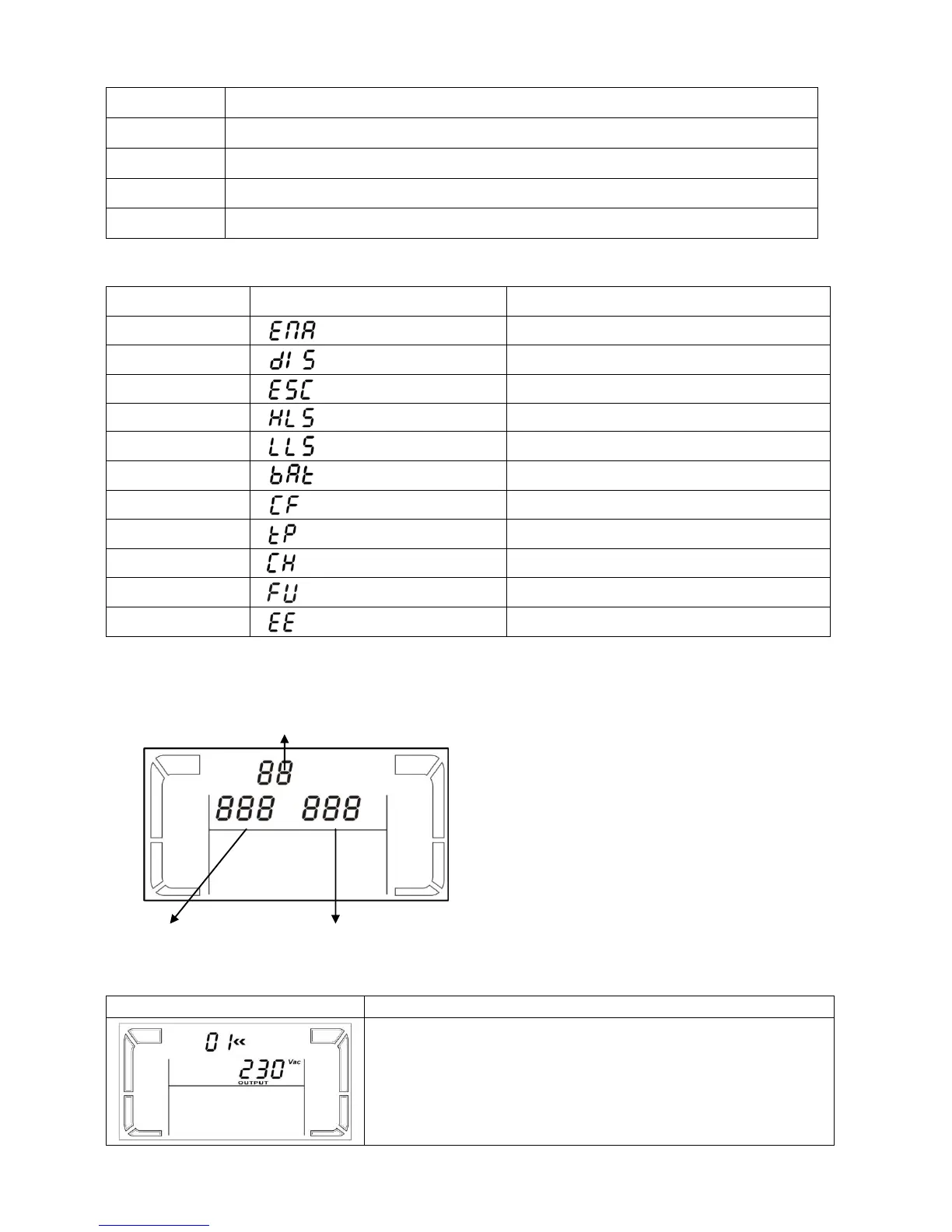
3-4. LCD display wordings index
Abbreviation
Display content
Meaning
ENA
Enable
DIS
Disable
ESC
Escape
HLS
High loss
LLS
Low loss
BAT
Battery
CF
Converter
TP
Temperature
CH
Charger
FU
Bypass frequency unstable
EE
EEPROM error
3-5. UPS Setting
There are three parameters to set up the
UPS.
Parameter 1: It’s for program
alternatives. Refer to below table.
Parameter 2 and parameter 3 are the
setting options or values for each
program.
01: Output voltage setting
Interface
Setting
Parameter 3: Output voltage
For 200/208/220/230/240 VAC models, you may choose
the following output voltage:
200: presents output voltage is 200Vac
208: presents output voltage is 208Vac
220: presents output voltage is 220Vac

Parameter 1
Parameter 2
Parameter 3

Related product manuals