Emergency exit
The alternative exit path is through the rear window
(its location is marked with the information decal
shown to the left). In case of a turnover or accident,
if the door is blocked, use the emergency hammer,
located on the rear pillar on the left hand side of the
machine, to brake the window and leave the cab.
Audio system
(optional equipment)
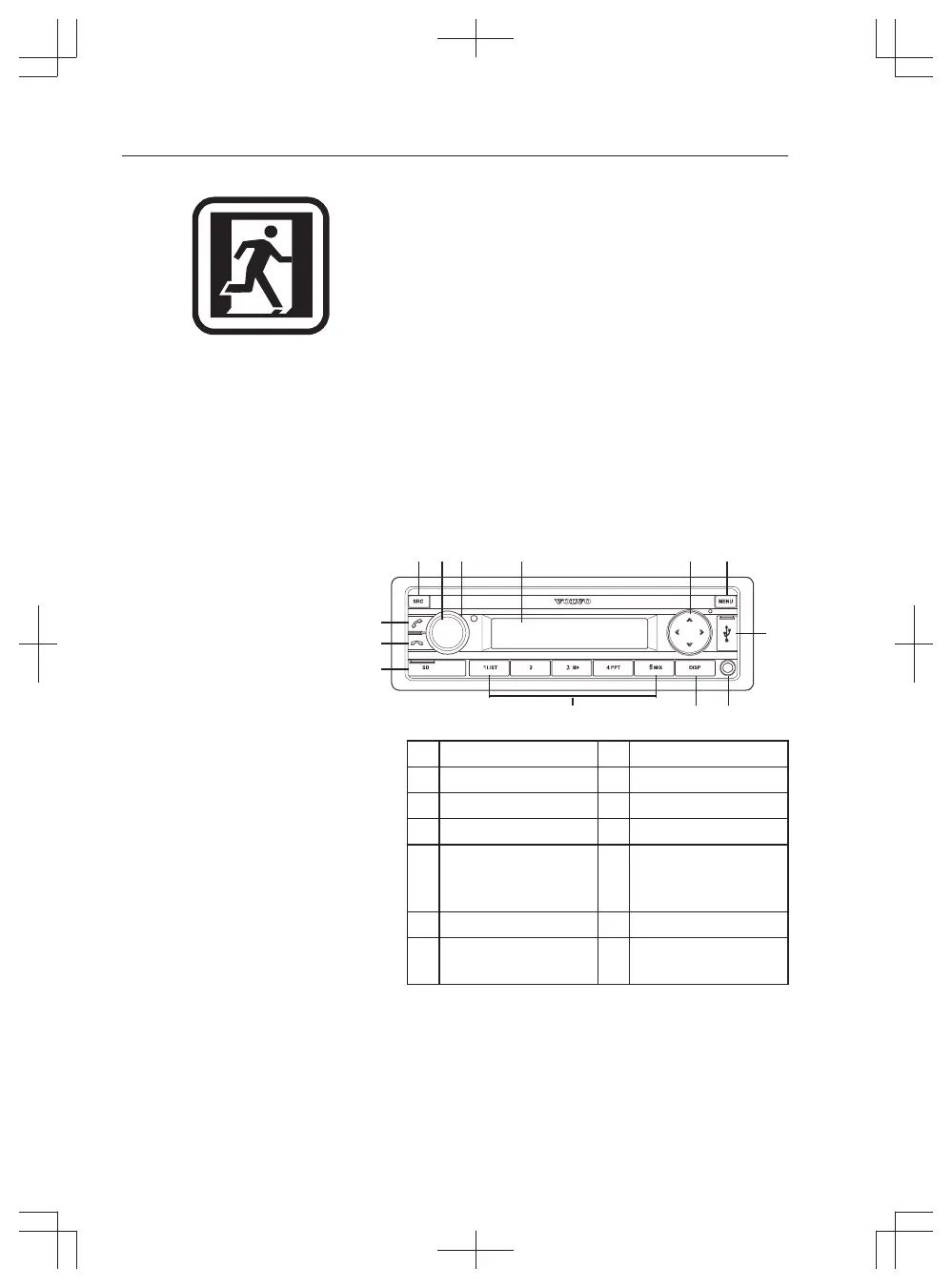
The audio system (optional equipment) is located
below the cab roof on the right hand side of the
machine.
Radio with USB, SD and Bluetooth
1 SCR button 8 Preset 1–5
2 ON/OFF button 9 MENU button
3 Volume control 10 Green phone button
4 Display 11 Red phone button
5 SEARCH/
CHANGE/SELECT
button
12 SD card slot
6 USB socket 13 DISP button
7 Front AUX-IN
socket
1 SCR button
Select memory bank or audio source.
Short press: Select RADIO, BT STREAM, USB
FRONT, USB REAR, SD, AUX FRONT or AUX
REAR source.
Long press: Activate Travel-Store function in
radio mode.
2 ON/OFF button



 To Next Page