||
03 Instruments and controls
03
116
Headings
Three trip computer headings can be displayed
simultaneously - one in each "window".
One of the heading combinations in the fol-
lowing table can be selected for constant dis-
play in the combined instrument panel. Pro-
ceed as follows to determine which:
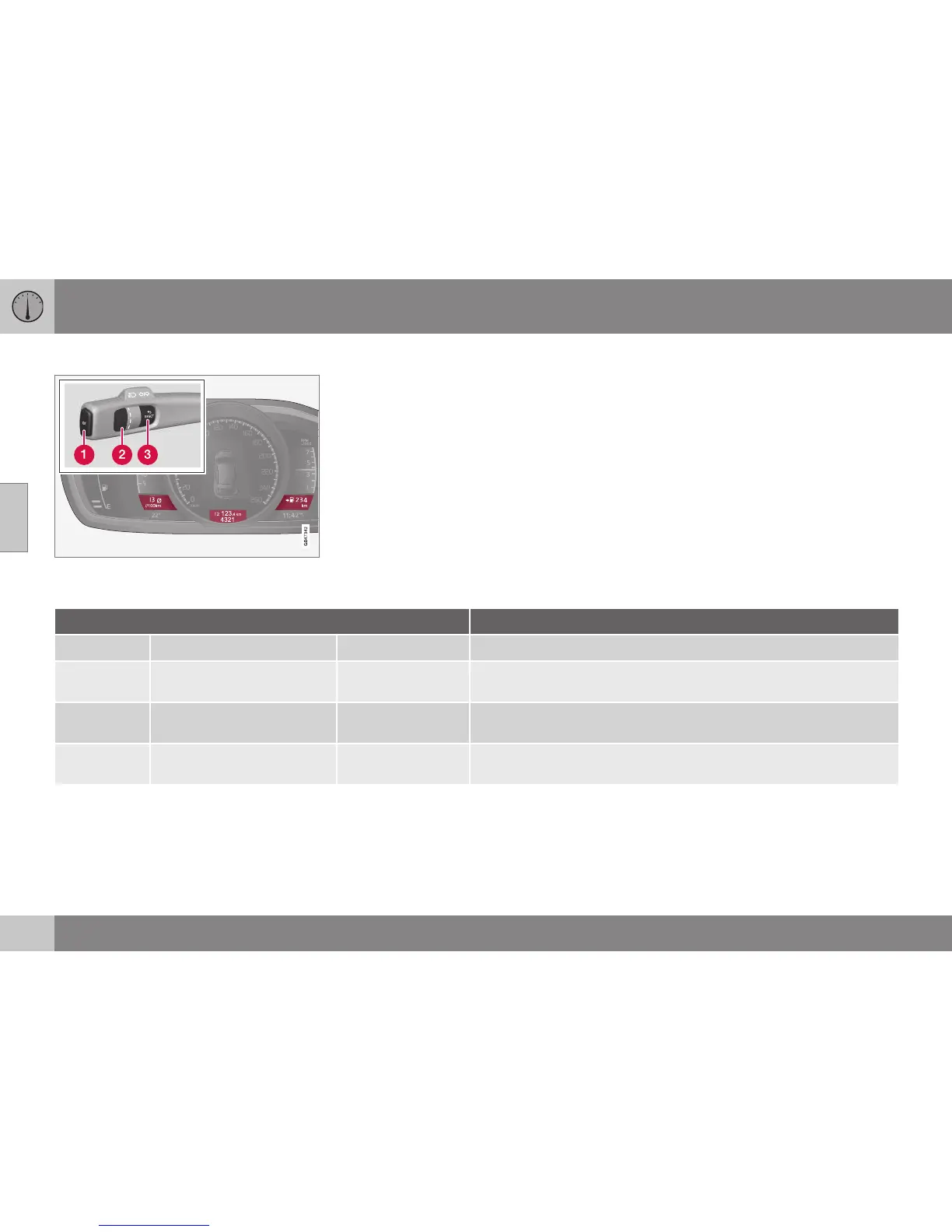
1. To ensure that no control is in the middle
of a sequence - "Reset" them first with
two presses on RESET.
2. Turn the thumbwheel - selectable head-
ing combinations are shown in a loop.
3. Stop on desired heading combination.
Heading combinations Information
Average Trip meter T1 + Meter reading Average speed
•
Long press on RESET resets trip meter T1.
Instantaneous Trip meter T2 + Meter reading Distance to empty
tank
•
Long press on RESET resets trip meter T2.
Instantaneous Meter reading kmh<>mph kmh<>mph - "Digital speed display", see Trip computer - supplemen-
tary information (p. 118).
No trip computer information. This option extinguishes all three trip computer displays - it also marks
the beginning/end of the loop.
The combined instrument panel's heading
combination for the trip computer can be
changed to another option at any time during
the journey. Proceed as follows:
•
Turn the thumbwheel - stop on the
desired heading.
Resetting - Trip meter
Turn with the thumbwheel to the heading
combination containing the trip meter to be
reset:




 To Next Page